
HubSpot Review Is It Worth It Today
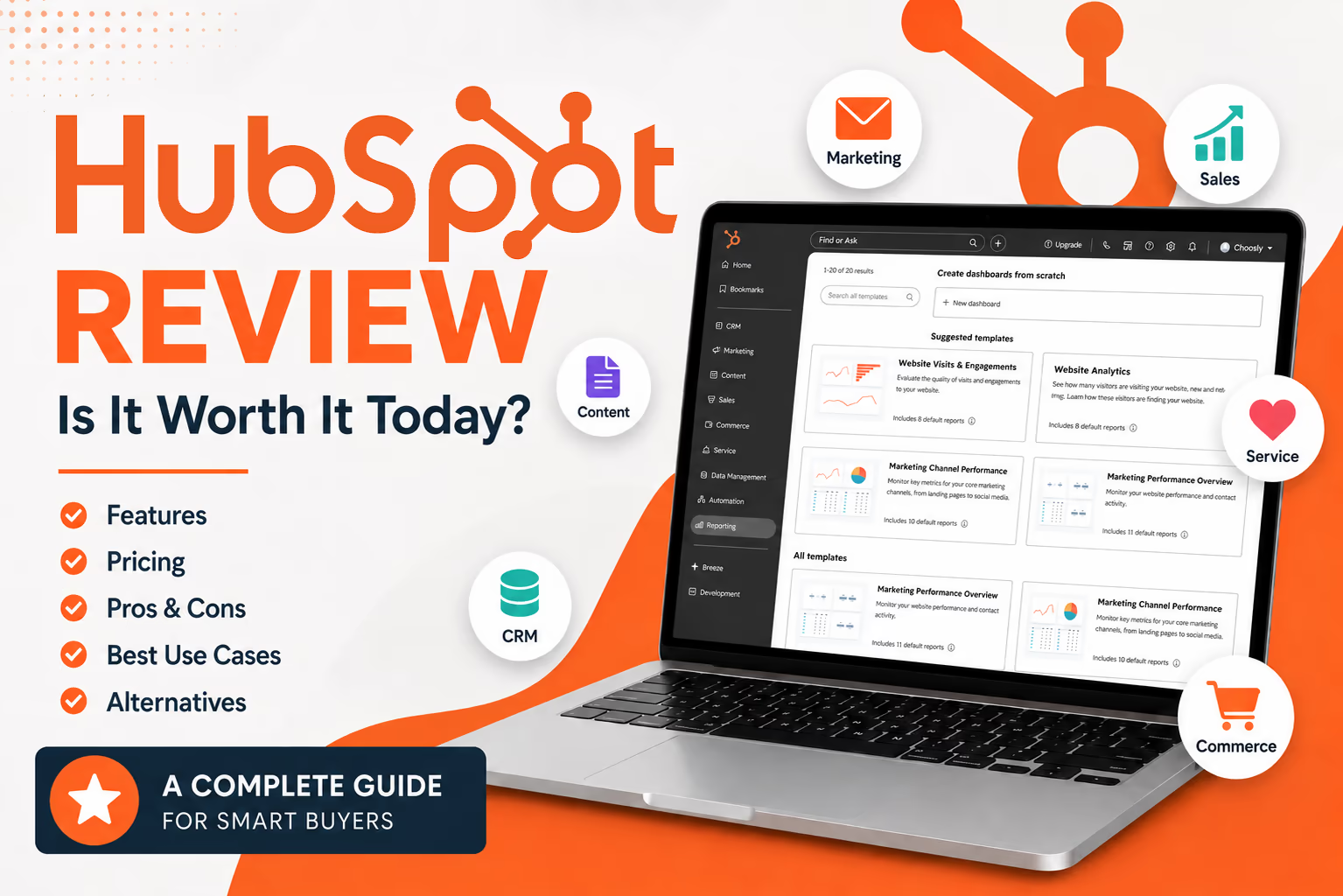
In this HubSpot review, we look at one of the most popular CRM and customer platform tools for growing businesses. HubSpot is often seen as an easy starting point for companies that want to manage contacts, leads, deals, email marketing, customer support, content, and reporting in one connected system.
The main appeal is simple. Instead of forcing teams to use separate tools for marketing, sales, service, and content, HubSpot brings those workflows into one shared CRM. That can save time, reduce messy data, and make customer conversations easier to track.
But HubSpot is not perfect for everyone. It can become expensive as your team grows, and some of the best automation, reporting, and enterprise controls sit behind higher priced plans. So the real question is not whether HubSpot is good. The better question is whether HubSpot is the right fit for your business stage, budget, and growth plans.
What HubSpot is
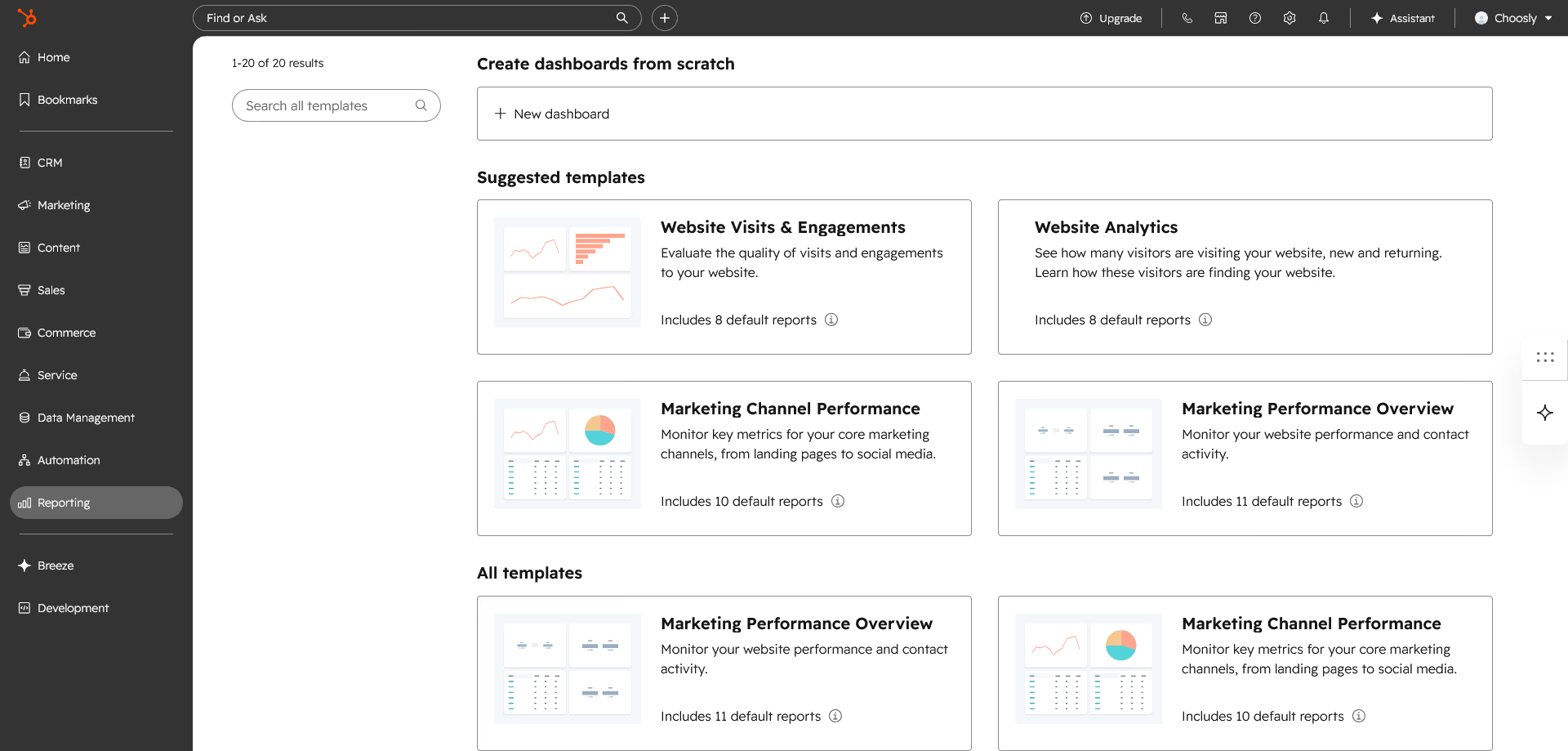
HubSpot is a customer platform built around its Smart CRM. It includes connected products for marketing, sales, customer service, content, data management, commerce, and AI tools. HubSpot presents the platform as a system that unifies marketing, sales, and service teams on an AI powered CRM with tools and integrations for the full customer journey.
At a practical level, HubSpot can help a business manage contacts, companies, sales pipelines, deals, marketing emails, forms, landing pages, website content, customer tickets, support conversations, reporting dashboards, quotes, payments, subscriptions, billing tools, and AI assisted work through Breeze.
HubSpot also offers a free CRM. Based on current official HubSpot information reviewed for this article, the free CRM is not presented as a short trial. It is designed as a long term entry point for very small teams that need basic contact and deal management.
Who HubSpot is best for
HubSpot is best for small to midsize businesses that want a clean, easy to use CRM with room to grow. It works especially well when marketing, sales, and customer service need to share the same customer data.
We think HubSpot is a strong fit for growing startups, small businesses moving away from spreadsheets, B2B companies with lead forms and sales pipelines, marketing teams that need landing pages and email automation, sales teams that want deal tracking and meeting links, and support teams that want ticketing, live chat, shared inboxes, and support articles.
HubSpot may be less ideal for businesses that only need a very basic contact database, teams with very tight budgets, or companies that require deep custom enterprise workflows from day one.
Key features
Smart CRM
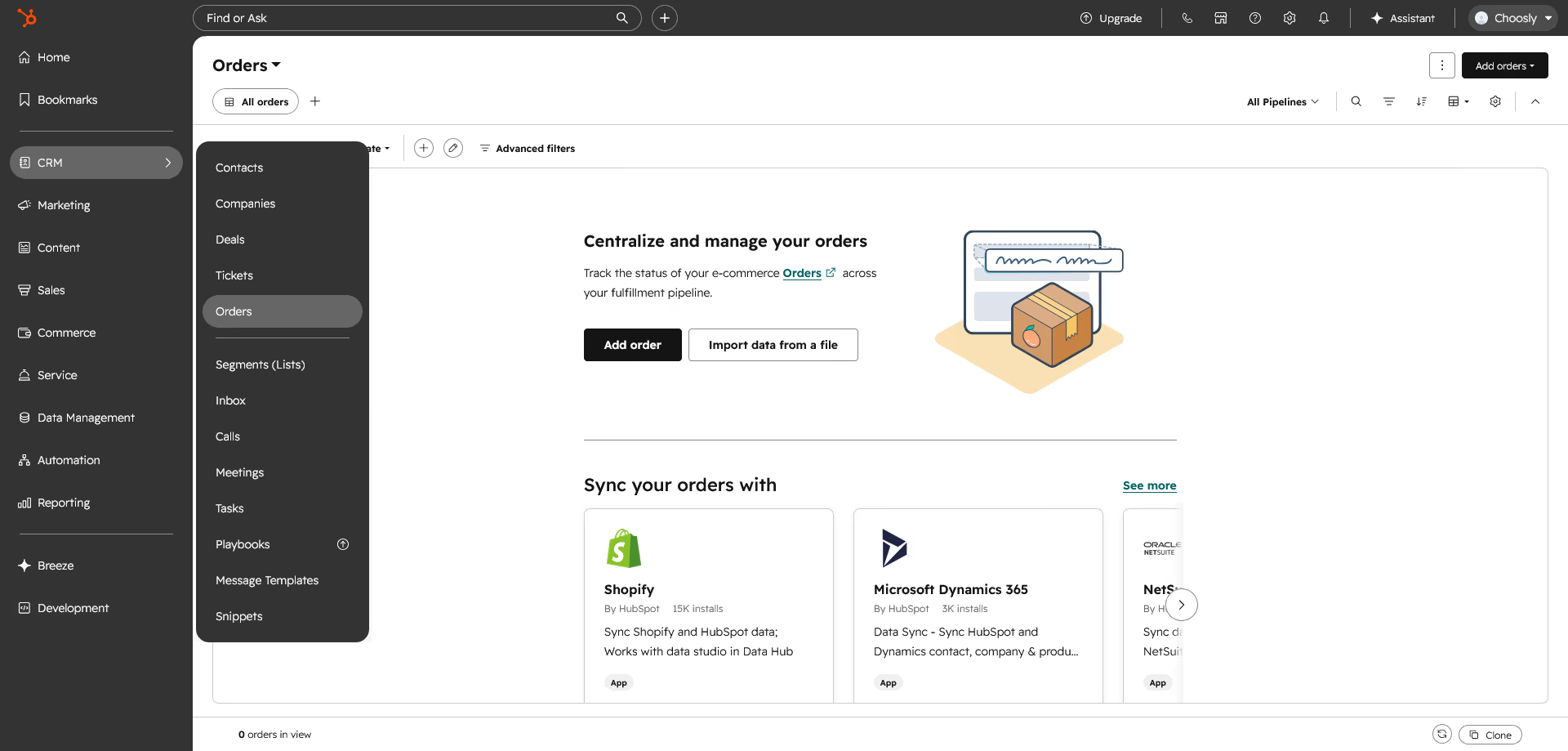
HubSpot Smart CRM is the central database behind the platform. It stores contacts, companies, deals, tickets, activities, and customer history. Selected CRM features are available in the free tools, while more advanced CRM capabilities are included with paid products.
For daily use, the CRM is one of HubSpot's biggest strengths. Contact records are easy to understand. A sales rep can see emails, calls, notes, meetings, deals, tasks, and support history in one place. A marketer can use the same customer data to segment audiences. A support team can see whether a customer is active, unhappy, or linked to an open deal.
That shared context is where HubSpot starts to feel valuable.
Marketing tools
HubSpot Marketing Hub includes forms, email marketing, landing pages, ad tools, segmentation, campaign reporting, and automation. On higher plans, it becomes more powerful with broader automation, advanced segmentation, and larger reporting needs.
For a small business, a simple use case might be a landing page with a form that sends a lead into the CRM. From there, HubSpot can notify a sales rep, send an email follow up, and track whether the lead becomes a deal.
For a larger team, Marketing Hub can support lead nurturing, campaign performance tracking, ad audience syncing, and more complex customer journeys.
Sales tools
HubSpot Sales Hub helps teams manage deals, email outreach, meetings, documents, quotes, calling, forecasting, and sales reporting. It is designed for teams that need a clearer sales process without making the CRM too difficult for reps to use.
The free and Starter plans are useful for simple deal tracking and outreach. Professional and Enterprise are more suitable when a sales team needs sequences, forecasting, coaching, automation, and more advanced controls.
In our view, Sales Hub works best for teams that care about adoption. The interface is easier for many sales reps than heavier CRM systems, which matters because a CRM only works if people actually use it.
Service tools
HubSpot Service Hub includes ticketing, shared inboxes, live chat, support automation, customer feedback tools, support articles, routing, and reporting. It can work as a basic help desk for a small team or a more serious service workspace for a growing support operation.
The strongest use case is when service data needs to connect with marketing and sales. For example, if a customer opens several support tickets, the account manager can see that before a renewal conversation.
Content Hub
Content Hub supports website pages, blogs, content creation, content management, and AI assisted content tools. It is useful for teams that want their website, landing pages, CRM, and marketing campaigns to live in the same ecosystem.
It may be less attractive if your website is already deeply built on another content management system and you do not want to migrate.
Data Hub
Data Hub is HubSpot's data management product. It helps connect apps, sync data, clean customer records, and support more reliable reporting.
This matters because CRM quality depends heavily on clean data. Duplicate contacts, incomplete fields, and disconnected tools can weaken reporting and automation. Data Hub is more relevant for teams with multiple systems and larger databases.
Commerce Hub
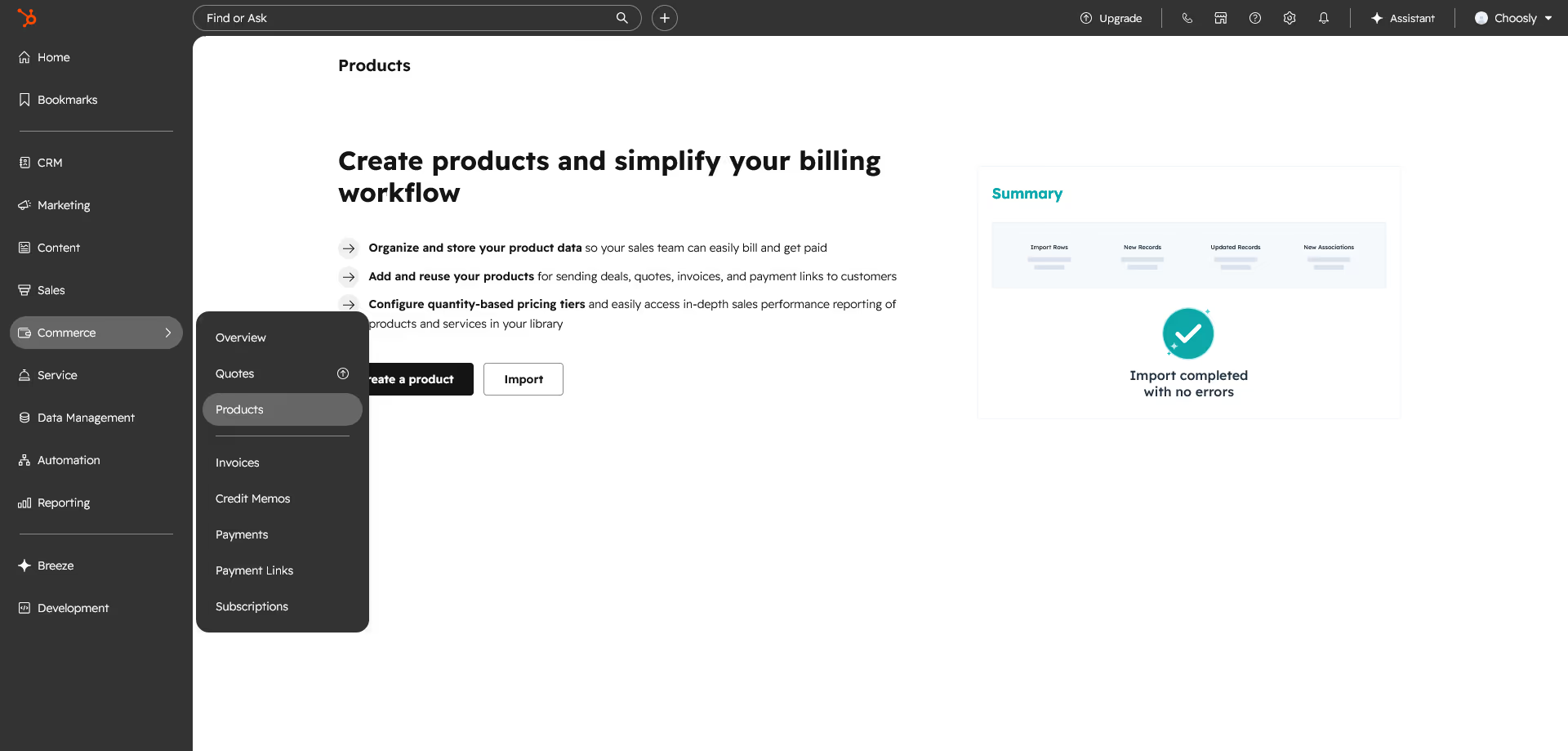
Commerce Hub includes tools for quotes, payment links, invoices, subscriptions, and billing. It is useful when a sales team wants to move from deal to quote to payment inside the CRM.
It is not a full replacement for every billing system, but it can reduce friction for simple sales and payment workflows.
Breeze AI
HubSpot's AI suite is called Breeze. It includes AI tools built into the customer platform to help marketing, sales, and service teams get more done.
Breeze includes AI assistants and agents for tasks such as customer support, prospecting, data research, customer health, company research, and closing related workflows. Some AI features may use HubSpot Credits.
This is helpful, but it should be viewed realistically. AI can speed up research, content drafts, support routing, and customer summaries. It does not remove the need for strategy, clean data, strong messaging, and human review.
Pricing and plans
HubSpot pricing is one of the most important parts of this HubSpot review because costs can vary depending on hub, plan, seats, marketing contacts, billing terms, onboarding, and AI credit usage.
HubSpot has free tools, individual hubs, and Customer Platform bundles. Pricing can also be affected by discounts and regional terms, so we recommend checking the final checkout or sales quote before buying.
Verified HubSpot pricing overview
Plan or product | Verified starting price | Best for | Important notes |
|---|---|---|---|
Free CRM | $0 | Very small teams testing CRM basics | Official HubSpot information presents the free CRM as a no cost entry point with contact and deal management features. |
Starter Customer Platform | $7 per month per seat with annual upfront payment, or $10 per month per seat monthly, as a limited time new customer offer | Startups and small businesses wanting all Starter products | HubSpot lists the normal Starter price as $20 per month per seat, with the discount available for a limited time for new customers. |
Marketing Hub Starter | $20 per month per seat | Basic lead capture and email marketing | Includes 1,000 marketing contacts, with paid tiers for more marketing contacts. |
Marketing Hub Professional | $890 per month | Growing marketing teams needing stronger automation | Includes 3 Core Seats and 2,000 marketing contacts. Required onboarding is listed at $3,000. |
Marketing Hub Enterprise | $3,600 per month | Larger teams needing advanced marketing controls | Includes 5 Core Seats and 10,000 marketing contacts. Required onboarding is listed at $7,000. |
Sales Hub Starter | $20 per month per seat | Basic sales teams | Useful for simple sales tracking and outreach. |
Sales Hub Professional | $100 per month per seat | Sales teams needing automation and forecasting | Best suited for teams that need stronger pipeline tools and repeatable sales processes. |
Sales Hub Enterprise | $150 per month per seat | Larger or more complex sales teams | Billed annually, with required onboarding listed at $3,500. |
Service Hub Starter | $20 per month per seat | Small support teams | Good for basic support and ticketing. |
Service Hub Professional | $100 per month per seat | Support teams needing stronger service operations | Best suited for support teams that need automation, reporting, and more service controls. |
Service Hub Enterprise | $150 per month per seat | Large service teams | Billed annually, with required onboarding listed at $3,500. |
Content Hub Professional | $500 per month | Content teams and website teams | Includes 3 Core Seats. |
Data Hub Professional | $800 per month | Teams managing connected data | Includes 1 Core Seat. |
Commerce Hub Professional | $95 per month per seat | Teams that need quotes, invoices, and payment workflows | Commerce Hub Enterprise starts at $140 per month per seat. |
Pricing notes we would not ignore
The free CRM is generous, but it is not the same as a full growth platform. Once you need advanced automation, detailed reporting, larger marketing contact capacity, or enterprise controls, pricing rises quickly.
Marketing Hub pricing also depends heavily on marketing contacts. Current official information lists Marketing Hub Starter with 1,000 marketing contacts, Professional with 2,000 marketing contacts, and Enterprise with 10,000 marketing contacts. Additional marketing contact pricing varies by tier and volume.
HubSpot Credits also matter. Current official information lists some included credits with certain products, but included credits are not additive across products. Additional credits are listed at $0.010 per credit through capacity packs or pay as you go.
The Starter Customer Platform discount is attractive, but HubSpot describes it as a limited time new customer offer. That means readers should not assume the discounted rate will always be available.
Check HubSpot pricingPricing note: HubSpot prices and plan details can change. Always check the final pricing page before subscribing.
Pros and cons
Pros | Cons |
|---|---|
Easy to use compared with many enterprise CRM systems | Costs can increase quickly as contacts, seats, and needs grow |
Strong free CRM for testing the platform | Advanced automation and reporting often require higher plans |
Marketing, sales, service, content, commerce, and data tools are connected | Pricing can feel complex because of hubs, seats, contacts, credits, and onboarding |
Good fit for teams that want one shared customer database | Some teams may outgrow the customization depth compared with heavier enterprise CRM tools |
Large app marketplace and many integrations | Businesses using another content system may not need Content Hub |
Breeze AI is built into the platform rather than added as a separate tool | AI features still depend on clean data, good prompts, and human review |
Real use cases
A small business moving away from spreadsheets
A small service business may start with HubSpot CRM to track leads, deals, tasks, and customer conversations. Instead of searching through inboxes, the team can open a contact record and see the history.
This is one of the simplest and strongest HubSpot use cases. The value is not just more features. It is better organization.
A startup building its first sales process
A startup can use HubSpot to capture leads from forms, book meetings, track deals, and send follow up emails. The Starter Customer Platform is especially relevant here because it bundles Starter editions across core HubSpot products for startups and small businesses.
A founder might use landing pages to collect leads, deal pipelines to manage opportunities, and payment links to close simple transactions.
A marketing team nurturing leads
A marketing team can use HubSpot Marketing Hub to build forms, landing pages, lists, email campaigns, and automated follow ups. When leads engage, sales can see that activity inside the CRM.
This is where HubSpot becomes more powerful than a basic email marketing tool. It connects marketing behavior with sales action.
A sales team improving follow up
Sales reps can use HubSpot to track deals, send emails, schedule meetings, log calls, and monitor prospect activity. Managers can use dashboards and forecasting to understand pipeline health.
For sales teams, HubSpot is strongest when the process is clear. If stages, deal properties, tasks, and ownership rules are messy, HubSpot will not fix that automatically. The CRM supports the process, but the business still needs to design it.
A support team connecting service and revenue
A support team can manage tickets and customer conversations through Service Hub. Account managers can see ticket history before renewal calls. Marketing can segment customers based on support experience or lifecycle stage.
This makes HubSpot useful for customer retention, not just new lead generation.
User experience
HubSpot's user experience is one of its biggest advantages. The interface is clean, modern, and usually easier to learn than more technical CRM systems.
For new users, contact records, deal boards, email tools, reports, and forms are fairly intuitive. HubSpot also provides templates, setup guides, Academy resources, and support options.
We like that HubSpot feels approachable. A small business owner can start with contacts and deals without needing a full implementation team. A sales rep can understand the pipeline view quickly. A marketer can build a simple form or landing page without waiting on a developer.
The tradeoff is that HubSpot's simplicity can hide complexity as you grow. Once you add multiple hubs, permissions, lifecycle stages, workflows, contact tiers, custom objects, and AI credits, the platform requires careful administration.
What makes HubSpot different
The main difference is that HubSpot combines ease of use with a broad platform.
Some CRMs are strong for sales but weak for marketing. Some marketing automation tools are strong for campaigns but weak as a CRM. Some service platforms handle support well but do not connect naturally to sales and marketing.
HubSpot's advantage is the shared customer record. Marketing can see sales data. Sales can see marketing activity. Service can see the full customer history. Leadership can report across teams from the same platform.
Breeze AI also makes HubSpot feel more current. Instead of being a separate AI product, Breeze is built into the customer platform and works across marketing, sales, and service use cases.
That said, the best reason to choose HubSpot is not AI alone. The better reason is that your team wants one connected system that is easier to adopt than many enterprise alternatives.
Possible drawbacks
Pricing can climb quickly
HubSpot can start free or relatively low cost, but the jump to Professional and Enterprise plans is significant. Marketing Hub Professional starts at $890 per month, and Sales Hub Professional and Service Hub Professional start at $100 per month per seat.
For a small team, that can be a major budget change.
Some limits require careful planning
Contact limits, email send limits, workflow needs, custom reporting, seats, and AI credit usage can all affect the real cost. Exceeding certain limits may require upgrades or additional purchases.
Before buying, we would map the real use case. How many contacts are marketing contacts? How many users need paid seats? How many workflows do you need? Which reports are essential? Which AI features will consume credits?
Advanced teams may need more customization
HubSpot is flexible, but it may not satisfy every enterprise process as deeply as a highly customized Salesforce setup or a custom internal system. Enterprise teams with complex territory rules, strict governance, unusual data models, or heavy development requirements should test carefully.
It can become too much platform for simple needs
If all you need is a newsletter tool, a simple sales pipeline, or a basic help desk, HubSpot may be more than you need. Its real value appears when multiple teams use the same customer data.
Comparison with alternatives
Alternative | Where it may be better | Where HubSpot may be better |
|---|---|---|
Salesforce | Deep enterprise customization, complex CRM architecture, large sales organizations | Ease of use, faster adoption, stronger native marketing and content tools for many growing teams |
Pipedrive | Simple sales pipeline management for small sales teams | Broader marketing, service, content, and CRM platform coverage |
Zoho CRM | Budget conscious teams wanting many business apps | Cleaner user experience and stronger inbound marketing ecosystem |
ActiveCampaign | Email marketing and marketing automation at a smaller scale | More complete CRM, sales, service, and customer platform features |
Freshsales or Freshdesk | Sales or support teams that want a focused product | Teams that want marketing, sales, service, content, and data in one platform |
The simplest way to decide is this. Choose HubSpot if you want one connected customer platform with strong usability. Choose a narrower tool if you only need one function and want to keep costs low.
Final verdict
HubSpot is a strong CRM and customer platform for businesses that want to organize customer data, improve lead management, support sales follow up, run marketing campaigns, and connect service conversations in one place.
We like HubSpot because it is easy to use, quick to understand, and broad enough to support many stages of business growth. The free CRM is genuinely useful for small teams, and the Starter Customer Platform can be a practical entry point for startups and small businesses while the current discount is available.
The biggest concern is cost. HubSpot becomes much more expensive when you need Professional or Enterprise features, more marketing contacts, advanced automation, deeper reporting, onboarding, or extra AI credits. Buyers should calculate the real yearly cost before committing.
Clear recommendation
We recommend HubSpot for growing companies that want a user friendly CRM with marketing, sales, service, content, commerce, data, and AI tools in one connected platform.
We would start with the free CRM or Starter Customer Platform if your needs are simple. Move to Professional only when you clearly need advanced automation, reporting, and team workflows. Enterprise makes sense for larger teams that need stronger governance, permissions, customization, and scale.
Our final verdict in this HubSpot review is straightforward. HubSpot is worth it if your business will use the connected platform, not just one small feature. If your team needs a CRM that people will actually adopt and you want marketing, sales, and service working from the same customer data, HubSpot deserves a serious place on your shortlist.
Explore HubSpot