
Salesforce CRM Review: Is It Worth It?
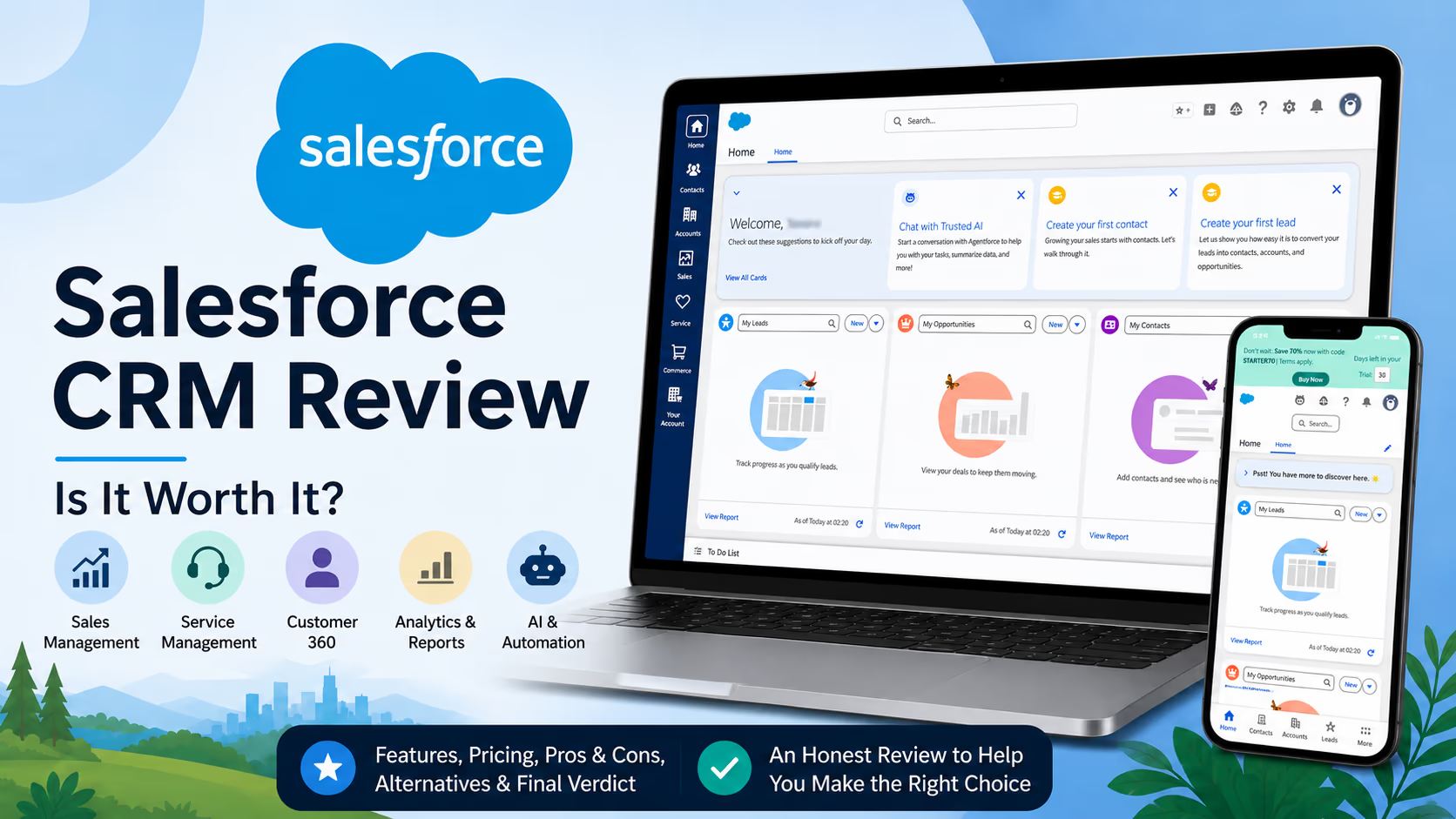
Salesforce is one of the most recognized names in CRM software, and for good reason. It gives businesses a central place to manage leads, customers, deals, service requests, marketing data, reports, automation, and AI driven work.
But Salesforce is not the right choice for every company.
In this Salesforce CRM review, we look at it from a practical buyer’s point of view. We focus on what teams actually care about before committing to a CRM: usability, pricing, setup effort, features, scalability, support, and long term value.
Our honest view is simple. Salesforce is extremely powerful, flexible, and scalable. It is best for businesses that want a serious CRM system they can grow into. But it can also feel complex, expensive, and heavier than needed for very small teams that only want simple contact management.
What Salesforce Is
Salesforce is a cloud based customer relationship management platform. It helps companies manage customer data across sales, service, marketing, commerce, analytics, AI, and operations.
The broader Salesforce ecosystem includes Customer 360 and Agentforce 360. Customer 360 brings together Salesforce apps for sales, service, marketing, commerce, IT, industries, partners, and more. Salesforce describes Customer 360 as the CRM layer of Agentforce 360, with Slack also part of the wider experience for collaboration and AI assisted work.
In everyday business use, Salesforce can help teams answer questions like:
Who is this customer?
What did they buy?
Which salesperson owns the relationship?
What deal stage are they in?
What support issues have they opened?
Which marketing messages have they received?
What should we do next?
That is the real value of Salesforce. It is not just a database. It is a system for connecting customer activity across teams.
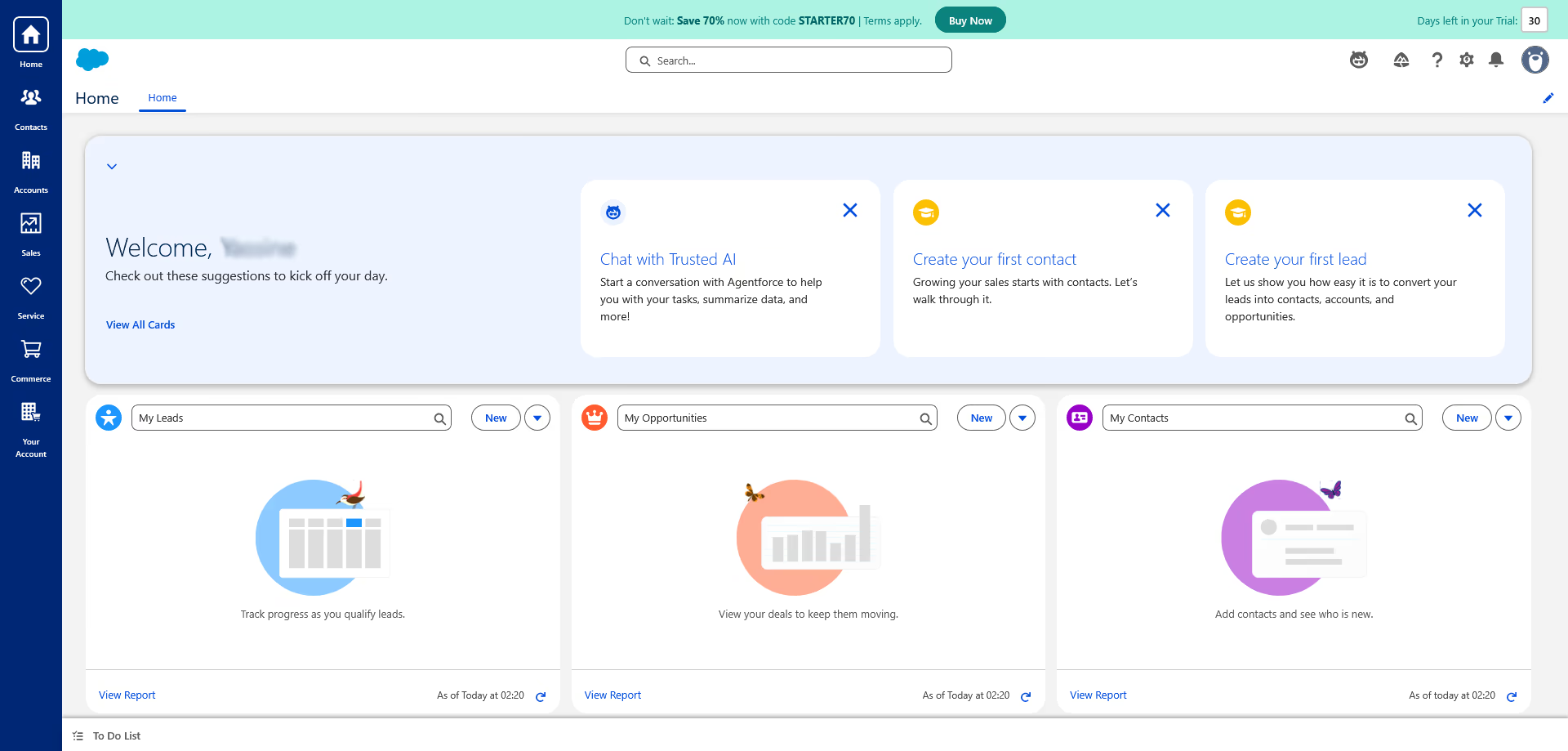
Who Salesforce Is Best For
Salesforce is best for companies that need more than a basic CRM. It fits teams that want structure, automation, reporting, customization, and room to grow.
Best fit businesses
Business type | Why Salesforce can fit well |
|---|---|
Growing sales teams | Salesforce helps manage leads, opportunities, forecasts, quotes, activities, and pipeline visibility. |
Service teams | Service Cloud can centralize cases, support workflows, knowledge, self service, and customer history. |
Companies with complex processes | Salesforce can be customized for approval flows, territories, roles, data models, and integrations. |
Enterprise businesses | It supports governance, advanced reporting, automation, AI, security, and larger team structures. |
Businesses planning for AI CRM | Agentforce, Data 360, and AI tools are designed for teams that want data driven automation and AI assisted work. |
Salesforce may not be ideal for a very small company that only needs a simple list of contacts, basic reminders, and a visual sales pipeline. In that case, a lighter CRM may be easier and cheaper.
Key Features
Salesforce has a large feature set, so the exact tools you get depend on the product and plan you choose. The core CRM experience usually centers on sales, customer service, reporting, automation, data, and AI.
Sales pipeline management
Salesforce Sales Cloud, now positioned under Agentforce Sales, helps teams manage leads, accounts, contacts, opportunities, activities, forecasts, and sales processes. Salesforce describes Sales Cloud as a sales force automation platform with AI and automation built in to help teams scale.
In practical terms, a sales manager can use Salesforce to see:
Which deals are open
Which reps are behind target
Which opportunities are stuck
Which accounts need attention
Which forecasts look realistic
For a team that still works from spreadsheets, this alone can be a major upgrade.
Lead and opportunity tracking
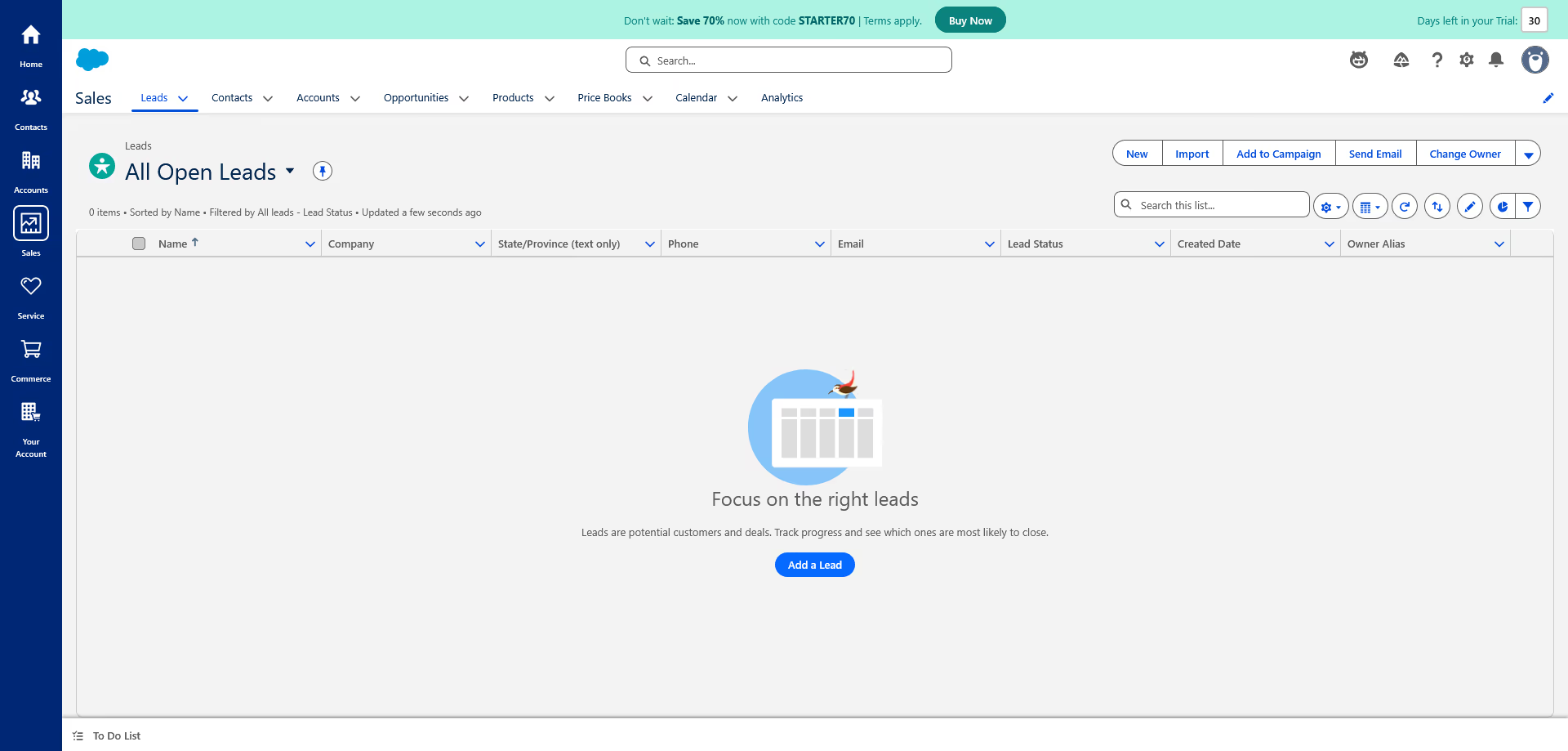
Salesforce is strong at tracking the full journey from lead to closed deal. A lead can come from a website form, event, ad campaign, referral, or manual entry. Once qualified, it can be converted into an account, contact, and opportunity.
This structure is useful for companies with several salespeople because it reduces confusion. Everyone can see who owns the lead, what happened last, and what should happen next.
Reports and dashboards
Reporting is one of Salesforce’s biggest strengths. Teams can build dashboards for revenue, pipeline, win rates, rep activity, customer service volume, conversion rates, and more.
The current Sales pricing structure includes customizable reports and dashboards across sales planning features, with advanced reporting features available higher in the product stack.
The value here is not just having charts. It is giving leaders a clearer view of what is happening in the business.
Automation
Salesforce can automate repetitive work. For example, it can assign leads based on region, create tasks after a deal moves stage, send alerts when a high value opportunity changes, or route support cases to the right team.
Automation is especially useful when a company has repeatable sales or service steps. It helps reduce manual admin work and improves consistency.
The drawback is that automation needs planning. Poorly designed workflows can create noise, duplicate work, or confusing alerts.
AI and Agentforce
Salesforce has moved heavily into AI with Agentforce and related AI features. Salesforce describes Sales AI as a way to automate prospecting, optimize conversations, speed decisions, and help teams take action using better data.
Agentforce is designed to help businesses build AI agents that can use data, reasoning, and actions to complete work across systems. Salesforce says Agentforce agents can connect to data sources and use workflows, automation, or APIs to complete tasks.
For buyers, this matters because Salesforce is positioning itself not only as a CRM, but as an AI powered business platform.
Still, AI value depends heavily on data quality. If your CRM data is messy, incomplete, or outdated, AI recommendations will be less useful.
Service Cloud
Salesforce Service Cloud is built for customer support teams. It can help manage cases, customer history, knowledge articles, self service, digital engagement, automation, and support performance.
Service Cloud pricing starts with Starter Suite at $25 per user per month, while higher tiers add more service focused capabilities.
For companies with growing support volume, Service Cloud can help agents work faster because they can see customer context in one place.
Marketing and customer data
Salesforce also offers marketing and data products, including Data 360. Salesforce says Data 360 creates connected customer profiles across marketing, sales, service, and commerce, with real time activation across channels.
This is useful for larger teams that want more advanced personalization, segmentation, and customer journey management.
For smaller businesses, this part of the ecosystem may feel advanced or expensive unless marketing data is already a major priority.
Integrations and app ecosystem
Salesforce has a large ecosystem of partner apps, consultants, and integrations. Its marketplace can extend Salesforce into areas like document management, quoting, communication, finance, analytics, and industry specific workflows.
This is a major advantage for companies that need flexibility.
It is also one reason Salesforce can become expensive. The base CRM price may not be the final cost once apps, consulting, data migration, support upgrades, and admin time are included.
Pricing and Plans
Salesforce pricing depends on the product, edition, region, number of users, add ons, billing terms, and support level. The public prices below are based on current official Salesforce pricing pages in USD.
Sales Cloud pricing overview
Plan | Starting price | Best for |
|---|---|---|
Free Suite | $0 per user per month | Trying basic CRM features before paying |
Starter Suite | $25 per user per month | Small teams that need sales, service, marketing, commerce, and built in AI in one starter CRM |
Pro Suite | $100 per user per month | Growing teams that need more CRM capability than Starter |
Enterprise | $175 per user per month | Teams that need advanced sales CRM, automation, integration, forecasting, and customization |
Unlimited | $350 per user per month | Larger teams that need deeper capability and included premium success support |
Agentforce 1 Sales | $550 per user per month | Organizations investing deeply in Salesforce AI, automation, and advanced sales operations |
Salesforce’s current Sales pricing includes Free Suite, Starter Suite, Pro Suite, Enterprise, Unlimited, and Agentforce 1 Sales, with public prices from $0 to $550 per user per month. Salesforce also says Agentforce Sales pricing follows a per user, per month subscription model, and that editions increase by AI, automation, integration, and customization level.
Trial and entry level access
Salesforce offers a free 30 day trial for Sales Cloud, with no credit card and no installation required. Salesforce also says Starter Suite can be tried free for up to 10 users.
Starter Suite costs $25 per user per month and combines sales, service, marketing, commerce, and Slack in an entry level CRM suite.
Support plan costs
Salesforce includes the Standard Success Plan with all licenses. Premier Success Plan costs 30% of net license fees, while Signature pricing requires contacting Salesforce. Premier includes expert guidance, product education, health checks, recommendations, and 24 hour support for business stopping issues.
This matters because support can affect the real total cost. A company that needs faster help, expert guidance, or a smoother rollout may need more than the included support plan.
Pricing verdict
Salesforce is not the cheapest CRM. The entry price is reasonable for small teams, but costs can rise quickly as you add users, move to Enterprise or Unlimited, purchase add ons, hire consultants, or upgrade support.
The best way to think about Salesforce pricing is this:
Buyer situation | Pricing fit |
|---|---|
Small team with simple needs | Starter Suite may be enough, but compare lighter CRMs too. |
Growing sales team | Pro Suite or Enterprise may offer better long term structure. |
Complex business | Enterprise or Unlimited may be worth it if customization and reporting create measurable value. |
AI focused enterprise | Agentforce 1 Sales may fit, but only if the company has strong data quality and clear AI use cases. |
Pricing note: Salesforce prices and plan details can change. Always check the final pricing page before subscribing.
Pros and Cons
Pros
Strength | Why it matters |
|---|---|
Highly scalable | Salesforce can support small teams, mid sized companies, and large enterprises. |
Deep customization | Teams can shape fields, objects, workflows, reports, permissions, and integrations around their process. |
Strong reporting | Managers can get detailed visibility into pipeline, revenue, service performance, and customer activity. |
Large ecosystem | Salesforce has many partner apps, consultants, integrations, and training resources. |
Sales and service depth | It works well for businesses that need both revenue management and customer support in one ecosystem. |
AI direction | Agentforce, Sales AI, and Data 360 make Salesforce a strong option for companies planning around AI enabled workflows. |
Cons
Weakness | Why it matters |
|---|---|
Can feel complex | New users may need training, especially when the system is heavily customized. |
Total cost can grow | Add ons, support plans, consultants, integrations, and admin time can increase the real cost. |
Setup takes planning | A rushed implementation can lead to messy data, low adoption, and confusing workflows. |
Not ideal for very simple CRM needs | Some teams may be better served by a lighter, cheaper, easier CRM. |
AI depends on data quality | AI features are only useful when customer data is accurate, complete, and well managed. |
Real Use Cases
Use case one: B2B sales team
A software company with 25 sales reps can use Salesforce to manage leads, opportunities, meetings, follow ups, and forecasts.
The sales manager can see pipeline by rep, expected revenue by month, stalled opportunities, and close probability. Reps can track emails, calls, next steps, and account history.
This is one of Salesforce’s strongest use cases.
Use case two: Customer support team
A growing ecommerce brand can use Service Cloud to manage customer questions, returns, complaints, and support cases.
Agents can see past orders, previous tickets, customer status, and internal notes. Managers can track case volume, resolution time, and customer satisfaction trends.
This makes Salesforce valuable when support teams need more than an inbox.
Use case three: Sales and marketing alignment
A company running campaigns can connect marketing activity to sales outcomes. Sales teams can see where a lead came from, what content they engaged with, and which campaign influenced the opportunity.
Marketing teams can then understand which campaigns produce quality leads, not just form submissions.
Use case four: Executive reporting
Leadership can use dashboards to review revenue, pipeline, account growth, sales activity, service workload, and team performance.
This is useful for companies moving away from manual weekly reporting.
Use case five: AI assisted workflows
A larger business can use AI and Agentforce style workflows to support sales reps, summarize customer records, help prioritize leads, or assist service teams with recommended answers.
This can save time, but it should be implemented carefully. We would not recommend buying Salesforce only because of AI. The core CRM process must make sense first.
User Experience
Salesforce has improved over the years, but it still feels like a serious business platform rather than a simple app.
For admins and operations teams, that is a strength. There are many ways to configure the system. You can build custom fields, page layouts, automation, reports, user roles, permissions, and integrations.
For everyday users, the experience depends heavily on how well Salesforce is implemented.
A clean Salesforce setup can feel organized and efficient. A poor setup can feel crowded, slow, and confusing.
What users usually like
Sales teams like having account history and pipeline data in one place.
Managers like the visibility into forecasts and performance.
Service teams like having customer context when handling cases.
Admins like the ability to customize without rebuilding everything from scratch.
What users may dislike
New users may feel overwhelmed at first.
Some screens can feel busy.
Too many required fields can slow reps down.
Bad automation can create alerts that people ignore.
Reports can be powerful, but not always simple for beginners.
The key lesson is that Salesforce works best when a company invests in good setup, training, and data discipline.
What Makes Salesforce Different
Salesforce stands out because it is not just a CRM tool. It is a large business platform.
Many CRMs help manage contacts and deals. Salesforce goes further by combining CRM, service, marketing, commerce, analytics, app development, automation, partner apps, AI, and data products in one ecosystem.
That breadth is the main reason companies choose Salesforce.
It is also the main reason some companies avoid it.
Salesforce is different because it can grow with a business from simple CRM to advanced operations. But buyers should be honest about whether they need that depth today.
Possible Drawbacks
It can be overkill
If you only need a simple contact list, email reminders, and basic deal stages, Salesforce may feel heavier than necessary.
It requires ownership
Salesforce needs someone to own the system. That person might be an internal admin, revenue operations manager, consultant, or implementation partner.
Without ownership, data quality usually declines.
Implementation can be expensive
Even if the license price looks reasonable, the full rollout may include migration, setup, training, integrations, consulting, and process design.
Customization can become messy
Customization is a strength, but too much customization can become a weakness. If every team asks for special fields and workflows, the CRM can become harder to manage.
User adoption is not automatic
A CRM only works when people use it. If sales reps see Salesforce as extra admin work, adoption can suffer. The setup should make their work easier, not just give managers more reports.
Comparison With Alternatives
Salesforce is one of the strongest CRM platforms, but it is not the only good choice. The right alternative depends on your team size, budget, process complexity, and preferred user experience.
Alternative | Best for | How it compares with Salesforce |
|---|---|---|
HubSpot | Small and growing teams that want an easier CRM with strong marketing tools | HubSpot is usually simpler to start with. Its Sales Hub offers free, Starter, Professional, and Enterprise tiers. It can be easier for teams that want a more guided experience, while Salesforce offers deeper customization at scale. |
Zoho CRM | Budget conscious small businesses | Zoho CRM offers affordable CRM tools for leads, deals, workflows, reports, and mobile access. It can be more affordable, but Salesforce is generally stronger for enterprise scale customization. |
Pipedrive | Sales teams that want a simple visual pipeline | Pipedrive is easier for pipeline focused selling. Salesforce has broader enterprise depth and more advanced cross team capability. |
Microsoft Dynamics 365 | Companies already committed to Microsoft tools | Dynamics 365 is strong for businesses that live inside the Microsoft ecosystem. Salesforce may offer a larger CRM app ecosystem and stronger market recognition in sales and service CRM. |
When to choose Salesforce over alternatives
Choose Salesforce if you need deep customization, strong reporting, sales and service depth, enterprise controls, advanced automation, AI readiness, and a large ecosystem.
When to choose another CRM
Choose a lighter CRM if your team wants fast setup, simple pipelines, lower cost, and less admin work.
For example, a three person agency may not need Salesforce. A 100 person B2B company with sales, support, marketing, finance, and operations teams probably benefits more from Salesforce.
Final Verdict
Salesforce is one of the most capable CRM platforms available. It is powerful, flexible, scalable, and built for companies that take customer data seriously.
We would recommend Salesforce for growing businesses, mid sized companies, and enterprises that need more than basic CRM. It is especially strong when sales, service, marketing, reporting, automation, and customer data need to work together.
We would be more cautious for very small teams with simple needs. Salesforce can still work, especially with Starter Suite, but simpler tools may be easier and cheaper.
The biggest reason to choose Salesforce is long term flexibility. The biggest reason to hesitate is complexity and total cost.
Clear Recommendation
Salesforce is worth it if your business needs a CRM that can grow with you, support complex workflows, connect teams, and provide serious reporting and automation.
Do not buy Salesforce just because it is famous. Buy it because your team has a clear process, a real need for deeper CRM capability, and someone ready to own the system.
Our recommendation is to start with the lowest Salesforce plan that matches your actual needs, test it with real users, map your sales or service process before customization, and calculate the full cost before signing a larger contract.
Used well, Salesforce can become the operating system for customer relationships. Used without planning, it can become an expensive database. The difference is strategy, setup, and adoption.
Explore Salesforce