
MailerLite Review: Is It Worth It?

Disclosure: Some links in this article may be affiliate links. If you purchase through them, we may earn a commission at no extra cost to you. Our reviews remain independent and are based on research, product information, pricing, features, and practical value for users.
Email marketing is still one of the most useful ways to grow an audience, build trust, and stay connected with customers. Social media can help people discover your brand, but email gives you a more direct way to reach the people who already want to hear from you.
That is why choosing the right email marketing platform matters.
In this MailerLite review, we look at MailerLite as an email marketing tool for creators, bloggers, freelancers, small businesses, and online sellers. We cover its main features, pricing, pros, cons, and who should consider using it.
MailerLite is designed to help users create email campaigns, automations, landing pages, signup forms, and websites. The platform also offers a free 14 day trial of premium features with no credit card required.
The main question is simple.
Is MailerLite worth it?
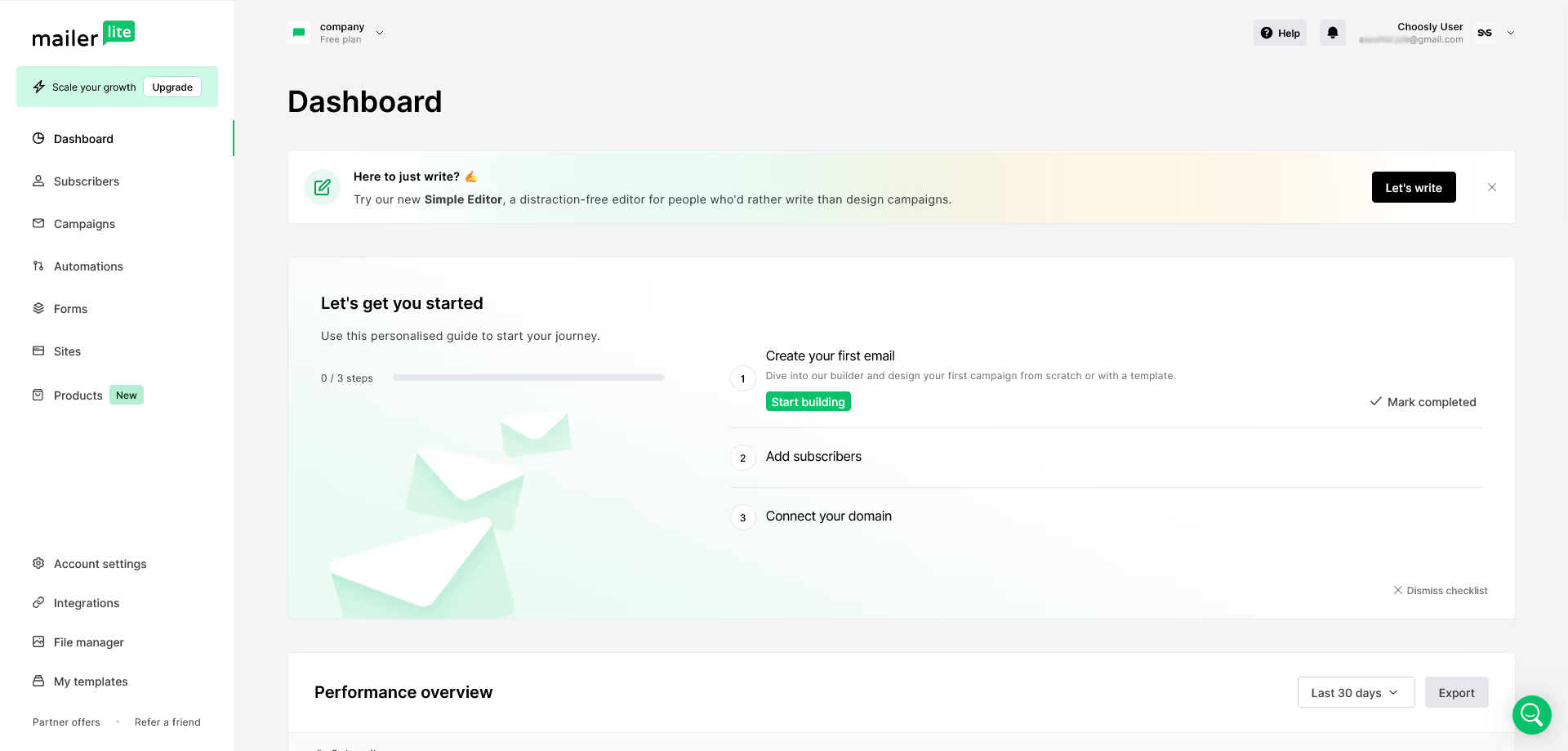
For many users, yes. MailerLite is a strong choice if you want a simple, clean, and beginner friendly email marketing platform. It is especially useful for people who want to send newsletters, build signup forms, create landing pages, and set up basic automations without feeling overwhelmed.
Quick Verdict
MailerLite is a good email marketing platform for users who want simplicity, useful features, and affordable pricing.
It is best for creators, bloggers, small businesses, newsletter owners, freelancers, and beginners who want to grow an email list without using a complicated marketing system.
The Free plan is useful for getting started. It covers up to 500 active subscribers and allows up to 12,000 emails every 30 days.
The Growing Business plan is better when you want more serious features, such as unlimited websites and landing pages, newsletter and landing page templates, RSS campaigns, AutoResend campaigns, and the ability to remove MailerLite branding. MailerLite lists Growing Business from $10 per month and Advanced from $20 per month.
MailerLite may not be the best choice for large companies that need a full CRM, advanced sales pipelines, or complex enterprise automation. But for most small businesses and creators, it offers a strong balance of ease of use, useful features, and value.
What Is MailerLite?
MailerLite is an email marketing platform that helps users create, send, and manage email campaigns.
You can use it to send newsletters, grow your subscriber list, build landing pages, create signup forms, automate email sequences, and track campaign results. MailerLite also includes website tools and integrations for users who want to grow an online business.
The platform is built around simplicity. Many email marketing tools can feel too complex when you are just starting. MailerLite keeps the interface cleaner and easier to understand.
This makes it attractive for users who want to focus on writing emails, collecting subscribers, and building simple marketing funnels instead of spending too much time learning a complicated system.
Who Should Use MailerLite?
MailerLite is a good fit for several types of users.
Bloggers and content creators
Bloggers can use MailerLite to collect email subscribers and send new post updates. This is useful because email can bring readers back to your website and help you build a loyal audience.
A creator can also use MailerLite to share tips, promote digital products, announce new content, and build a stronger relationship with subscribers.
Small businesses
Small businesses can use MailerLite to send promotions, customer updates, event announcements, seasonal offers, and educational emails.
For example, a local business can create a signup form, collect customer emails, then send monthly updates or special offers. This can help keep the brand visible without relying only on social media.
Freelancers and personal brands
Freelancers can use MailerLite to build authority and stay connected with potential clients.
A designer, writer, coach, consultant, or developer can create a newsletter, share useful content, and promote services in a more natural way.
Beginners
MailerLite is especially good for beginners because it does not feel too heavy. You can create campaigns, forms, and landing pages without needing advanced technical knowledge.
There is still a learning curve, but the platform is easier to approach than many complex marketing tools.
Online sellers
Online sellers can use MailerLite for product promotions, launch emails, landing pages, lead magnets, and customer sequences.
MailerLite supports integrations with popular tools such as Shopify, WordPress, WooCommerce, Zapier, Make, and Stripe.
Who Should Avoid MailerLite?
MailerLite is not the perfect tool for every business.
It may not be the best choice if you need a full CRM with advanced sales pipelines, deep contact management, and complex sales team workflows.
It may also not be ideal for large enterprise teams that need very advanced permissions, custom workflows, dedicated infrastructure, or highly specific reporting setups.
If your business needs complex automation logic across many channels, you may want to compare MailerLite with platforms like ActiveCampaign, HubSpot, or Brevo.
MailerLite is also unnecessary if you only need a simple contact form and do not plan to send regular emails.
In simple words, MailerLite is best for email marketing, newsletters, landing pages, signup forms, websites, and simple automation. It is not meant to replace every business tool.
MailerLite Pricing and Plans
Pricing is one of the most important parts of this MailerLite review.
MailerLite offers four main plan types: Free, Growing Business, Advanced, and Enterprise.
Plan | Starting price | Best for | Main value |
|---|---|---|---|
Free | $0 | Beginners | Up to 500 active subscribers and up to 12,000 emails every 30 days |
Growing Business | From $10 per month | Creators and small businesses ready to grow | More websites, landing pages, templates, RSS campaigns, AutoResend campaigns, and no MailerLite logo |
Advanced | From $20 per month | Growing teams and serious marketers | More advanced features, unlimited account users, custom HTML editor, advanced website features, and live chat support |
Enterprise | Custom pricing | Large businesses | Custom solution for larger lists, advanced needs, and optional services |
The Free plan is enough to test the platform and start building a small list. But if you want more professional features, Growing Business will usually be the better starting point.
MailerLite says paid plans are available monthly or annually. Prices can change depending on subscriber count, plan type, billing cycle, taxes, and selected features.
Explore MailerLitePricing note: MailerLite prices and plan details can change. Always check the final pricing page before subscribing.
Which MailerLite Plan Offers the Best Value?
For most users, the Growing Business plan offers the best value.
The Free plan is great for testing. It lets you start building a list without paying. But the limits will matter once your audience grows or when you want more professional features.
Growing Business is the best choice for creators, bloggers, and small businesses that want to take email marketing seriously. It gives you more flexibility while staying affordable.
Advanced is better if you need stronger features, more users, advanced website options, and live chat support.
Enterprise is mainly for larger businesses with bigger subscriber databases and custom needs.
Choose this plan | If you need |
|---|---|
Free | A simple way to start email marketing |
Growing Business | The best balance between price and features |
Advanced | More advanced tools, more users, and live chat support |
Enterprise | Custom support and larger scale email marketing |
Our simple recommendation is this: start with Free if you are testing email marketing for the first time. Choose Growing Business if you are serious about building a list. Choose Advanced if you need stronger features and support. Choose Enterprise only if your business has larger scale needs.
Main MailerLite Features
Email Campaign Builder
MailerLite helps users create newsletters and marketing emails with a drag and drop editor.
This is useful for people who do not want to design emails from scratch. You can add text, images, buttons, product sections, and other content blocks.
For beginners, this makes email design less stressful. You can build a clean newsletter without needing coding skills.
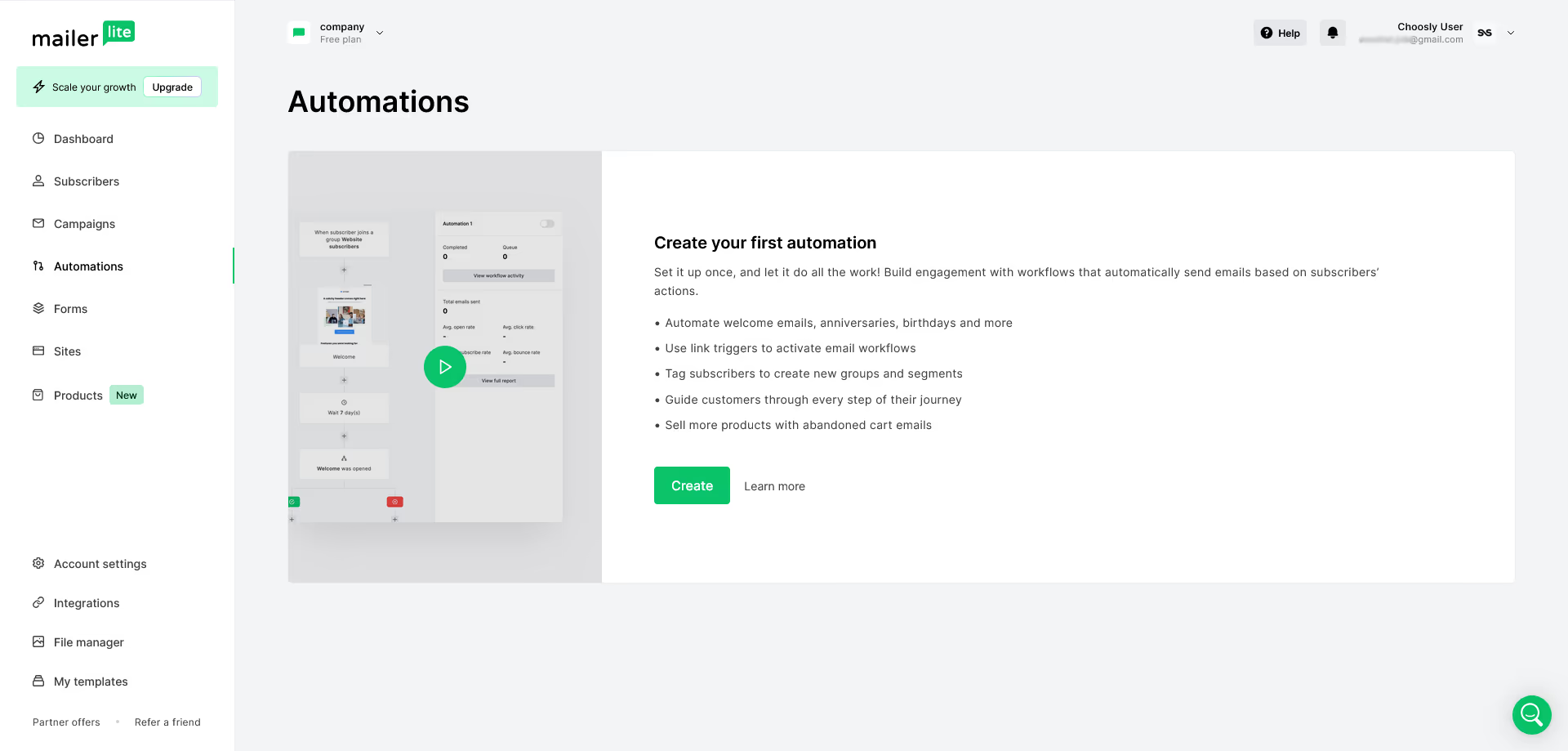
Email Automation
Automation is one of the most useful features in any email marketing platform.
MailerLite lets users create automated email sequences. These can help you welcome new subscribers, deliver lead magnets, educate customers, promote products, or re-engage people who have not opened recent emails.
For example, a blogger can create a welcome sequence for new subscribers. A small business can send a follow-up email after someone joins a list. A creator can deliver a free guide automatically.
MailerLite highlights automations as one of its main product features.
Landing Pages
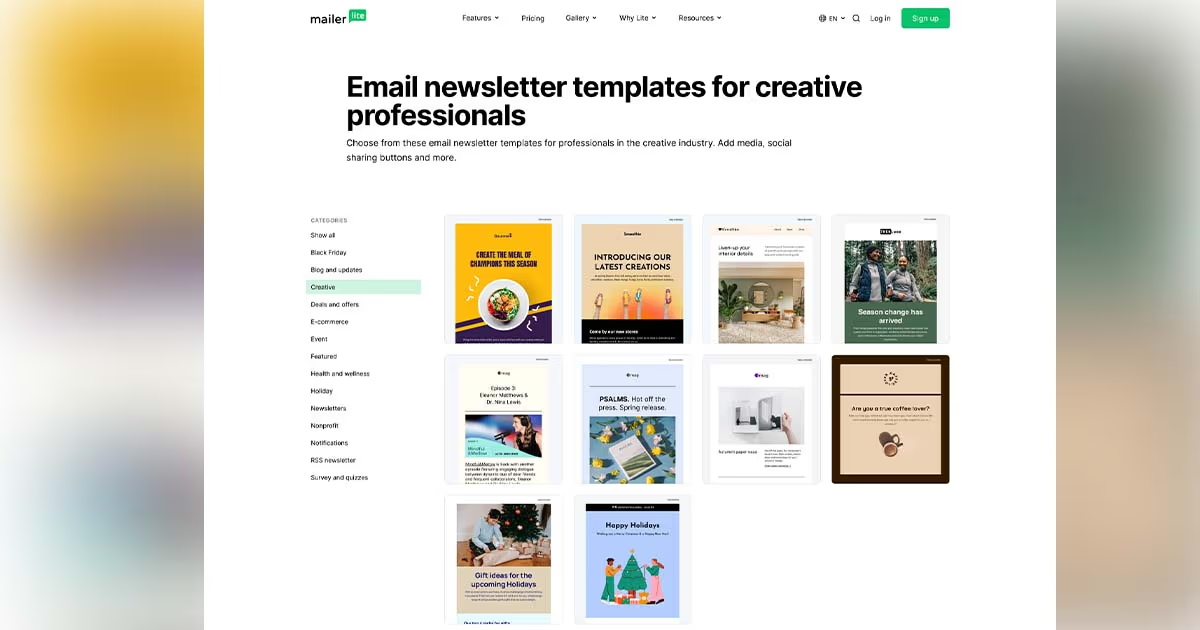
MailerLite includes a landing page builder, which is useful for collecting leads, promoting offers, selling products, and creating campaign pages.
The landing page builder includes templates, AI tools, reusable blocks, and options for connecting landing pages with email marketing campaigns. Free accounts can publish 10 landing pages, while Growing Business unlocks unlimited pages and Advanced unlocks more AI features.
Landing pages are useful because they help users focus attention on one goal. That goal might be collecting email addresses, promoting a product, registering people for an event, or delivering a free resource.
Signup Forms and Popups
MailerLite lets users create signup forms and pop-ups to collect subscribers from websites, blogs, and landing pages.
This is useful because email marketing starts with list building. Without forms, it is difficult to turn visitors into subscribers.
You can use forms for newsletter signups, free guide downloads, discount codes, event registrations, waitlists, and product updates.
Website Builder
MailerLite also includes website-building tools. This can be helpful for users who want a simple online presence without using a separate website platform.
MailerLite describes its website builder as a drag and drop tool for creating websites, blogs, personal pages, and online shops.
This will not replace a full website system for every user, but it is useful for simple projects.
Subscriber Management
A good email marketing tool should help you organize subscribers.
MailerLite allows users to manage contacts and create more targeted campaigns. You can organize people based on signup source, interests, behavior, or campaign activity.
This matters because not every subscriber should receive the same message. Better segmentation can make emails more useful and less annoying.
Analytics and Reports
MailerLite includes reporting tools to help users track campaign results.
Its custom reports feature lets users create analytics dashboards focused on the metrics they want to track. Reports can be grouped by subscribers, campaign type, or time period.
Important metrics include open rates, click rates, subscriber growth, unsubscribes, automation performance, and landing page results.
Analytics help you improve over time. Instead of guessing, you can see which subject lines, emails, and campaigns perform better.
Integrations
MailerLite integrates with popular tools like WordPress, WooCommerce, Shopify, Zapier, Make, and Stripe.
This is useful if you already use other platforms for your website, store, payments, or workflow automation.
For example, a WordPress site owner can connect MailerLite to collect subscribers. An online seller can connect ecommerce tools. A creator can use Zapier or Make to connect MailerLite with other apps.
Is MailerLite Easy to Use?
Yes, MailerLite is easy to use compared with many email marketing platforms.
The interface feels clean, and the main tools are easy to find. Beginners can create a campaign, build a form, publish a landing page, and set up a basic automation without needing advanced technical skills.
That said, email marketing itself still requires learning.
You still need to understand how to write good subject lines, create useful emails, build trust with subscribers, and avoid sending too many promotions.
MailerLite makes the technical side easier, but the strategy still depends on you.
Is MailerLite Good for WordPress?
MailerLite can be a good option for WordPress users.
It integrates with WordPress, which makes it easier to collect subscribers from a blog or website.
A WordPress blogger can use MailerLite to create signup forms, send new post updates, build a newsletter, and promote products or services.
This is especially useful for affiliate sites, blogs, creator websites, small business pages, and personal brands.
Is MailerLite Good for Small Businesses?
MailerLite is a good fit for many small businesses.
A small business needs a simple way to communicate with customers. MailerLite can help with newsletters, promotions, event announcements, product launches, customer education, and follow up emails.
It is also useful because it includes more than email campaigns. Landing pages, forms, websites, and automation tools can help small businesses build simple marketing systems without using too many separate tools.
For many small businesses, Growing Business will be the best plan because it gives more room to grow than the Free plan.
Pros | Why it matters |
|---|---|
Beginner friendly interface | Easier for new users to start email marketing |
Free plan available | Good for testing the platform before paying |
Email automation tools | Useful for welcome sequences and lead nurturing |
Landing pages and signup forms | Helps users collect subscribers and promote offers |
Website builder included | Useful for simple online projects |
Integrations with popular tools | Helpful for WordPress, ecommerce, and automation workflows |
Good value for creators and small businesses | Strong balance of features and simplicity |
Cons | Why it matters |
|---|---|
Not a full CRM | May not fit advanced sales teams |
Free plan has limits | Growing lists will need a paid plan |
Advanced features depend on plan | Some users may need to upgrade |
Large teams may need more control | Enterprise users may compare stronger platforms |
Email strategy still matters | The tool is simple, but results still depend on good content |
MailerLite Review: Real Use Cases
Starting a newsletter
MailerLite is a strong choice for starting a newsletter. You can create signup forms, collect subscribers, send regular emails, and track campaign results.
This is useful for creators, bloggers, educators, and personal brands.
Promoting a small business
A small business can use MailerLite to send offers, announcements, updates, and educational emails.
For example, a local service business can send monthly tips and occasional promotions to past customers.
Selling digital products
MailerLite can support digital product promotion through landing pages, email sequences, and product announcements.
A creator can create a landing page for an ebook, collect subscribers, and send automated follow up emails.
Building a lead magnet funnel
A lead magnet funnel is one of the most common email marketing systems.
You offer something useful, such as a checklist, guide, discount, or template. Visitors sign up through a form or landing page. Then MailerLite can send automated emails after they join.
This is a simple but effective way to grow an audience.
Growing a blog
Bloggers can use MailerLite to send new article updates, promote older content, and build returning traffic.
This is especially useful because email subscribers are more reliable than social media followers. When someone joins your list, you have a direct channel to reach them.
MailerLite Compared With Alternatives
MailerLite vs Mailchimp
Mailchimp is one of the most recognized email marketing platforms.
MailerLite may be better for users who want a simpler and cleaner experience. Mailchimp may be better for users who already use its wider marketing ecosystem or prefer a more established brand.
For beginners, MailerLite often feels easier to understand.
MailerLite vs Kit
Kit, formerly ConvertKit, is popular with creators, writers, and newsletter owners.
MailerLite may be better for users who want email marketing plus landing pages, websites, forms, and a clean visual editor. Kit may be better for creators who want a platform focused strongly on creator monetization and audience management.
MailerLite vs Brevo
Brevo is useful for users who want email marketing along with tools like SMS, CRM features, and transactional messaging.
MailerLite may be better if your main focus is newsletters, landing pages, signup forms, and simple automation.
Brevo may be better if you need a wider customer communication platform.
What We Like About MailerLite
We like that MailerLite feels simple and approachable.
Some email marketing platforms are powerful but overwhelming. MailerLite gives users the important tools without making everything feel too complicated.
We also like that the Free plan gives beginners a real starting point. It is limited, but it is useful enough to test the platform and start building an audience.
The combination of email campaigns, landing pages, forms, automations, and website tools makes MailerLite practical for small online projects.
We also like that it works well for different users. A blogger, freelancer, small business, creator, or online seller can all find useful features inside the platform.
What Could Be Better
MailerLite could be stronger for users who need a full CRM. It is great for email marketing, but it may not replace advanced sales software.
The Free plan is useful, but the 500 subscriber limit means growing users will eventually need to upgrade.
Some advanced features are only available on paid plans, so users should check plan details carefully before choosing.
MailerLite is also simple by design. That is a benefit for many users, but advanced marketers may want deeper automation logic, more advanced reporting, or more complex customer journey tools.
Final Verdict
MailerLite is worth considering if you want a simple, affordable, and beginner friendly email marketing platform.
It is especially useful for creators, bloggers, small businesses, freelancers, newsletter owners, and users who want to build an email list without using a complicated system.
The Free plan is a good starting point. Growing Business is the best value for most users who are ready to grow. Advanced is better for teams and users who need stronger features. Enterprise is mainly for larger businesses with custom needs.
MailerLite is not the best choice if you need a full CRM, complex sales pipelines, or enterprise level marketing automation. But for most small businesses and creators, it offers a strong balance of simplicity, useful features, and value.
Overall, MailerLite is a smart choice if your goal is to send better emails, grow your audience, create landing pages, and build simple automations from one clean platform.
Visit MailerLite Website