
Proton Pass Review: Is This Deal Worth It?
Disclosure: Some links in this article may be affiliate links. If you purchase through them, we may earn a commission at no extra cost to you. Our reviews remain independent and are based on research, product information, pricing, features, and practical value for users.
Choosing a password manager is one of the easiest ways to improve your online security. Most people have too many accounts to remember strong passwords for each one. Because of that, many users still reuse the same password across websites, apps, shopping accounts, and work tools.
That is risky.
A password manager helps you create strong passwords, save them safely, and fill them in when you need them. In this Proton Pass review, we look at Proton Pass as both a password manager and a current security deal.
We cover its main features, pricing, strengths, limitations, and who should consider upgrading to Proton Pass Plus or Proton Unlimited.
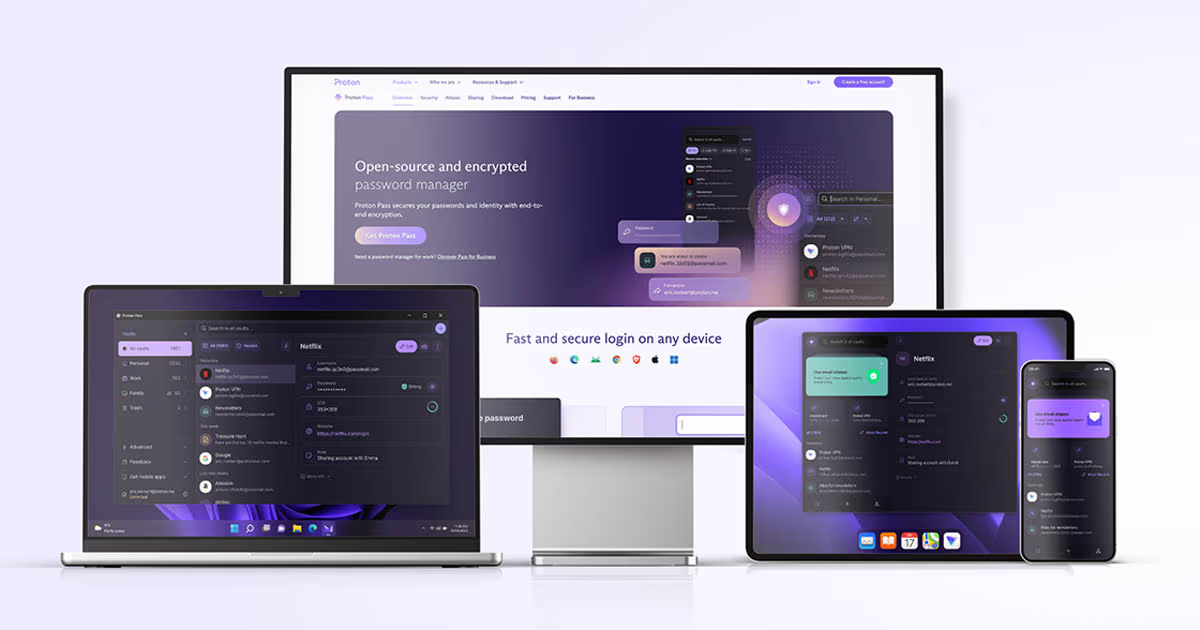
Proton Pass is part of the Proton ecosystem, the same privacy focused company behind Proton Mail, Proton VPN, Proton Drive, and Proton Calendar. Proton describes Proton Pass as an open source, end to end encrypted password manager that works across mobile, desktop, web app, and browser extensions.
For many users, Proton Pass is a strong choice if they want more than a basic password manager. It can store passwords, passkeys, notes, identity details, payment information, and email aliases. It also includes privacy focused features that are useful for people who want to protect their real email address online.
Quick Verdict
Proton Pass is a good password manager for users who want strong privacy, simple apps, and extra protection features like hide my email aliases, password health alerts, and secure sharing.
The free plan is generous because it supports unlimited logins and unlimited devices. That makes Proton Pass useful even before upgrading. Proton says its free plan includes unlimited logins, notes, and devices, along with apps for major platforms.
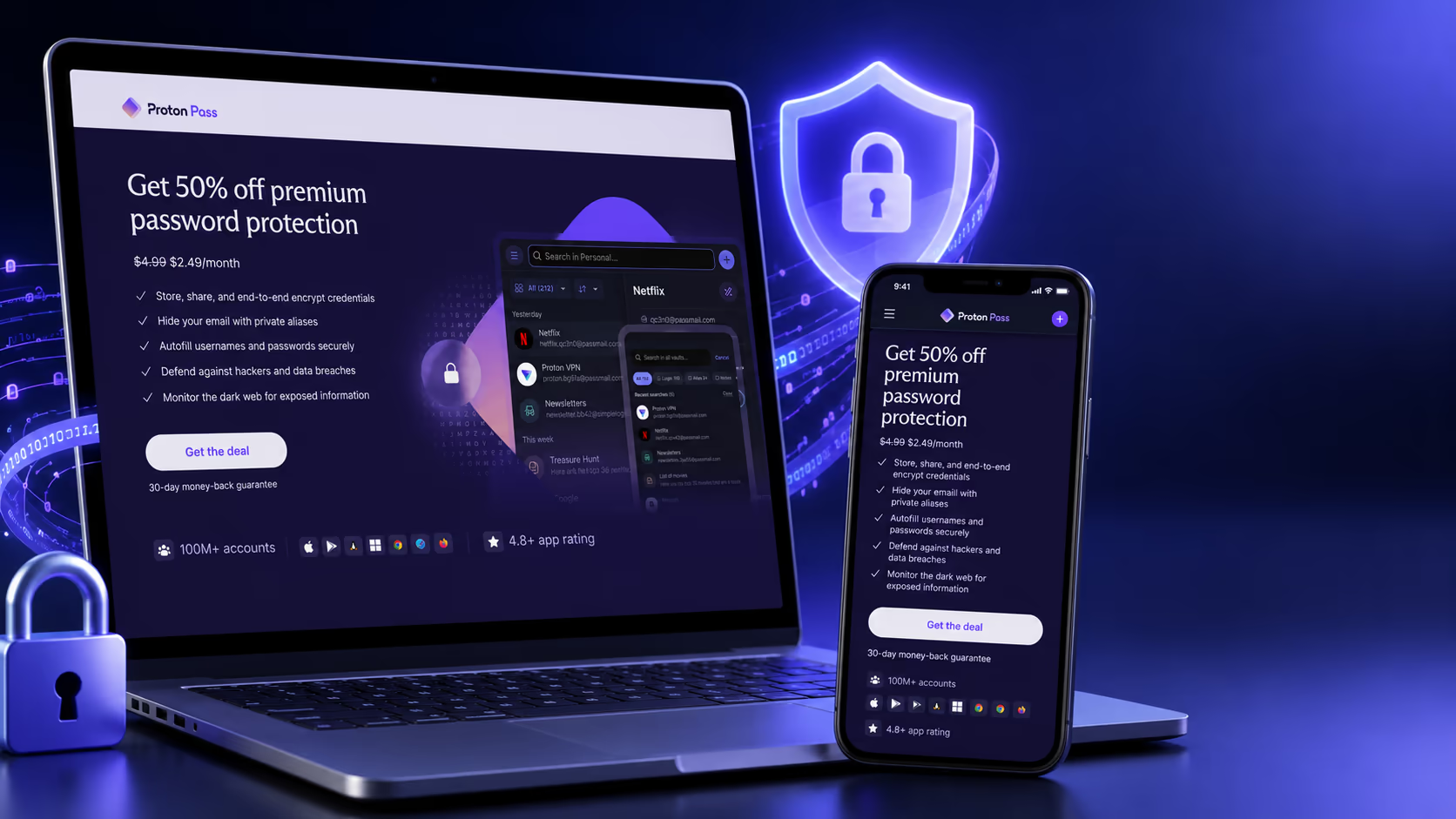
The current Proton Pass Plus deal is a strong option if you mainly want a password manager. At $2.49 per month, billed $29.88 for the first 12 months, it gives better value than paying monthly.
Proton Unlimited is more expensive at $8.99 per month, billed $107.88 for the first 12 months, but it includes a wider Proton bundle. This can make sense if you also want Proton Mail, Proton VPN, Proton Drive, and other Proton services in one account.
For most users who only need password protection, Proton Pass Plus is the better deal. For users who want a full privacy suite, Proton Unlimited may offer better long-term value.
What Is Proton Pass?
Proton Pass is a password manager that helps users store, create, autofill, and share passwords securely. It is designed to protect more than just passwords. You can also store secure notes, payment details, identity information, passkeys, and email aliases.
The main goal is simple. Proton Pass helps you stop reusing weak passwords and manage your online accounts in a safer way.
Instead of trying to remember every password, you only need to remember one strong master password. Proton Pass stores the rest in an encrypted vault.
Proton says Proton Pass uses end-to-end encryption, which means your stored data is encrypted before Proton can access it. Proton also says it encrypts more fields than just passwords, including usernames and web addresses.
This is important because a password manager should protect the full login record, not only the password field.
Who Should Use Proton Pass?
Proton Pass may be a good choice for people who want a simple and privacy focused password manager.
It is useful for users who have many online accounts and want to stop reusing passwords. If you use the same password on several websites, a password manager can help you create unique passwords for every account.
It is also useful for people who care about online privacy. Proton Pass includes hide my email aliases, which can help protect your real email address when signing up for websites, newsletters, apps, or online services. Proton describes these aliases as a way to keep your actual email address protected when creating new accounts.
Proton Pass is also a good fit for people already using Proton Mail, Proton VPN, or Proton Drive. If you like keeping your privacy tools under one account, Proton Pass fits naturally into that setup.
It can also be useful for freelancers, creators, small business owners, and remote workers who manage many accounts and want safer password habits.
Who Should Avoid Proton Pass?
Proton Pass is not the perfect choice for everyone.
You may not need the paid plan if you only want a basic password manager and the free plan already covers your needs. Proton Pass Free is already useful for storing passwords and using the service across devices.
You may also want to compare other options if you need a password manager with very advanced business controls, deep enterprise management, or a long history in the password manager market.
Proton Pass is also not always the cheapest premium password manager. Some competitors may offer lower prices, especially for users who only need simple password storage and do not care about Proton’s privacy ecosystem.
Proton Unlimited may also be too much if you only want a password manager. It includes multiple Proton services, which is great for the right user, but unnecessary for someone who only needs password storage.
Proton Pass Pricing and Current Deal
Pricing is an important part of this Proton Pass review. The best choice depends on whether you only need a password manager or want the full Proton privacy suite.
Based on the confirmed current offer, these are the deal prices:
Plan | Offer price | Billing | Best for |
|---|---|---|---|
Proton Pass Plus | $2.49 per month | $29.88 for the first 12 months | Users who mainly need a premium password manager |
Proton Unlimited | $8.99 per month | $107.88 for the first 12 months | Users who want Proton Pass plus other Proton services |
Proton Pass Plus is the better choice if your main goal is password security. It gives you premium password manager features without paying for the full Proton suite.
Proton Unlimited is better if you want more than Proton Pass. Proton describes Proton Unlimited as a bundle that includes premium subscriptions for several Proton products, including Proton Pass Plus, Proton VPN Plus, Proton Mail Plus, and Proton Drive Plus.
For users who already plan to use Proton VPN, Proton Mail, and Proton Drive, Unlimited can be a smarter deal than buying separate tools.
Check current Proton Pass pricingPricing note: Prices and plan details can change. Always check the final checkout page before subscribing.
Proton Pass Free vs Pass Plus vs Proton Unlimited
The free version of Proton Pass is strong enough for many users. That is one reason Proton Pass is easy to recommend for beginners.
The paid plans make more sense when you want stronger privacy tools, more advanced account protection, or access to other Proton products.
Plan | Best for | Main value |
|---|---|---|
Proton Pass Free | Beginners and basic password manager users | Free password storage across devices |
Proton Pass Plus | Users who want premium password manager features | Better privacy, security, and account protection tools |
Proton Unlimited | Users who want a full Proton privacy bundle | Proton Pass plus Proton Mail, VPN, Drive, and more |
If you only want to manage passwords, Pass Plus is usually enough.
If you want to move more of your digital life into Proton, Unlimited is more attractive.
Main Proton Pass Features
Secure Password Storage
The main feature of Proton Pass is secure password storage. You can save logins for websites and apps, then autofill them when needed.
This helps you avoid using weak passwords or repeating the same password across many accounts.
A good password manager should make safer habits easier, and Proton Pass does that well. You can generate strong passwords, store them, and use them without having to remember each one.
End to End Encryption
Security is one of the biggest reasons to choose Proton Pass. Proton says the service uses end to end encryption, which means only you can decrypt your stored data using your password.
This matters because your password manager stores very sensitive information. If you are trusting a tool with your logins, notes, and payment details, encryption should be a top priority.
Proton also says Proton Pass encrypts all fields, not only the password. This includes usernames and web addresses.
That is a strong privacy detail.
Autofill Across Devices
Proton Pass can autofill login forms on websites and apps. This saves time and reduces the need to copy and paste passwords manually.
Proton Pass is available on Android, iOS, Windows, macOS, Linux, web app, and browser extensions such as Chrome, Safari, Edge, Firefox, and Brave.
This makes it practical for users who switch between devices during the day.
For example, you can save a password on your laptop and use it later on your phone. That kind of syncing is one of the biggest reasons to use a password manager instead of saving passwords in one browser only.
Password Generator
Proton Pass includes a password generator. This helps you create strong and unique passwords for every account.
This is important because humans are not good at creating random passwords. We often choose passwords that are too short, too simple, or too similar to passwords we already use.
A password generator solves that problem. It creates stronger passwords than most people would create manually.
Hide My Email Aliases
One of Proton Pass’s most useful privacy features is hide my email aliases.
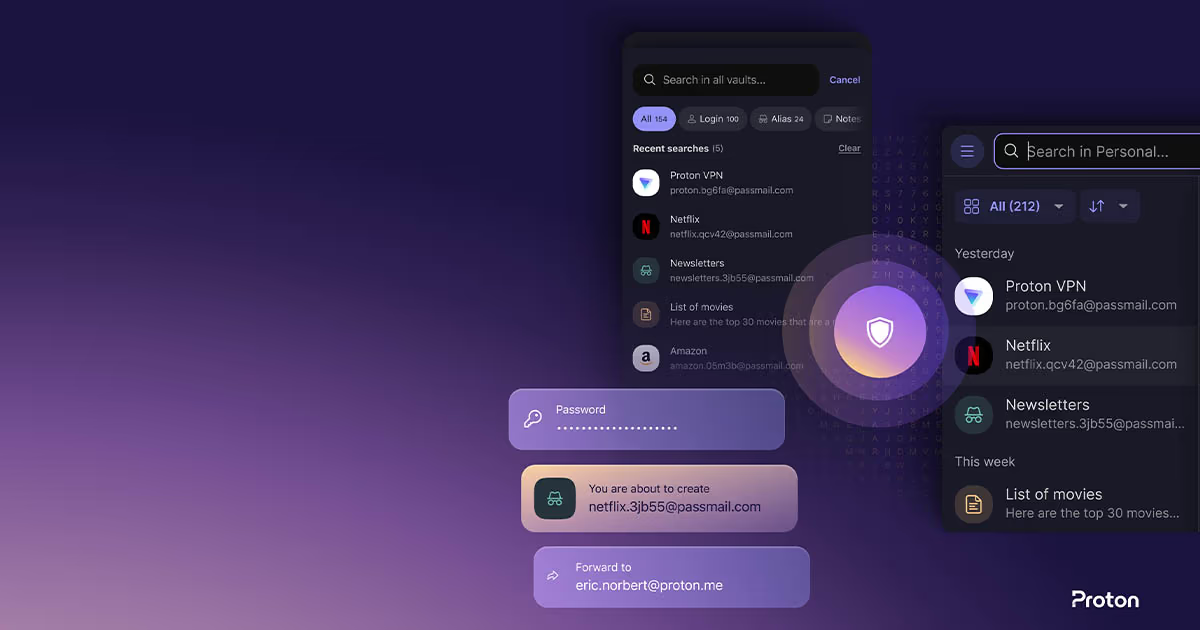
An email alias lets you sign up for websites without giving your real email address. If an alias starts receiving spam, you can disable it without changing your main inbox.
This is useful when signing up for newsletters, online stores, apps, free trials, or websites you do not fully trust.
For privacy focused users, this feature gives Proton Pass an advantage over basic password managers.
Passkeys Support
Proton Pass can also store and manage passkeys. Passkeys are a newer sign in method that can reduce reliance on traditional passwords.
Not every website supports passkeys yet, but support is growing. Having passkey support makes Proton Pass more future ready.
This is useful for users who want a password manager that can handle both current and newer login methods.
Secure Notes and Identity Information
Proton Pass is not limited to passwords. You can also store secure notes, identity details, and payment information.
This can be useful for storing information that should not be kept in a normal notes app.
For example, you may want to store recovery codes, software license keys, private notes, or sensitive account details.
Two Factor Authentication
Proton Pass includes support for integrated two factor authentication features on paid plans. Proton describes integrated 2FA as a way to store 2FA codes and autofill them more easily.
This can make account security easier. Instead of using a separate authenticator app, some users may prefer keeping passwords and 2FA codes in one place.
However, there is a tradeoff. Some security focused users prefer keeping passwords and 2FA codes in separate apps. That way, if one tool is compromised, the second factor remains separate.
For convenience, integrated 2FA is helpful. For maximum separation, a separate authenticator app may still be preferred.
Password Health and Breach Alerts
Proton Pass includes monitoring tools that can help users identify weak, reused, or exposed passwords. Proton’s Pass Monitor is designed to alert users about account weaknesses, dark web monitoring, inactive 2FA, and password health.
This is useful because many users do not know which passwords are weak or reused.
A password manager is not only about storing passwords. It should also help you improve them over time.
Secure Sharing
Proton Pass allows secure sharing of passwords and vaults. This can be helpful for families, small teams, or users who need to share account access without sending passwords through chat or email.
Proton explains that shared items can be updated and access can be revoked.
This is useful because passwords often need to be shared, but sharing them in unsafe ways creates risk.
Is Proton Pass Safe?
Proton Pass is built around privacy and encryption. Proton says it uses end to end encryption and that your data is not accessible to Proton because only you can decrypt it using your password.
That is a strong security foundation.
However, no password manager can protect you from every possible risk. You still need to use a strong master password, enable two factor authentication, keep your devices updated, and avoid phishing websites.
A password manager helps reduce risk, but it does not replace good security habits.
We see Proton Pass as a safe and serious password manager, especially for users who care about privacy and already trust Proton’s ecosystem.
Is Proton Pass Good for Beginners?
Yes, Proton Pass is beginner friendly.
The free plan makes it easy to start without paying. The apps are available across major devices and browsers, which means users can try it in their normal workflow.
The interface is simple enough for everyday users. You can save passwords, generate new ones, use autofill, and create aliases without needing technical knowledge.
For beginners, the biggest benefit is that Proton Pass helps turn better security into a normal habit.
Instead of trying to remember passwords, users can let Proton Pass create and store stronger ones.
Proton Pass Pros and Cons
Pros | Why it matters |
|---|---|
Generous free plan | Useful for users who want to start without paying |
End to end encryption | Helps protect sensitive login data |
Works across major devices | Good for users who switch between phone, laptop, and browser |
Hide my email aliases | Helps protect your real email address |
Password generator | Makes it easier to create strong passwords |
Passkey support | Makes the tool more future ready |
Secure notes and payment storage | Useful for more than passwords |
Proton Unlimited option | Good for users who want a full privacy bundle |
Cons | Why it matters |
|---|---|
Pass Plus is not the cheapest premium option | Budget users may compare alternatives |
Proton Unlimited may be too much for some users | Not everyone needs Mail, VPN, Drive, and Pass together |
Some users may prefer a longer established password manager | Proton Pass is newer than some competitors |
Integrated 2FA may not suit everyone | Some users prefer keeping 2FA in a separate app |
Best value depends on using Proton features | Unlimited is only worth it if you use more Proton services |
Proton Pass Deal Review
As a deal, Proton Pass Plus is the most direct and practical choice for people who want a better password manager.
At $2.49 per month, billed $29.88 for the first 12 months, it is affordable for users who want premium password protection without paying for a full suite of apps.
Proton Unlimited is more expensive, but it can be a better deal for the right user. At $8.99 per month, billed $107.88 for the first 12 months, it gives access to a wider Proton bundle.
The important question is not only the price.
The real question is this: will you use the extra Proton services?
If you only need a password manager, choose Proton Pass Plus.
If you also want private email, VPN protection, cloud storage, and a more complete privacy setup, Proton Unlimited may offer stronger value.
In our view, Proton Pass Plus is the best deal for most password manager users. Proton Unlimited is best for people who want to build their online privacy setup around Proton.
Proton Pass Compared With Alternatives
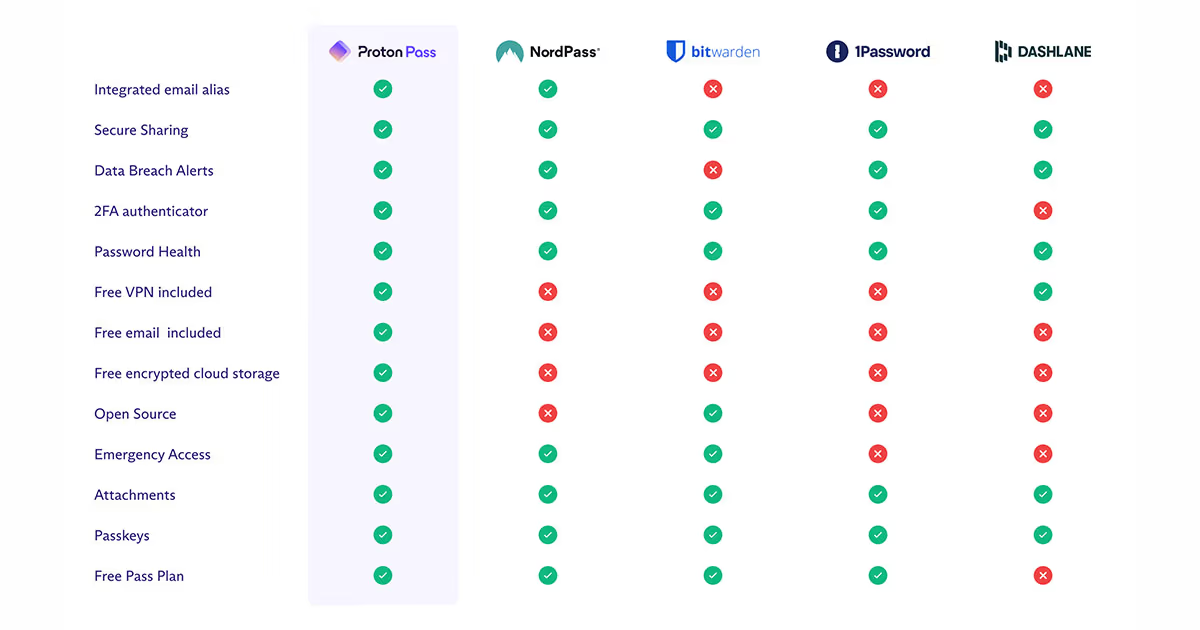
Proton Pass is not the only password manager worth considering. It is helpful to compare it with other popular options before choosing.
Proton Pass vs 1Password
1Password is one of the most polished password managers available. It has a strong reputation, excellent apps, and many features for families and teams.
Proton Pass may be better for users who care more about email aliases and the Proton privacy ecosystem.
1Password may be better for users who want a long established password manager with very mature family and business features.
Proton Pass vs Bitwarden
Bitwarden is popular because it is affordable, open source, and trusted by many security focused users.
Proton Pass may feel more attractive if you want built in email alias features and a smoother connection with other Proton services.
Bitwarden may be better for users who want a lower cost premium password manager and more control.
Proton Pass vs Dashlane
Dashlane is known for a clean user experience and strong identity protection features.
Proton Pass may be better for users who want a simpler privacy focused password manager connected to Proton Mail, VPN, and Drive.
Dashlane may be better for users who want more identity protection tools in one password manager product.
Real Use Cases
Replacing Reused Passwords
If you use the same password on many websites, Proton Pass can help you fix that. You can generate unique passwords for each account and store them safely.
This is one of the biggest reasons to use a password manager.
Protecting Your Real Email Address
When signing up for websites, you can use hide my email aliases instead of giving your real email. This can reduce spam and help protect your identity online.
This feature is especially useful for newsletters, free trials, shopping accounts, and websites you may not fully trust.
Managing Work and Personal Logins
Freelancers and remote workers often manage many accounts. Proton Pass can help keep work tools, client accounts, and personal logins organized.
Secure sharing can also help when you need to share access without sending passwords in unsafe messages.
Moving Into the Proton Ecosystem
If you already use Proton Mail or Proton VPN, adding Proton Pass can make sense. It keeps more of your privacy tools under one account.
For users who want one privacy focused ecosystem, Proton Unlimited is worth considering.
What We Like About Proton Pass
We like that Proton Pass is simple but still privacy focused. It does not feel like a tool made only for advanced users.
The free plan is also a strong advantage. Many users can start with Proton Pass without paying, then upgrade later if they need more features.
We also like the hide my email aliases. This is one of the features that makes Proton Pass feel different from basic password managers.
The Proton Unlimited option is also useful for users who want more than password protection. If you want VPN, private email, cloud storage, and password management together, the bundle can make sense.
What Could Be Better
Proton Pass could be clearer for users who are comparing plans. Some people may not immediately understand whether they should choose Pass Plus or Proton Unlimited.
The paid plan is also not the cheapest option in the password manager market. Users who only care about the lowest price may want to compare Bitwarden and other alternatives.
Proton Pass is also newer than some competitors. While Proton is a trusted privacy company, some users may prefer a password manager that has been in the market longer.
We would also like to see more simple examples on the pricing page showing which plan is best for different types of users.
Final Verdict
Proton Pass is a strong password manager for users who want better password security, privacy focused features, and simple apps across devices.
It is especially useful if you want to stop reusing passwords, protect your real email address with aliases, store sensitive notes, manage passkeys, and improve your overall online security.
The free plan is good for beginners. Proton Pass Plus is the best choice for most users who want premium password manager features. Proton Unlimited is better for users who want the full Proton privacy ecosystem, including Mail, VPN, Drive, and Pass.
The current deal makes Proton Pass Plus attractive at $2.49 per month, billed $29.88 for the first 12 months. Proton Unlimited is more expensive at $8.99 per month, billed $107.88 for the first 12 months, but it can be worth it if you will use the full Proton bundle.
Overall, Proton Pass is worth considering if you want a secure, privacy focused password manager with useful extras beyond basic password storage.
Check Current Proton Pass deal