
Google Flow AI Review: Features, Pricing, and Use Cases
AI video creation is becoming one of the most exciting areas in artificial intelligence. A few years ago, creating a cinematic video usually required cameras, actors, locations, lighting, editing software, and a full production workflow.
Today, a creator can start with a written idea and generate a short video scene with AI.
That does not mean AI video replaces real filmmaking. Human direction, story, taste, editing, sound, and production skill still matter. But tools like Google Flow make video ideation faster and more accessible.
In this Google Flow review, we look at what Google Flow is, how it works, who it is best for, its pricing options, main features, pros, cons, and whether it is worth using.
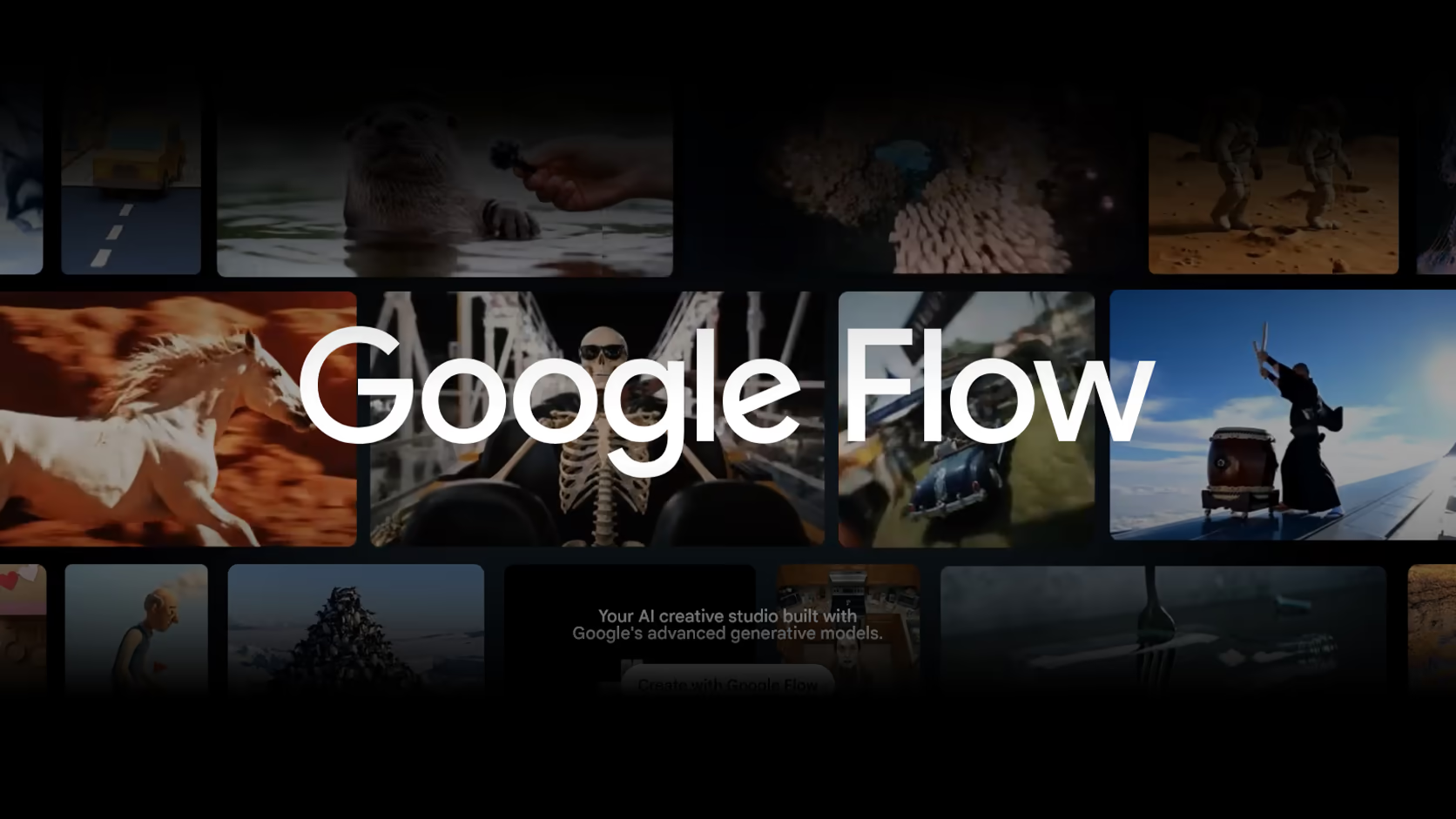
Google Flow is an AI filmmaking tool from Google Labs. Google says Flow is built for creatives and designed for Google’s advanced generative models, including Veo, Imagen, and Gemini. It helps storytellers explore ideas and create cinematic clips and scenes.
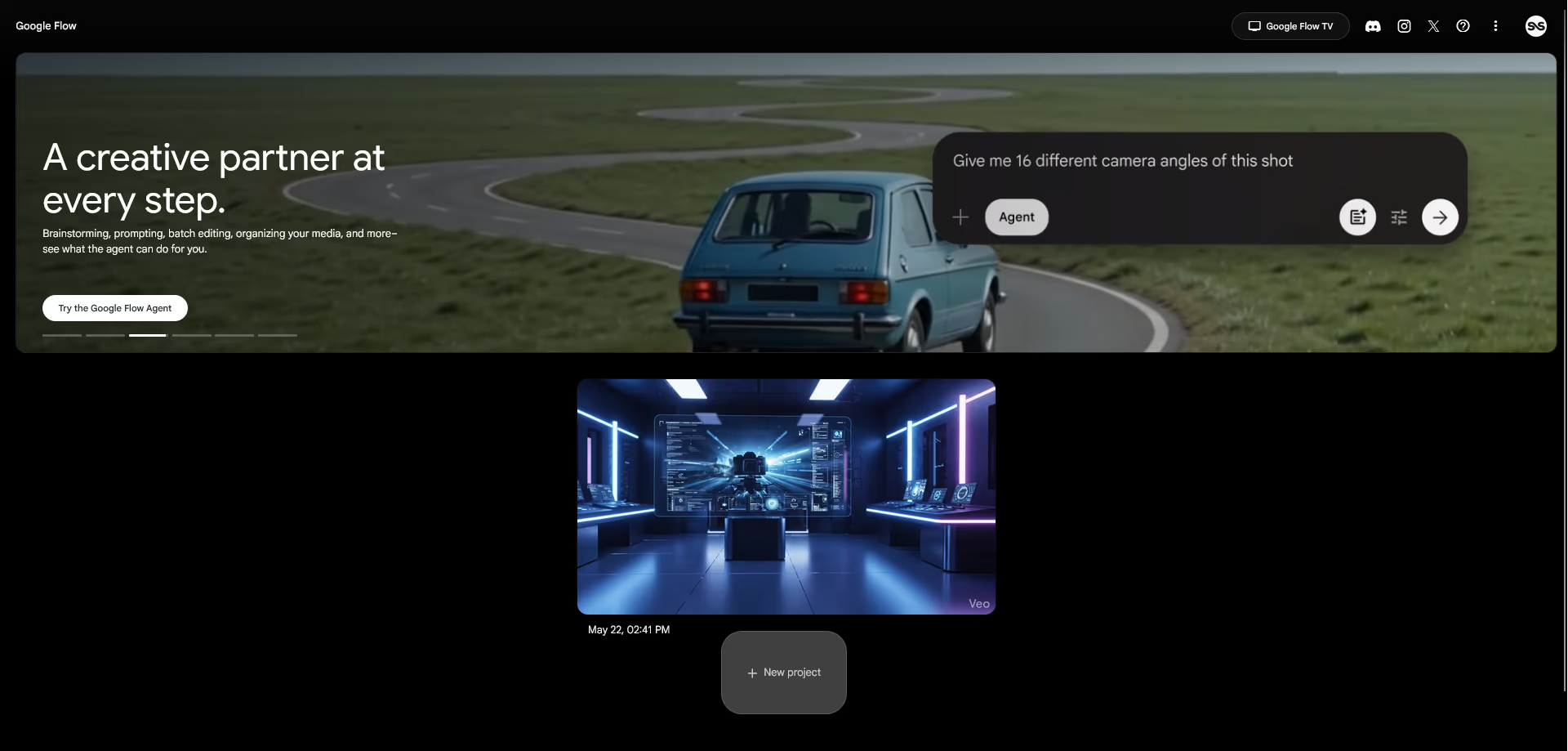
Unlike a simple AI video generator, Google Flow is more like a creative workspace. It helps users plan, generate, refine, and organize AI video ideas in one place.
Quick Verdict
Google Flow is a powerful AI filmmaking tool for users who want to create cinematic AI videos, visual concepts, story scenes, and creative video experiments.
It is best for filmmakers, content creators, marketers, storyboard artists, creative agencies, educators, YouTubers, designers, and small teams that want to explore video ideas faster.
Its biggest strengths are its connection to Google’s advanced AI models, its creative workflow, its ability to work with cinematic scenes, and its structured approach to AI video creation.
Google Flow is not perfect. AI video can still produce strange motion, inconsistent characters, unclear details, unusual object behavior, or results that do not fully match the prompt. It is also not a complete replacement for professional editing, real production, or manual creative control.
Overall, Google Flow is worth considering if you are serious about AI video creation and want a tool that feels closer to an AI creative studio than a basic prompt box.
What Is Google Flow?
Google Flow is an AI filmmaking tool that helps users create videos, scenes, and visual ideas using generative AI.
It is built around Google’s creative AI models. Veo supports video generation, Imagen supports image generation, and Gemini helps with prompt understanding and creative assistance. Google says Flow is custom designed for these models and helps users create cinematic clips and scenes.
The main idea behind Flow is simple. Instead of only generating one random clip, users can develop a visual idea step by step.
You can start with a prompt, create a visual scene, refine the result, organize assets, and continue shaping the direction of a project.
This makes Google Flow useful for concept development, storyboarding, social media videos, product ideas, visual campaigns, short films, music video concepts, and creative experiments.
Who Should Use Google Flow?
Google Flow is best for people who work with visual ideas.
Filmmakers and storytellers
Filmmakers can use Google Flow to explore scene ideas, camera movement, mood, lighting, and atmosphere before full production.
It can help with early visual planning, mood boards, previsualization, and concept testing.
A filmmaker may not use the first AI result as the final scene, but it can help communicate a creative direction quickly.
Content creators
Creators can use Google Flow to make short cinematic clips, video hooks, concept visuals, background scenes, and social content ideas.
This can be useful for YouTube, TikTok, Instagram, Shorts, and other visual platforms.
For creators who do not have a large production budget, AI video tools can help test ideas faster.
Marketers and creative teams
Marketing teams can use Google Flow to test video ad ideas, product concepts, campaign visuals, and storytelling directions.
Instead of waiting for a full shoot, a team can create early visual drafts and compare different styles.
This can help during brainstorming, client presentations, campaign planning, and creative pitching.
Designers and art directors
Designers can use Google Flow to explore visual worlds, lighting styles, cinematic compositions, and brand campaign ideas.
It can be useful for pitch decks, mood boards, creative briefs, and social media concepts.
Educators and explainers
Educators can use AI video to support visual learning. A teacher or course creator can use Google Flow to create scene based examples, historical visualizations, abstract concepts, or explainer visuals.
It should still be used carefully, especially when accuracy matters.
Who Should Avoid Google Flow?
Google Flow is not the right tool for everyone.
You may not need it if you only want to edit normal videos, cut clips, add captions, or resize videos for social media. A traditional video editor may be better for those tasks.
It may also not be ideal if you need exact control over every frame. AI video tools are improving, but they still do not offer the same precision as manual animation, 3D software, or professional video editing.
Google Flow may also feel expensive if you generate many clips. AI video uses more resources than text or image generation, so serious use may require paid access and more credits.
It is also not the best choice for projects that require perfect brand consistency, exact character continuity, legal certainty, or highly controlled production quality.
In simple words, Google Flow is best for creative exploration and AI assisted video creation. It is not a full replacement for professional production in every situation.
Google Flow Pricing and Access
Google Flow has several access options. Users can start free of charge with a Google Account, while paid Google AI plans provide more credits and more advanced creative features.
According to the current Google Flow page, the available options include Free of Charge, Google AI Plus, Google AI Pro, Google AI Ultra at $99.99 per month, and Google AI Ultra at $199.99 per month.
Plan | Monthly price | Google Flow credits | Key Flow features | Best for |
|---|---|---|---|---|
Free of Charge | $0 | 50 daily Google Flow credits | Nano Banana Pro, Veo 3.1, Google Flow Tools usage only, Agent, Text to Video, Frames to Video, Ingredients to Video, Video Extension, Scenebuilder, 2K image upscaling, Characters | Users who want to test Google Flow before upgrading |
Google AI Plus | $7.99 per month | 200 monthly Google Flow credits | Everything for free users, Gemini Omni Flash, Google Flow Tools creation, video to video editing, higher image generation limits, higher access to Agent, Avatars | Casual creators who want more tools than the free option |
Google AI Pro | $19.99 per month | 1,000 monthly Google Flow credits | Everything in Plus, 1080p video upscaling, AI credit top ups available | Creators who want regular access to Flow and Google AI tools |
Google AI Ultra | $99.99 per month | 10,000 monthly Google Flow credits | Everything in Pro, 4K image and video upscaling, highest image generation limits, highest access to Agent | Filmmakers, agencies, and serious creators who need higher limits |
Google AI Ultra | $199.99 per month | 25,000 monthly Google Flow credits | Everything in Ultra $99.99, higher monthly credit allocation, 30 TB total storage across Photos, Drive, and Gmail | High volume users and professional AI creative workflows |
Google’s Flow credit support page confirms that users without a paid subscription receive 50 Google Flow credits per day, while Google AI Plus, Pro, and Ultra subscribers receive monthly credit allocations based on their plan.
The same support page explains that unused free daily credits do not roll over, and unused monthly Google Flow credits also do not roll over to the next month.
Pricing note: Google Flow pricing, credits, features, and availability can change. Always check the official Google Flow pricing page before subscribing.
Which Google Flow Plan Offers the Best Value?
The best Google Flow plan depends on how often you plan to generate videos.
Choose this plan | If you need |
|---|---|
Free of Charge | A simple way to test Google Flow without paying |
Google AI Plus | More creative features and a low monthly price |
Google AI Pro | Regular access, 1,000 monthly credits, and 1080p video upscaling |
Google AI Ultra $99.99 | Higher limits, 10,000 monthly credits, and 4K image and video upscaling |
Google AI Ultra $199.99 | Maximum monthly credits and a more serious creative workflow |
For casual users, the free option is enough to explore the tool.
For creators who want to test Flow more seriously, Google AI Plus may be a good starting point because it adds more features at a lower price.
For regular creators, Google AI Pro looks like the most balanced plan because it includes 1,000 monthly Flow credits and 1080p video upscaling.
For filmmakers, agencies, and high volume users, Google AI Ultra is more practical because AI video generation can consume credits quickly.
How Google Flow Credits Work
Google Flow uses credits for content generation. The number of credits required depends on the model and feature used.
Google says credits are shared across your account, regardless of the device you use. It also explains that the credit cost is per generation, not per request, and that some requests can create more than one generation.
This matters because users should not only look at the monthly plan price. They should also understand how many videos or generations they may need each month.
If you are only experimenting, the free plan may be enough.
If you are creating videos for clients, campaigns, social media content, or regular creative work, a paid plan may be more realistic.
Google also says eligible paid users can buy more AI credits in supported regions if they reach their plan limits.
How Google Flow Works
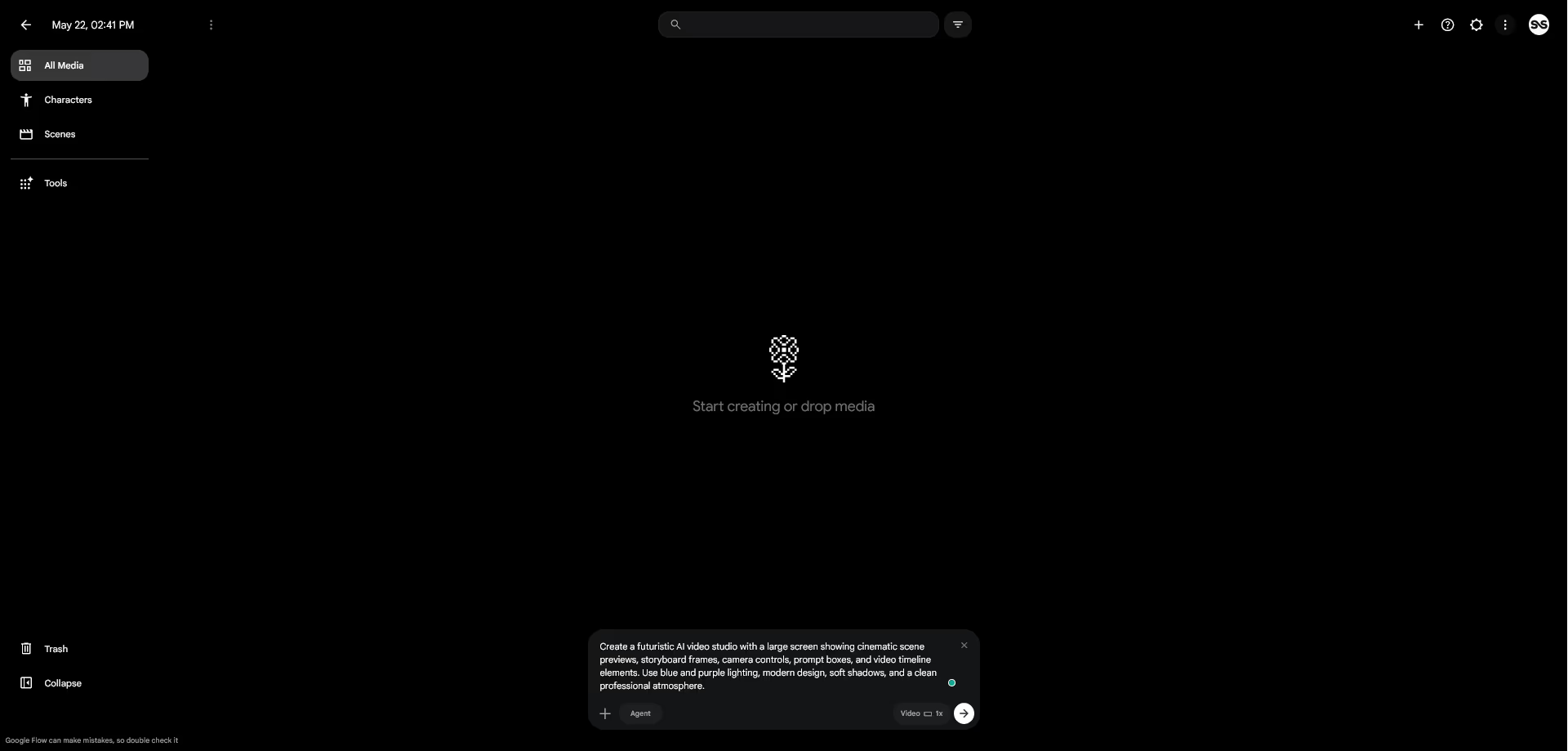
Google Flow is built around a creative workflow rather than a single generation box.
A typical workflow looks like this:
Step | What happens |
|---|---|
Start with an idea | Describe the scene, subject, setting, mood, camera style, and action |
Generate visuals | Use AI models to create images or video clips |
Refine the result | Adjust the prompt, style, camera direction, or scene details |
Build scenes | Organize clips and visual ideas into a more complete direction |
Continue iterating | Generate new versions until the result fits the creative goal |
Google Flow is especially useful because video generation often needs several attempts. The first result may be interesting, but not perfect.
Flow gives users a more organized way to explore and improve ideas.
Main Google Flow Features
AI filmmaking workspace
Google Flow is designed as an AI filmmaking workspace.
This matters because video creation is rarely one step. Creators often need to test prompts, compare different scenes, build a mood, refine visual direction, and organize assets.
Flow is built around this creative process.
Instead of only generating one clip, it helps users move from idea to scene exploration.
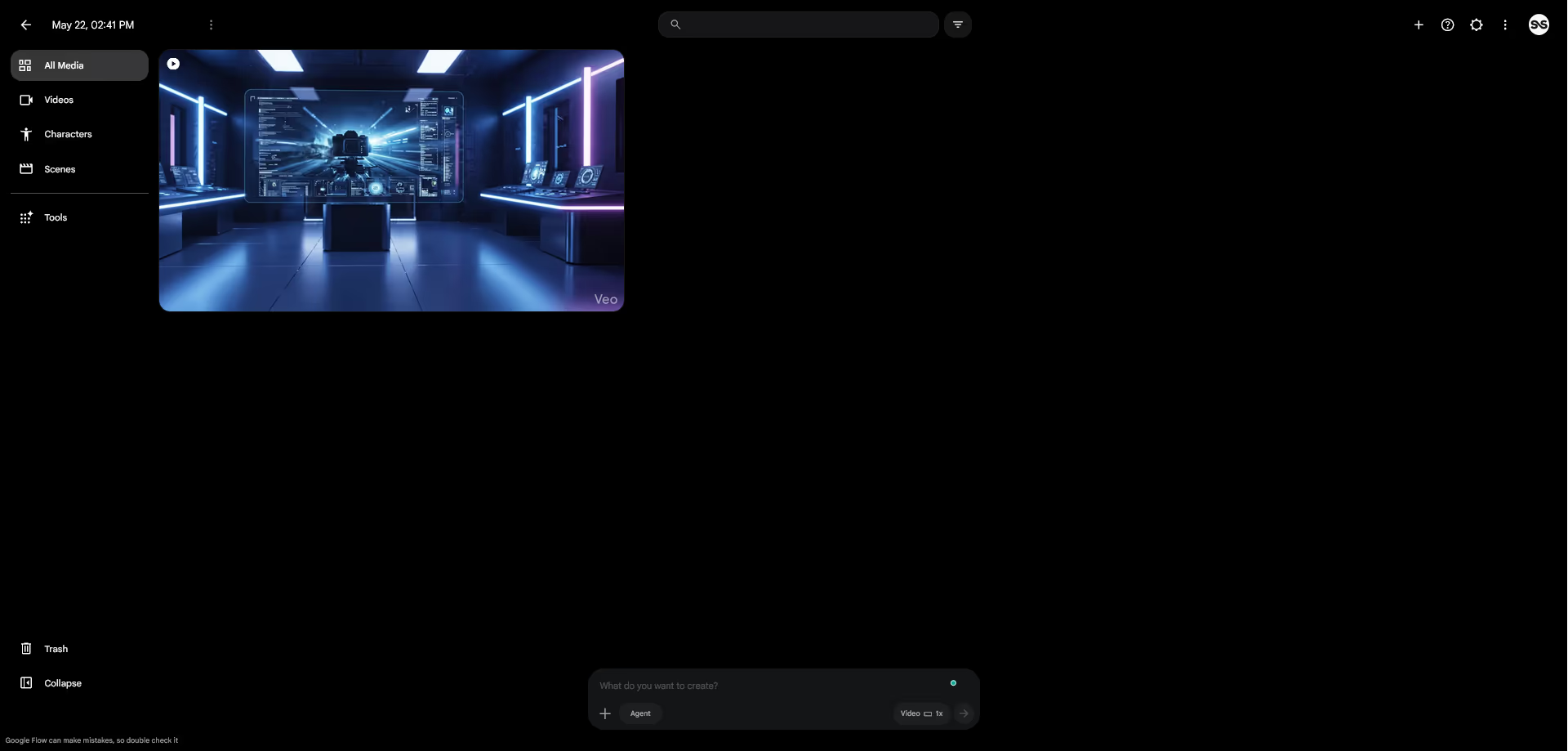
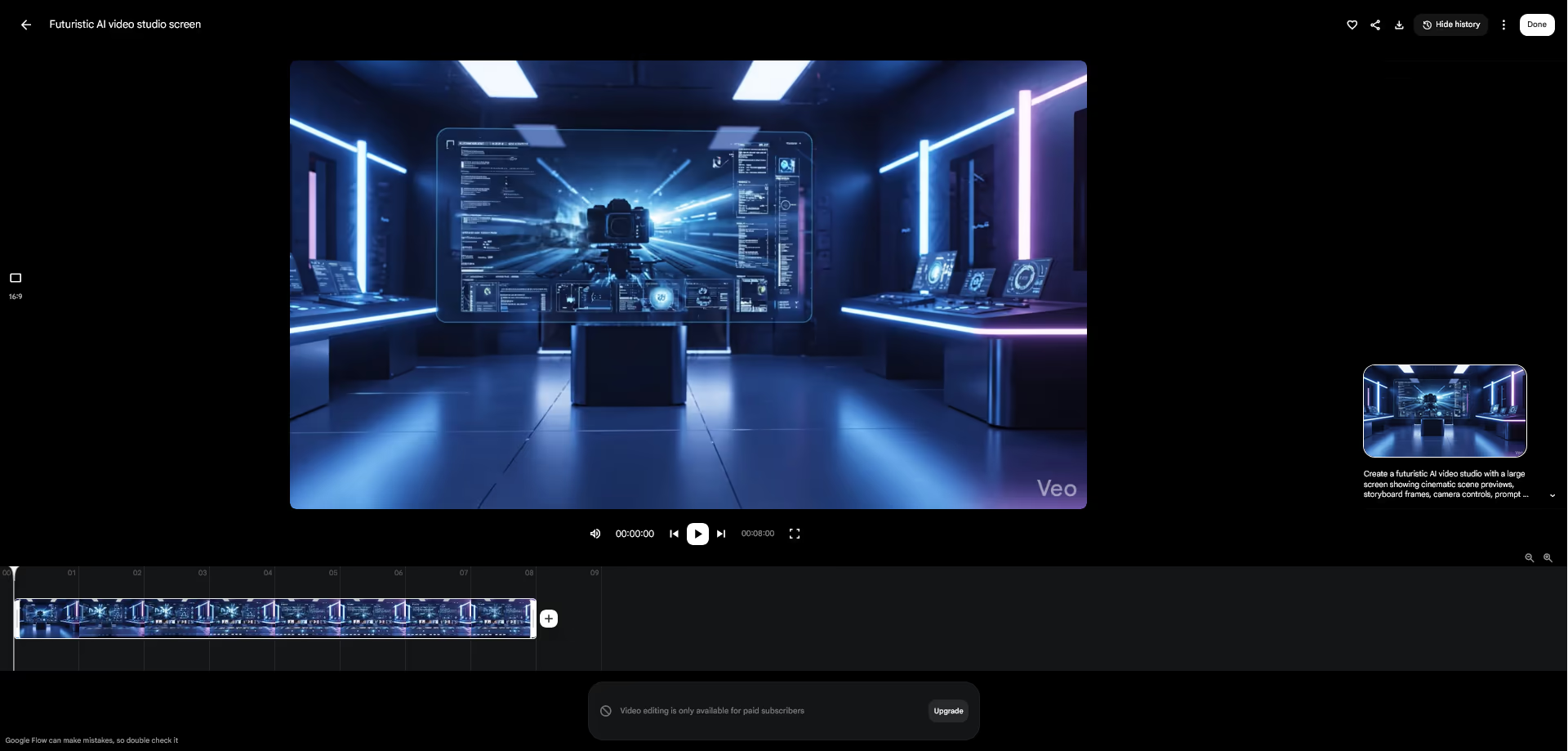
Veo 3.1 video generation
One of the biggest reasons to pay attention to Google Flow is its connection to Veo.
Google DeepMind describes Veo 3.1 as its leading video generation model, designed to empower filmmakers and storytellers. The model page also highlights audio and improved creative control as important parts of the Veo experience.
Veo is important because cinematic video generation is difficult. A strong AI video model needs to understand movement, light, camera direction, objects, realism, and prompt details.
For creators, this makes Flow more serious than many basic AI video tools.
Gemini assisted creative work
Google Flow also connects with Gemini, which can help with prompt understanding and creative planning.
This is useful because AI video prompting can be difficult. A good video prompt often needs details about subject, action, environment, camera movement, mood, lighting, visual style, and pacing.
Gemini can help users move from a rough idea to a more detailed creative direction.
Text to Video
Text to Video lets users generate a video scene from a written prompt.
This is the most direct use case. You describe the scene, and Flow generates a video based on your instructions.
For example, a user could describe a cinematic scene of a designer working in a quiet studio at night, with soft lighting and a slow camera movement.
The better the prompt, the better the result is likely to be.
Frames to Video
Frames to Video helps users create motion from visual frames.
This can be useful when you want more control over the beginning or ending of a scene. Instead of relying only on text, you can guide the video with visual references.
This can help with scene continuity, transitions, and visual planning.
Ingredients to Video
Ingredients to Video allows users to work with visual ingredients and turn them into video.
This is useful when you want to keep certain elements in the scene, such as a character, product, object, or style reference.
Google’s help page explains that users can add references to prompts and use ingredients to guide characters, key objects, and visual consistency from one clip to another.
For creative teams, this can help make AI video generation feel more directed and less random.
Video Extension
Video Extension helps users continue or extend a generated video.
This is useful because AI video clips are often short. If you get a strong result, you may want to continue the moment rather than start again from zero.
Video Extension can help build longer sequences from useful clips.
Scenebuilder
Scenebuilder helps users organize and develop scenes.
This is important because AI video creation can become messy quickly. A creator may generate many clips, variations, prompts, and visual directions.
A scene based workflow makes it easier to keep ideas structured.
Video to Video Editing
Google AI Plus and higher plans include video to video editing, according to the current Google Flow plan table.
This can be useful when users want to transform or refine an existing video direction instead of generating from text only.
Video to video editing can support creative experiments, style changes, and visual exploration.
Image and Video Upscaling
Google AI Pro includes 1080p video upscaling, while Google AI Ultra includes 4K image and video upscaling.
This matters because resolution affects how useful the output can be.
Lower resolution may be fine for testing ideas, but higher resolution is more useful for presentations, campaigns, social posts, pitch decks, and production references.
Characters and Avatars
The free Flow plan includes Characters, while Google AI Plus adds Avatars.
These features matter because creators often need human or character driven visual content.
Still, users should be careful with identity, likeness, and realism. AI character content should be used responsibly, especially when it could be confused with a real person.
Google Flow Pros and Cons
Pros | Why it matters |
|---|---|
Built for AI filmmaking | Better suited for cinematic scenes and storytelling than basic video generators |
Powered by Google models | Uses Google technologies such as Veo, Imagen, and Gemini |
Free access available | Users can test Google Flow with 50 daily credits before paying |
Multiple paid options | Plus, Pro, and Ultra plans give different levels of access for different users |
Strong creative workflow | Helps users plan, create, refine, and organize visual ideas |
Natural language prompting | Makes video creation easier for users who do not want complex technical tools |
Useful for concepting | Good for storyboards, campaign ideas, social videos, and previsualization |
Higher plans add premium tools | Serious users get more credits, higher limits, and higher resolution options |
Cons | Why it matters |
|---|---|
Can become expensive | Serious AI video generation may require higher plan access and many credits |
Credits do not roll over | Unused free daily credits and monthly plan credits expire instead of carrying forward |
Not always perfectly consistent | AI video can still produce visual errors, motion issues, or character inconsistencies |
Limited compared with full production | Professional filmmaking still offers more control over actors, lighting, audio, and editing |
Availability may vary | Access can depend on country, Google account, plan, and current product availability |
Prompt skill matters | Better results usually require clear visual direction and strong prompting |
Not a full video editor | Users may still need editing, captions, sound design, and post production tools |
Is Google Flow Easy to Use?
Google Flow is easier than traditional filmmaking software, but it is not automatically easy for everyone.
The interface may make generation and refinement simpler, but users still need to learn how to describe scenes clearly.
A weak prompt usually creates a weak result.
For better results, users should describe:
Prompt detail | Example |
|---|---|
Subject | A young designer working late in a modern studio |
Setting | Minimal office with soft window light and plants |
Camera movement | Slow cinematic push in |
Mood | Calm, focused, professional |
Lighting | Soft natural light with subtle shadows |
Style | Realistic cinematic commercial style |
Action | The subject reviews video clips on a laptop |
Important details | Clean desk, no text on screen, smooth motion |
For beginners, Google Flow can feel exciting at first. But for serious results, it rewards users who understand visual storytelling, composition, lighting, and prompt writing.
Best Use Cases for Google Flow
Storyboarding
Google Flow can help filmmakers and creators visualize scenes before production.
Instead of only writing a scene description, users can generate early visual ideas that show mood, setting, camera direction, and atmosphere.
Marketing video concepts
Marketing teams can use Flow to test ad ideas, product visuals, campaign scenes, and social video concepts.
This is useful before investing in a full production process.
Social media content
Creators can use Flow to generate cinematic hooks, background visuals, short concept clips, and creative story ideas for social platforms.
Music video concepts
Artists and musicians can use Flow to explore visual worlds, surreal scenes, mood sequences, and early music video ideas.
Product visualization
Brands can use AI video to test product scenes, launch visuals, lifestyle concepts, and ad directions.
This should be done carefully when product accuracy matters.
Education and explanation
Educators can use Google Flow to visualize abstract ideas, historical scenes, scientific concepts, or short learning examples.
AI video can support learning, but outputs should be reviewed for accuracy before publishing.
Google Flow Compared With Other AI Video Tools
Google Flow competes with other AI video tools, but its position is different.
Many AI video tools focus mainly on text to video generation. Google Flow is more focused on filmmaking, creative direction, and project organization.
Tool type | Google Flow advantage | Possible limitation |
|---|---|---|
Basic AI video generators | Stronger creative workflow and access to Google AI models | May require paid plan access for serious use |
Traditional video editors | Faster idea generation and visual experimentation | Less precise control than manual editing |
AI avatar tools | Better for cinematic scenes and creative visuals | Not mainly focused on presenter avatars |
3D animation software | Faster for concepting and visual drafts | Less control over exact models, rigs, and animation |
Stock video libraries | Can create custom scenes from prompts | Outputs still need review for accuracy and consistency |
If your goal is fast cinematic ideation, Google Flow is very interesting.
If your goal is frame level editing, advanced post production, or precise animation, traditional tools are still important.
Safety and Responsible Use
AI video tools are powerful, but they also raise important safety questions.
Google DeepMind says Veo includes safety measures such as blocking harmful requests and using SynthID watermarking to help identify AI generated content.
This is important because AI video can be misused.
Creators should avoid using Google Flow to create fake news clips, misleading public figure videos, deceptive ads, harmful content, or visuals that could confuse viewers about what is real.
For responsible use, creators should:
Responsible practice | Why it matters |
|---|---|
Be transparent when content is AI generated | Helps viewers understand what they are watching |
Avoid impersonating real people without permission | Reduces ethical and legal risk |
Review outputs carefully | AI can create inaccurate or misleading details |
Respect copyright and brand rights | Avoids misuse of protected creative work |
Avoid presenting fictional scenes as real events | Helps prevent misinformation |
Follow platform rules before publishing | Social platforms may have AI content policies |
Google Flow is a creative tool, but creators are still responsible for how they use the results.
What We Like About Google Flow
We like that Google Flow feels designed for creatives, not only prompt testers.
Its biggest strength is the workflow. The ability to plan, generate, refine, and organize video ideas makes it more useful than a basic one step video generator.
We also like that Flow connects with Google’s advanced AI models. Veo, Gemini, and Imagen give it a strong foundation for creative work.
The free access option is also useful. It lets users test Flow before deciding whether a paid plan is necessary.
The focus on cinematic output is important too. Many AI video tools can generate short clips, but Flow is clearly aimed at storytelling and visual direction.
Flow is especially exciting for previsualization. It can help creators see ideas before spending time or money on production.
What Could Be Better
Google Flow still has the usual limits of AI video.
Character consistency can be difficult. Motion can look strange. Objects may change between frames. Text inside video can be unreliable. Speech and audio may not always feel natural.
Cost is another concern. AI video generation is more expensive than text or image generation because it requires more computing power. Users who generate many clips may need higher limits and more credits.
The credit system also requires attention. Free users get daily credits, while paid users get monthly credits. If you do not use them before they refresh, they do not roll over.
Flow may also not be available equally for every user, country, or account type. Access can depend on Google plans and current availability.
Finally, serious creative professionals may still need traditional editing, color grading, sound design, captions, motion graphics, and post production tools after generating AI clips.
Google Flow is powerful, but it is not a complete replacement for every creative workflow.
Final Verdict
Google Flow is one of the most interesting AI filmmaking tools available today.
It combines Google’s generative AI models with a creative workflow designed for video ideas, cinematic scenes, project organization, and natural language prompting.
For filmmakers, content creators, marketers, designers, educators, and agencies, it can be a powerful way to explore visual ideas faster.
The pricing is flexible because there is a free option, a low cost Google AI Plus plan, a stronger Google AI Pro plan, and two Google AI Ultra levels for serious users. That gives different users a way to test or scale their AI video workflow.
It is not perfect. AI video still has limitations, and serious use can require paid access and careful review. It is also not a replacement for professional filmmaking when exact control, legal clarity, and production quality are essential.
Still, Google Flow is worth considering if you want to explore the future of AI video creation.
It is best for users who want creative experimentation, cinematic concepting, and AI assisted visual storytelling.
It is less ideal for users who only need simple video editing, exact frame control, or low cost unlimited video generation.
Overall, Google Flow is a strong AI filmmaking tool with serious potential, especially for creators who are ready to use AI as part of their visual workflow.
Explore Google Flow