
Synthesia Review: Is This AI Video Generator Worth It?
Disclosure: Some links in this article may be affiliate links. If you purchase through them, we may earn a commission at no extra cost to you. Our reviews remain independent and are based on research, product information, pricing, features, and practical value for users.
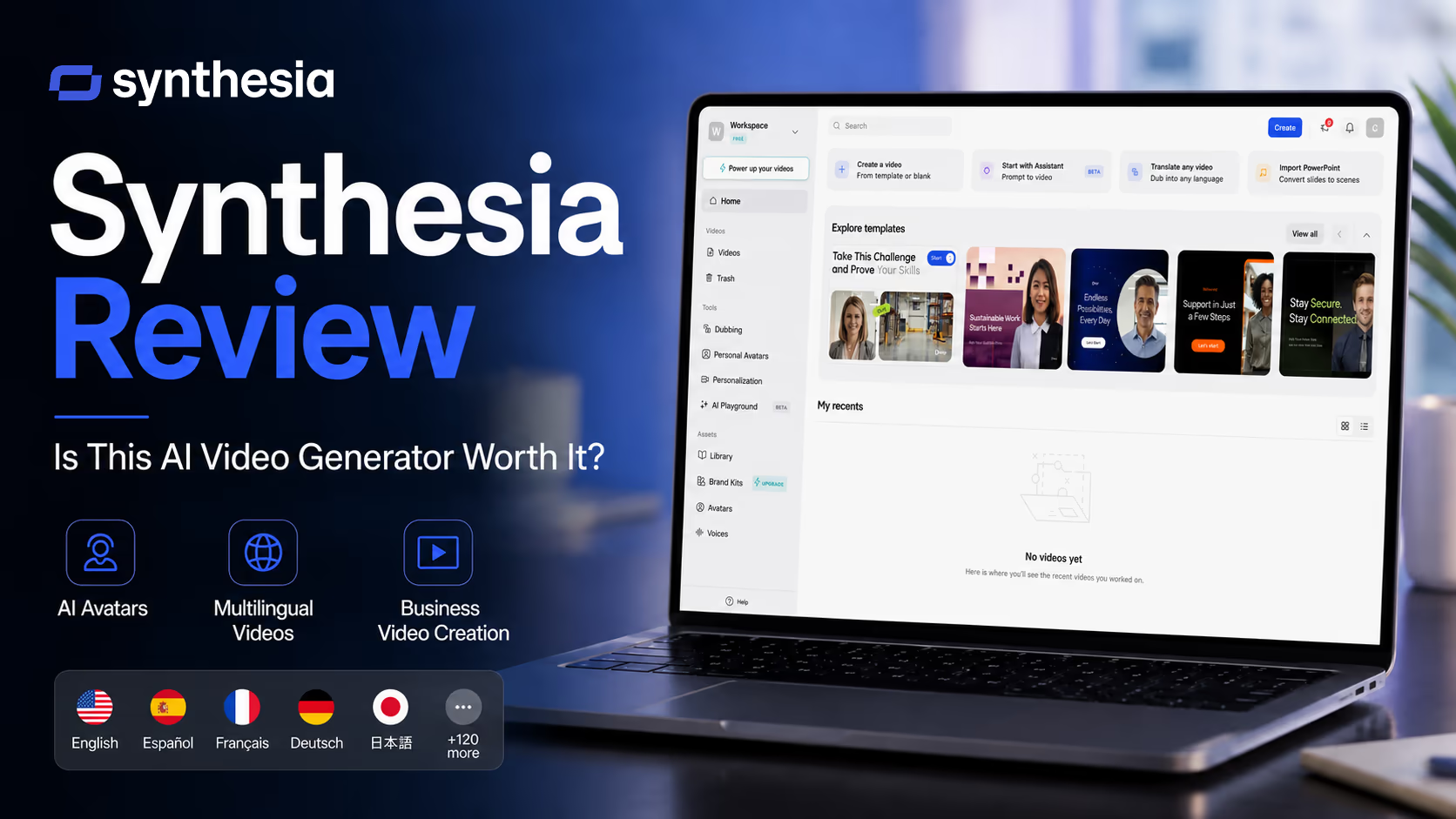
In this Synthesia review, we are looking at one of the best known AI video generator tools for business users. Synthesia helps users create videos with AI avatars, voiceovers, templates, translation tools, and a browser based video editor.
Instead of hiring actors, booking a studio, recording audio, and editing footage from scratch, you can write a script, choose an avatar, select a voice, customize the scene, and generate a finished video.
That sounds powerful, but it also raises practical questions.
Is the video quality good enough for real business use?
Are the avatars natural enough?
Is Synthesia worth the price?
Who should use it, and who should look elsewhere?
After reviewing its current public plans and features, our view is simple. Synthesia is a strong AI video platform for teams that create training, onboarding, product explainers, internal updates, and localized videos often. It is not the best choice for every creator, but for repeatable business video production, it can save a lot of time.
What Synthesia is
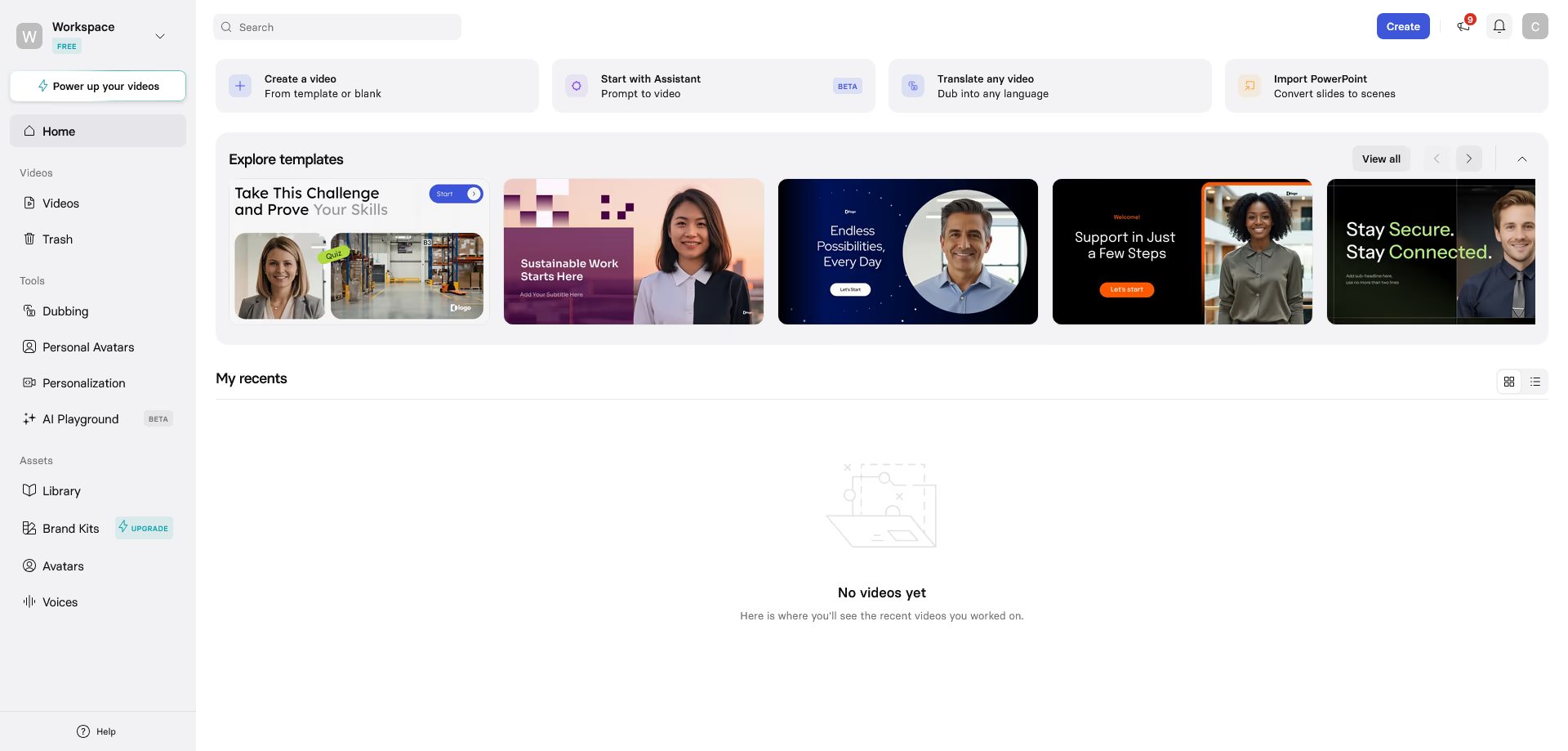
Synthesia is an AI video generator that turns text, prompts, documents, scripts, and other content into videos. Its core idea is simple. You choose an AI avatar, add your script, select a language or voice, customize the design, and generate a video.
The platform is aimed mainly at business video creation. That includes learning and development, human resources, sales enablement, customer education, information technology, compliance, marketing, and internal communications.
The main value is not just that it creates a video. Many tools can do that now. Synthesia is more focused on helping teams create consistent, editable, multilingual videos at scale.
For example, a training team could create a workplace safety video in English, then localize it for several regions without filming again. A product team could update a tutorial when the user interface changes. A sales team could create short enablement videos without asking subject experts to record themselves every time.
Who Synthesia is best for
Synthesia is best for people and teams who need professional looking videos but do not want a traditional video production process.
It makes the most sense for:
Learning and development teams
These users often need onboarding, compliance, process, and policy videos. Synthesia is useful because scripts can be updated and translated more easily than filmed content.
Human resources teams
Human resources teams can create welcome videos, benefits explanations, workplace policy updates, and employee communication videos.
Sales enablement teams
Sales teams can create product explainers, pitch training, objection handling videos, and internal updates for representatives.
Customer education teams
If customers need short tutorials or feature walkthroughs, Synthesia can help create polished videos without a camera setup.
Global companies
The multilingual support is one of Synthesia's biggest strengths. Teams that need videos in many languages will likely get more value than users who only create one language content.
Small businesses with regular video needs
A small company that publishes training videos, product guides, or educational content every month may find the paid plans useful.
Synthesia may not be necessary for someone who only needs one or two videos per year. It may also feel too structured for creators who want cinematic, artistic, or highly emotional video storytelling.
Key features
AI avatars
Synthesia offers a large library of AI avatars. These are digital presenters that can speak your script on screen. The current public plan information shows different avatar access by plan, with higher plans offering more avatar choices.
This is the feature most people notice first. The avatars are useful for training, explainers, announcements, and product videos where a presenter style works well.
The best use of avatars is not to pretend they are real humans. It is to provide a consistent presenter for clear information. In our opinion, Synthesia works best when the script is direct, helpful, and concise.
Personal avatars
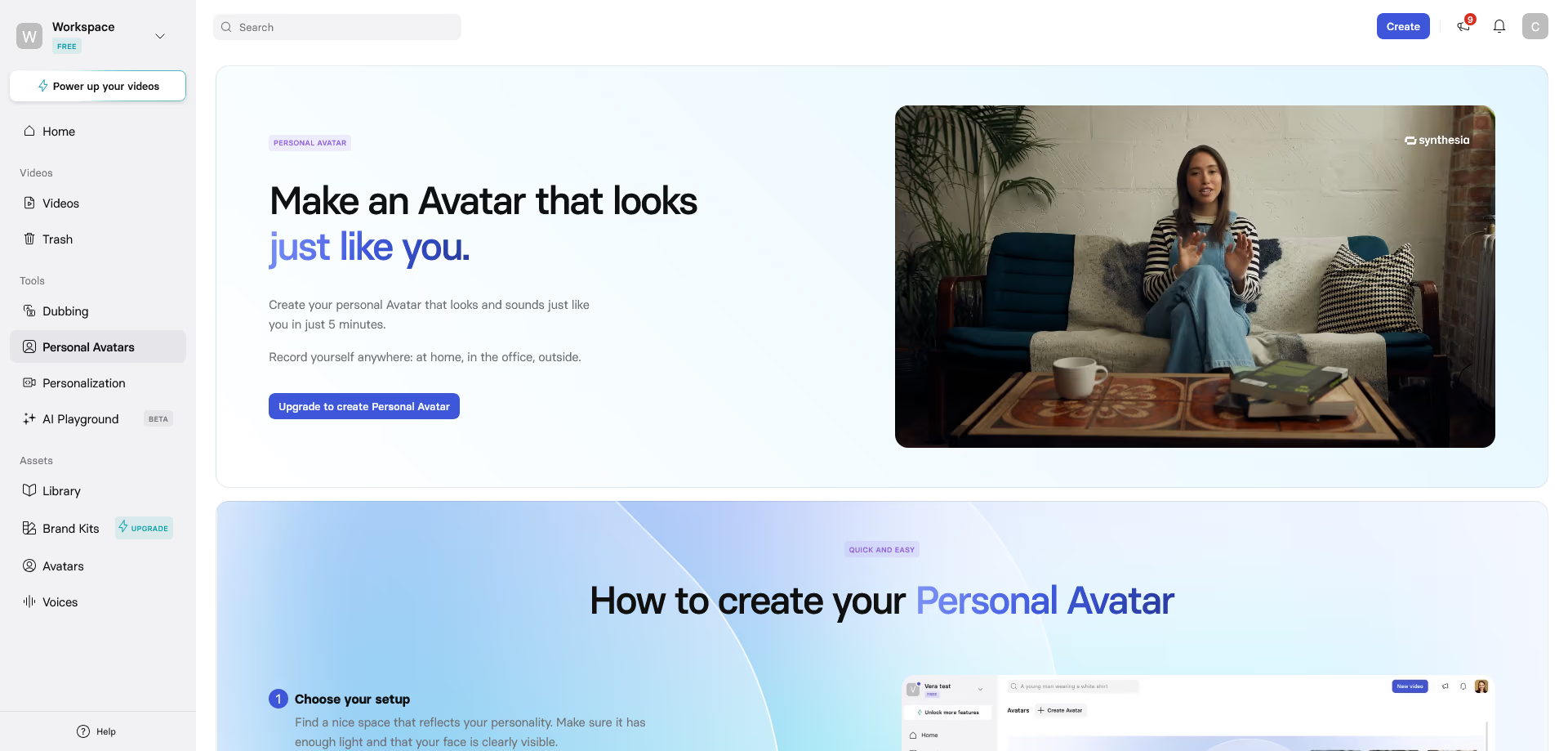
Synthesia also supports personal avatars, depending on the plan and setup. This means you can create an avatar based on your own likeness and use it in videos without filming every time.
This can be helpful for founders, instructors, managers, consultants, and trainers who want a consistent video presence but do not want to record repeatedly.
There is one important note. Personal avatar allowances and custom avatar details can vary by plan and billing setup, so users should check the exact checkout details before buying.
Text to video creation
At the center of Synthesia is its text to video workflow. You can start from a script, prompt, document, or other written content, then turn it into a structured video.
This is useful when you already have source material, such as:
A training document
A support article
A product description
A policy update
A slide based explanation
A sales script
An onboarding checklist
Instead of starting with a blank timeline, Synthesia helps move from written knowledge to video format.
AI Video Assistant
The AI Video Assistant helps transform existing content into video drafts. For example, if you have a document or link, the assistant can help structure it into scenes.
This is valuable because many business users do not struggle with recording. They struggle with turning long information into a clear video. A tool that helps structure scenes can reduce the blank page problem.
Still, we would not publish the first draft without review. AI generated scripts often need editing for tone, accuracy, and brand voice.
Multilingual video creation
Synthesia supports video creation in over 160 languages and voices. This is one of its strongest selling points.
For global teams, this can be a major time saver. A company can create one training video and then adapt it for different regions. This is especially useful for compliance training, product education, safety instructions, customer onboarding, and company wide announcements.
The key benefit is consistency. Every region can receive the same core message, while the language changes.
AI dubbing and translation
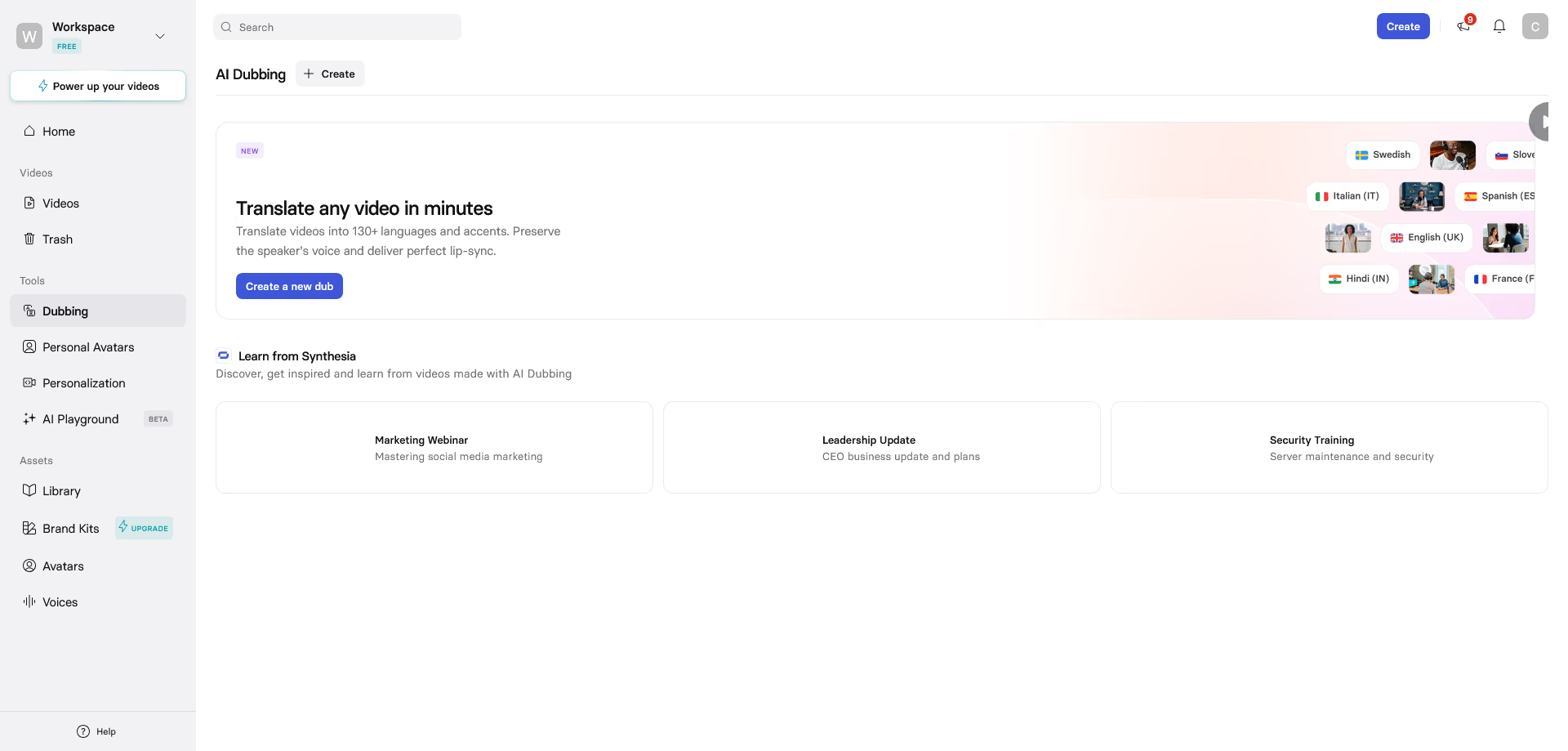
Synthesia includes AI dubbing and translation features, with availability depending on the plan. Higher plans unlock more advanced localization options.
For companies with international teams or customers, this is a serious advantage. Traditional dubbing can be expensive and slow. AI dubbing can make localization faster, especially for informational videos.
However, translated content should still be reviewed by someone who understands the language and context. AI translation is helpful, but brand, legal, cultural, and technical wording still matter.
Video editor
Synthesia includes a browser based editor. Users can adjust layouts, add text, change avatars, upload media, apply branding, and edit scenes.
The editor is easier than a professional editing tool, which is part of the appeal. It is made for business users who need a clean video, not for advanced editors who want total creative control.
For most training and explainer videos, the editor should be enough. For film style productions, music videos, advanced motion design, or complex visual effects, it will feel limited.
Brand Kits
Brand Kits help teams keep videos consistent. You can apply company colors, logos, fonts, and visual styles across videos.
This matters for organizations where many people create content. Without brand controls, AI generated videos can quickly look inconsistent. Brand Kits help make the output feel more professional and aligned with company identity.
Collaboration
Synthesia supports collaboration features such as comments, feedback, and team workspaces. Higher level plans include stronger collaboration options.
This is useful for teams where a video must be reviewed by several people, such as a subject expert, legal reviewer, manager, and designer.
Instead of sending video files back and forth, teams can work in one platform.
Interactive video tools
Synthesia includes interactive video features on higher plans, such as clickable calls to action, branching, and quizzes.
This is especially useful for training. A passive video can become a more active learning experience when viewers answer questions or choose a path.
For learning and development teams, this makes Synthesia more than just an avatar video maker. It becomes part of a training workflow.
SCORM and LMS support
Enterprise plans include features that matter to larger learning teams, such as SCORM export and learning management system support.
This is important because many companies need training completion tracking. A simple video file is not enough for compliance or employee learning records.
Security and governance
Synthesia is clearly positioning itself as a business and enterprise ready AI video platform. Public pages mention security and compliance features such as SOC 2 Type II, GDPR, ISO 42001, access controls, SSO, role based permissions, content moderation, and governance tools.
This matters for larger organizations. AI video is not just a creative tool. It can involve brand risk, employee likeness, customer data, internal documents, and compliance requirements.
For small creators, these controls may not be the main reason to buy. For enterprise buyers, they can be essential.
Pricing and plans
Synthesia currently has a free Basic plan, paid Starter and Creator plans, and a custom Enterprise plan. Pricing may change, so users should always check the checkout page before purchasing.
The official offer link provided for this article did not show a verifiable special discount in the public page content during review. Because of that, we will not claim a discount. Readers should check the final checkout page for any current offer.
Plan | Current public price | Best for | Main limits and features |
|---|---|---|---|
Basic | Free | Testing Synthesia before paying | No credit card required, includes monthly credits, up to 10 minutes of video per month, limited avatar access |
Starter | 29 dollars per month monthly billing, or 18 dollars per month billed yearly | Individuals and small teams creating regular videos | Includes 1 editor and 3 guests, 10 video minutes per month, more avatars than Basic, video downloads, AI Video Assistant, removal of Synthesia logo, chat and email support |
Creator | 89 dollars per month monthly billing, or 64 dollars per month billed yearly | Users creating videos more often with stronger branding and collaboration needs | Includes 1 editor and 5 guests, 30 video minutes per month, more avatars, AI dubbing, branded video pages, API access, multiple avatars per scene, interactive videos, priority support |
Enterprise | Custom pricing | Larger teams and companies producing video at scale | Includes custom editors and guests, unlimited video minutes, full avatar access, advanced translation, SAML and SSO, live collaboration, Brand Kits, SCORM export, onboarding, customer success support, and custom credits |
How the pricing feels in practice
The free Basic plan is useful for testing. It lets you see whether the avatar style, editor, and output quality fit your needs.
Starter is the entry point for serious use. It is a good fit if you only need short videos and do not create large amounts of content every month.
Creator is better if you create videos regularly and need more minutes, more advanced features, and better support.
Enterprise is the natural fit for larger companies, especially those that care about security, governance, team workflows, localization, and learning management system integration.
The biggest thing to watch is video minutes. If your videos are long or you regenerate often, limits matter. Synthesia says video minutes are consumed when videos are generated, and unused minutes do not roll over. That makes planning important.
Pros and cons
Pros | Cons |
|---|---|
|
|
Real use cases
Employee onboarding
A company can create welcome videos for new employees. Instead of sending a long PDF, human resources can create short videos explaining company values, benefits, tools, and first week steps.
This is a natural fit for Synthesia because onboarding content often stays similar but needs occasional updates.
Compliance training
Compliance videos are often repetitive, but they must be clear and consistent. Synthesia can help teams create training on data privacy, workplace safety, harassment prevention, information security, and company policies.
Interactive quizzes can also help turn passive training into a more active experience.
Product tutorials
Software companies can use Synthesia for product walkthroughs and feature explainers. When the product changes, the video can be edited and regenerated instead of filmed again.
This can save time for customer success and support teams.
Sales enablement
Sales leaders can create short training videos for new offers, objection handling, market positioning, and competitor talking points.
Instead of holding repeated live sessions, teams can create reusable video modules.
Internal communications
Executives and managers can use avatar based videos to communicate updates in a consistent format. This is useful when the message needs to reach different regions or languages.
For sensitive or highly personal messages, however, a real recorded human video may feel more appropriate.
Marketing explainers
Synthesia can create simple product explainers, educational videos, and campaign support content. It is not a replacement for high end brand films, but it works well for clear informational marketing videos.
User experience
Synthesia's user experience is one of its main strengths. The platform is built around a simple workflow:
Start with a script, prompt, document, or idea
Choose an avatar and voice
Customize the design
Edit scenes
Generate and share the video
For a new user, the process feels closer to building a slide deck than editing a film. That is a good thing for business teams.
The editor keeps the workflow approachable. Users can make scenes, add media, adjust branding, and review content without needing advanced editing skills.
We also like that the platform supports practical business needs beyond generation. Features like translation, Brand Kits, collaboration, interactive quizzes, video pages, analytics, and SCORM support make Synthesia more useful than a basic avatar generator.
The main learning curve is not technical. It is creative. Users need to learn how to write scripts that sound natural when spoken by an avatar. Short sentences, clear structure, and conversational wording usually work best.
What makes Synthesia different
Synthesia stands out because it is not only trying to be a fun AI video tool. It is built around business video production.
The difference is visible in several areas.
It focuses on work videos
Many AI video tools focus on social clips, cinematic generation, or creator content. Synthesia is more focused on training, internal communication, enablement, and enterprise use.
It supports localization at scale
The ability to create and translate videos across many languages is a major reason to choose Synthesia. This is especially useful for global organizations.
It includes enterprise controls
Security, governance, permissions, moderation, SSO, SCORM, and customer success support matter to larger companies. Synthesia has clearly invested in these areas.
It makes updates easier
Traditional videos are hard to update. If a policy changes or a product screen changes, teams often need to record again. Synthesia makes updates more manageable because the video is built from editable scenes and scripts.
Possible drawbacks
Synthesia is strong, but it is not perfect.
The first drawback is emotional range. AI avatars have improved a lot, but they still may not match the warmth, spontaneity, and personality of a real human recording. For leadership messages, customer testimonials, founder stories, or sensitive topics, real video may still be better.
The second drawback is sameness. If a team creates many avatar videos with similar layouts, the content can start to feel repetitive. Good scripts, varied layouts, real examples, screen recordings, and visual changes help reduce this problem.
The third drawback is pricing limits. The free and lower paid plans are useful, but video minute limits can become an issue if you create longer content or generate many revisions.
The fourth drawback is that AI does not remove the need for review. Scripts, translations, legal wording, product claims, and compliance content still need human approval.
The fifth drawback is that it is not a cinematic video generator. If you want dramatic scenes, music video style visuals, advanced camera movement, or film like storytelling, Synthesia is not the first tool we would choose.
Comparison with alternatives
Synthesia competes with several AI video tools, but the right choice depends on what type of video you want to create.
Tool | Best fit | How it compares with Synthesia |
|---|---|---|
Synthesia | Business training, internal communication, sales enablement, localized avatar videos | Best when teams need structured, editable, multilingual business videos with governance features |
HeyGen | Avatar videos, translation, creator style business content | Often attractive for fast avatar content and translation, while Synthesia feels more focused on enterprise training and business workflows |
Colossyan | Workplace learning and training content | A relevant alternative for learning teams, especially those comparing training focused AI video platforms |
Cinematic and creative generative video | Better for visual experimentation and creative video generation, while Synthesia is better for presenter based business videos |
If your priority is training, compliance, localization, and business communication, Synthesia is one of the strongest options.
If your priority is cinematic video, visual effects, or creative storytelling, a tool like Runway may be more suitable.
If your priority is avatar marketing content or quick social style videos, HeyGen may also be worth comparing.
If your priority is workplace learning, Colossyan is a close alternative to review.
Pricing value
Synthesia's value depends on how often you create videos.
If you only need one short video, the free Basic plan may be enough to test the platform. Paying monthly may not make sense unless you have ongoing video needs.
If you create videos every month, Starter can be reasonable, but the 10 minute monthly limit means it is best for short videos.
Creator is more expensive, but it gives more room for regular production. It is the better fit for creators, consultants, and teams that want more features and more monthly video capacity.
Enterprise is where Synthesia likely becomes most valuable for large organizations. Unlimited video minutes, collaboration, governance, SCORM, security controls, translation, and onboarding can justify custom pricing if video production is a recurring business need.
The biggest value comes when Synthesia replaces repeated filming, agency work, voiceover coordination, translation work, or manual video updates.
Best practices for getting good results
Write for speaking, not reading
A script that looks good in a document may sound stiff in a video. Use shorter sentences. Make the tone conversational. Read it aloud before generating.
Keep videos short
Synthesia works best for clear, focused lessons. Instead of one 20 minute training video, consider several shorter modules.
Add real examples
The avatar should not carry the whole video. Add screenshots, product images, diagrams, process steps, and examples.
Use Brand Kits
Brand consistency matters. Apply your logo, colors, and fonts so videos feel like part of your company content library.
Review translations
Do not assume every translated version is ready for publishing. Have a native speaker or qualified reviewer check important content.
Test before upgrading
Use the Basic plan to create a sample video. Then decide whether Starter, Creator, or Enterprise fits your volume and workflow.
Who should choose Synthesia
Choose Synthesia if you:
Create training, onboarding, or internal videos regularly
Need videos in many languages
Want to avoid filming and voice recording
Need a consistent presenter style
Work with a team that reviews content
Care about brand consistency
Need business and enterprise video workflows
Want editable videos that can be updated later
Who may not need Synthesia
Synthesia may not be the right fit if you:
Only need one simple video
Prefer real human recordings
Need cinematic video generation
Want advanced manual editing control
Create mostly entertainment or highly emotional content
Have very low video volume
Need full mobile video creation
Final verdict
Synthesia is a strong AI video generator for business users, especially teams that need training videos, internal communication, product explainers, sales enablement content, and multilingual video production.
Its biggest strengths are ease of use, AI avatars, language support, business workflows, brand controls, collaboration, and enterprise readiness. It can make video creation faster and more scalable, especially for organizations that previously depended on filming, agencies, or repeated manual updates.
It is not perfect. The avatar style is not right for every message, the lower plans have video minute limits, and the most advanced features are reserved for higher plans or Enterprise. It also does not replace human creativity, script writing, review, or brand judgment.
Our recommendation is clear. Try the Basic plan first and create one real video you would actually use, such as a short training lesson, product explanation, or internal update. If the result fits your brand and workflow, Starter is a sensible entry point for light use, Creator is better for regular production, and Enterprise is the best fit for larger teams that need scale, governance, and localization.
If your goal is to create professional business videos faster without filming, Synthesia is worth serious consideration.
Explore Synthesia