
Runway Review: AI Video Generation for Brands

AI video generation is changing how creators and brands plan visual content. Instead of starting every idea with a camera, crew, location, and editing timeline, we can now turn prompts and images into short video clips.
Runway is one of the most talked-about platforms in this space. It is built for creators, marketers, filmmakers, agencies, and businesses that want to produce visual ideas faster.
In this Runway review, we look at what Runway AI does well, where it still needs improvement, and whether it is a smart choice for brands that want to create videos with less production pressure.
What Is Runway?
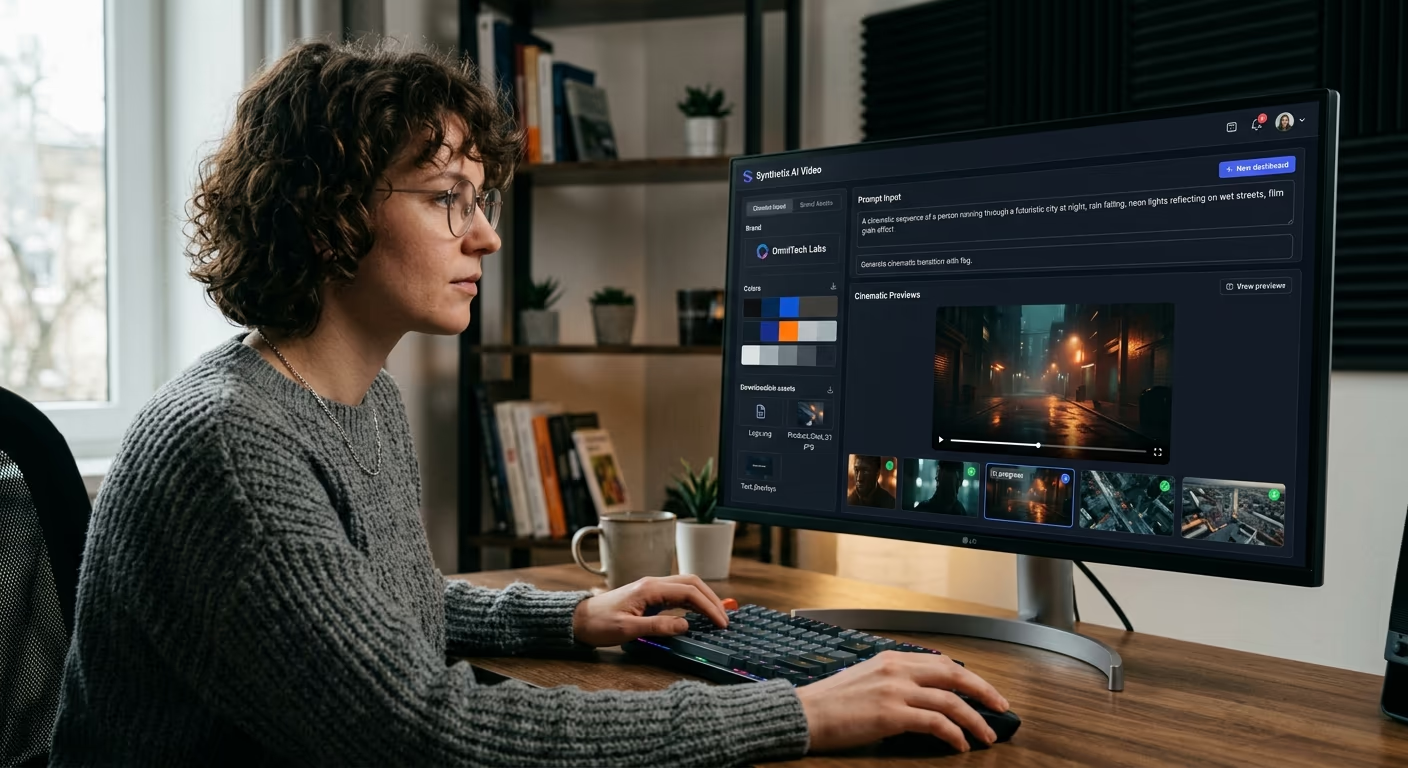
Runway is an AI creative platform for generating and editing visual content. Its main strength is AI video generation, especially short clips created from text prompts or still images.
Runway’s platform includes advanced video models such as Gen-4 and Gen-4.5. Runway describes Gen-4.5 as a video model focused on visual fidelity, creative control, motion quality, and prompt understanding.
In simple words, Runway lets us describe a scene and turn that idea into a moving video. We can also upload an image and use Runway AI to animate it.
That makes it useful for social media content, product concepts, ads, music videos, mood films, pitch decks, and creative testing.
Quick Verdict
Runway is one of the strongest AI video generation tools for creators and brands that need short, stylish, and imaginative video clips.
It is not a full replacement for traditional video production. It can still produce strange details, uneven motion, or results that do not fully match the prompt. But when used for concept work, campaign visuals, and creative exploration, Runway AI is very useful.
Best for: creators, agencies, marketers, filmmakers, music video artists, and brands testing visual ideas.
Not best for: long videos, exact product demos, complex editing timelines, or users who need perfect results on the first try.
Why Runway Matters for Creators and Brands
Most brands need more video than ever. They need clips for websites, ads, TikTok, Instagram Reels, YouTube Shorts, product launches, email campaigns, and presentations.
That creates a problem.
Traditional video production can be slow and expensive. Even a short branded clip may require planning, filming, editing, color, sound, and revisions.
Runway helps reduce some of that pressure. A brand can test a product scene before booking a studio. A creator can build cinematic B-roll without traveling. An agency can show a client three visual directions before investing in full production.
This is where AI video generation becomes valuable. It gives teams a faster way to move from idea to visual sample.
Key Runway Features
1. Text to Video
Text to Video is one of the most important Runway features. We write a prompt, describe the scene, and Runway generates a short clip.
For example, a brand could write:
“Luxury skincare bottle on wet stone, soft morning light, slow camera push-in, clean premium beauty ad style.”
A creator could try:
“Futuristic city street at night, neon reflections, slow handheld camera movement, cinematic mood.”
This type of prompt-to-video workflow is useful when we have a visual idea but no footage yet.
Runway’s Gen-4.5 supports text-based video creation, while Gen-4 focuses heavily on controlled and consistent video generation.
2. Image to Video
Image to Video may be even more useful for brands.
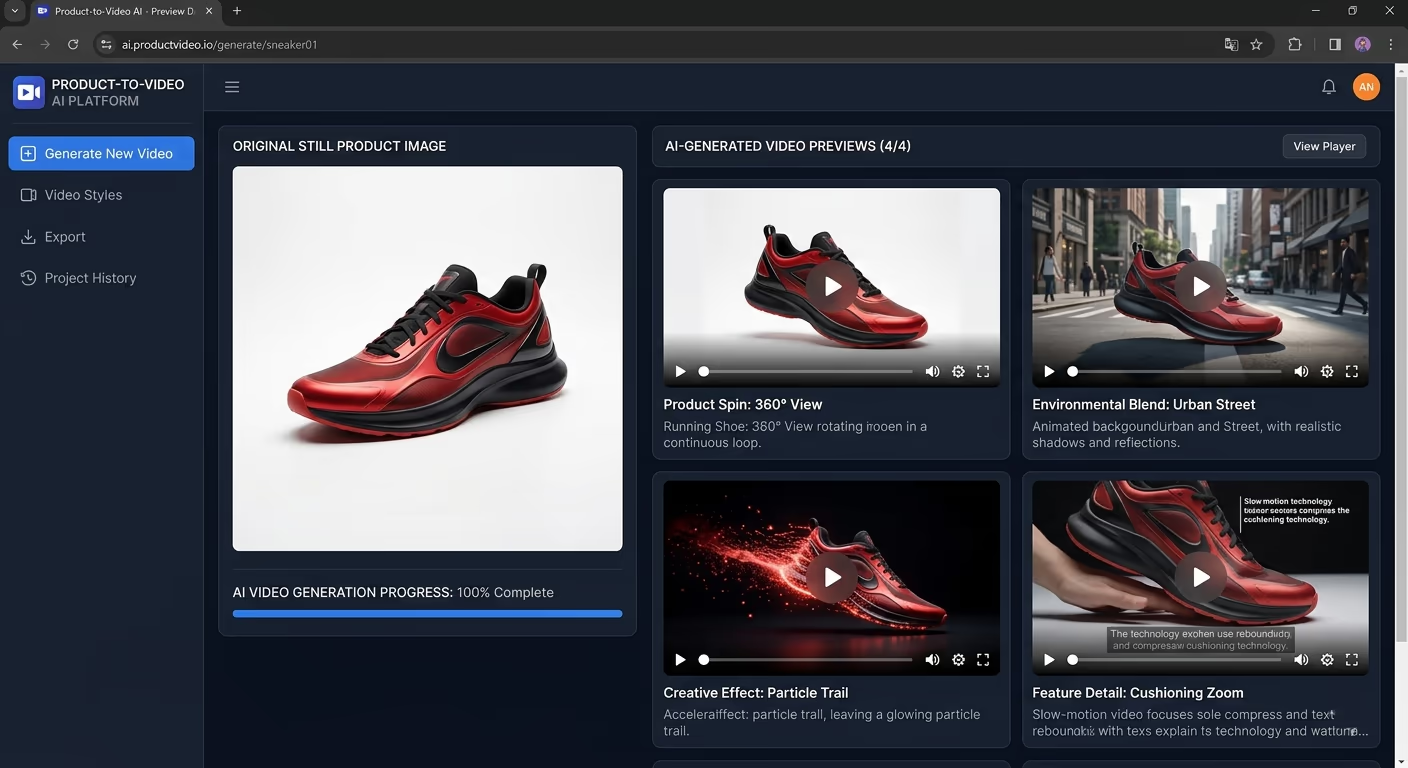
We can upload a product image, character image, artwork, fashion photo, or campaign visual, then use Runway AI to add motion. This can turn a still asset into a moving social clip.
For example, a coffee brand could animate steam rising from a cup. A fashion brand could create a slow camera move around a model. A tech company could add motion to a product render.
Runway’s Gen-4 model uses an input image and text prompt, and Runway says it can generate videos in 5-second or 10-second durations.
This is helpful because many social media ads and short-form posts do not need long scenes. They need quick, eye-catching motion.
3. Consistent Characters and Objects
Consistency is one of the biggest problems in AI video generation. A character may look one way in the first frame and different in the next. A product may change shape. A logo-like mark may shift.
Runway Gen-4 is designed to improve this problem. Runway says Gen-4 can generate consistent characters, locations, and objects across scenes using visual references and instructions.
This matters for brands.
If we are creating a campaign around a product, mascot, model, or visual style, we need the output to stay believable. Runway is not perfect, but its focus on consistency makes it stronger for brand storytelling than many basic AI video tools.
4. Creative Direction and Camera Movement
Runway works best when we think like a director.
Instead of writing a vague prompt like “make a cool ad,” we should describe the subject, setting, camera movement, lighting, mood, and style.
A stronger prompt might be:
“Minimal white sneaker floating above a reflective floor, slow rotating camera move, soft studio shadows, clean fashion campaign style.”
That gives the AI video generator more direction.
Runway can be useful for testing camera moves, mood, lighting, and visual concepts before a real shoot. This makes it helpful for creative directors, social media teams, and small businesses that want to explore ideas quickly.
Ease of Use
Runway is easier than traditional video production, but it is not always effortless.
The basic workflow is simple. Choose a model, enter a prompt or upload an image, select settings, generate the video, then review the result.
The challenge is learning how to prompt well. Good results often come from clear, focused instructions. One scene per prompt usually works better than trying to describe too many actions at once.
For beginners, there may be a learning curve. But compared with filming and editing from scratch, Runway AI can still save a lot of time.
Runway for Creators
For creators, Runway can be a strong creative partner.
YouTubers can generate B-roll, intro visuals, background clips, or story scenes. Musicians can make abstract music video shots. Designers can animate still images. Short-form creators can create scroll-stopping visuals for TikTok, Reels, and Shorts.
The best part is speed. We can test a visual idea without renting a camera or finding a location.
But creators should not expect every clip to be ready immediately. Some videos may need several attempts. Some may look unusual. Others may need editing in another tool before publishing.
Still, for creators who need fresh visuals often, Runway can make the process feel more flexible.
Runway for Brands
For brands, Runway is best used as a concept and content tool.
A skincare brand could test soft product visuals. A fashion company could create campaign mood clips. A restaurant could generate stylish atmosphere shots. A tech startup could build futuristic launch visuals.
This does not mean brands should replace all real production. For exact product claims, packaging details, legal accuracy, and customer trust, real footage may still be better.
But for idea testing, visual planning, social media clips, and internal pitches, Runway AI can be very helpful.
It gives teams a way to see creative directions before spending more money.

Runway API for Teams
Runway is not only for individual creators. It also offers an API for teams that want to add AI video generation to products, apps, or internal workflows.
Runway says its API gives access to its AI video generation models in a safe and reliable environment. The API page also mentions embedding Gen-4 Turbo and Gen-4 Images into products.
This may matter for agencies, software teams, and larger brands that want repeatable content workflows.
For example, a company could use AI-generated videos inside a product builder, ad platform, or internal creative tool.
Output Quality
Runway can produce impressive short clips, especially when the prompt is clear and the visual style is well defined.
It performs well for cinematic mood shots, product-style scenes, fashion visuals, fantasy settings, futuristic concepts, abstract videos, and creative campaign ideas.
However, AI video generation still has limits.
Motion can look strange. Faces may shift. Hands can appear wrong. Small product details may change. A scene may look beautiful but not fully match the brand brief.
That is why Runway works best when we treat it as a creative production tool, not a magic button.
It can help us generate ideas faster, but we still need human review, editing, and taste.
Pricing and Credits
Runway uses a plan and credit system. Its pricing page lists a Free plan with 125 one-time credits, a Standard plan starting at $12 per user per month when billed annually, a Pro plan starting at $28 per user per month when billed annually, and an Unlimited plan starting at $76 per user per month when billed annually.
Credits matter because video generation can use them quickly. Runway’s pricing page says the Standard plan includes 625 monthly credits, which equals 25 seconds of Gen-4.5, 52 seconds of Gen-4, or 125 seconds of Gen-4 Turbo.
For casual users, the free plan is useful for testing. For creators, marketers, or brands using Runway often, a paid plan will likely make more sense.
Our advice is simple: plan your prompts before generating. Testing random ideas can burn credits fast.
Pros and Cons
Pros | Cons |
|---|---|
|
|
Best Use Cases for Runway
Runway is strongest when used for short, visual, creative tasks.
It works well for:
Social media clips
Product mood videos
Concept ads
Brand campaign testing
Music video visuals
Storyboards
Pitch decks
Fashion clips
Cinematic B-roll
Experimental scenes
A small business can use it to test ad ideas. A creator can use it to make unique visuals. An agency can use it to show clients a campaign direction before a full production budget is approved.
Who Should Use Runway?
Runway is a good choice for creators who want more visual freedom.
It is also useful for brands that need quick content ideas, agencies that create pitch visuals, and marketers who want to test video concepts faster.
Filmmakers, artists, and music video creators may enjoy Runway because it helps them explore scenes that would be expensive or difficult to shoot.
However, Runway may not be the best choice for users who need long videos, exact product demonstrations, or predictable results every time.
Final Verdict
This Runway review shows that Runway is one of the most useful AI video generation tools for creators and brands.
It is not perfect. It does not replace a full production team, a skilled editor, or a strong creative strategy. But it can make the early creative process much faster.
For creators, Runway AI can help produce cinematic B-roll, animated images, music visuals, and social clips.
For brands, it can support campaign planning, product concepts, ad testing, and fast visual experiments.
Our verdict is that Runway is worth trying if we need short, stylish, AI-generated video clips and are willing to spend time refining prompts.
For long-form editing or exact product accuracy, Runway should be used alongside other video editing tools.
But for modern AI video generation, Runway remains one of the most exciting platforms for creators, agencies, and brands that want to turn ideas into visuals faster.