
Surfshark VPN vs Proton VPN: Honest Comparison
Disclosure: Some links in this article may be affiliate links. If you purchase through them, we may earn a commission at no extra cost to you. Our reviews remain independent and are based on research, product information, pricing, features, and practical value for users.
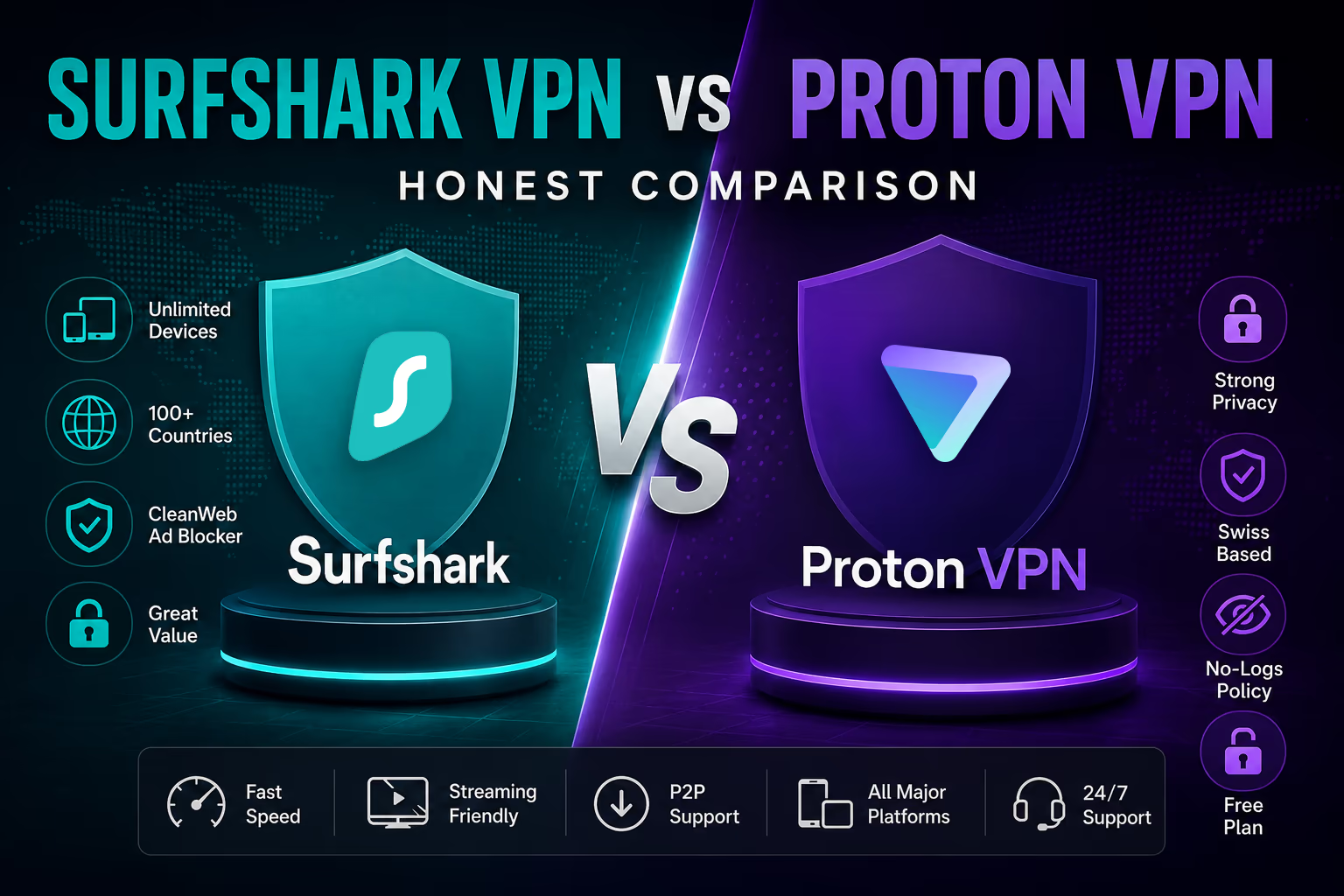
Choosing between Surfshark VPN vs Proton VPN is not only about picking the cheapest VPN. It is about choosing the service that fits how you actually use the internet.
Some people want a VPN for streaming, travel, and protecting every phone, laptop, tablet, and smart TV at home. Others care more about privacy, open source apps, transparent audits, and a company built around digital rights.
That is where this comparison gets interesting.
Surfshark VPN is one of the strongest value focused VPNs on the market. It gives you unlimited device connections, a large server network, clean apps, and optional security extras such as antivirus, data breach alerts, private search, Alternative ID, and Incogni on higher plans.
Proton VPN is different. It is built by the same privacy focused company behind Proton Mail. It has a very strong free plan, open source apps, Swiss privacy positioning, Secure Core routing, NetShield ad and malware blocking, and a large premium server network.
In this Surfshark VPN vs Proton VPN review, we will compare both services in a practical way. We will look at features, pricing, performance, ease of use, privacy, support, drawbacks, and real use cases.
Quick comparison summary
Category | Surfshark VPN | Proton VPN |
|---|---|---|
Best overall fit | Best for value, families, and unlimited devices | Best for privacy focused users and free VPN users |
Device limit | Unlimited simultaneous connections | Up to 10 devices on paid plans, 1 device on Free |
Free plan | No full free plan, but trial and refund options may be available | Yes, with unlimited data and no ads |
Server network | 4500 plus servers in 100 countries | 20,000 plus servers in 140 plus countries on paid plans |
Privacy approach | Audited no logs policy, RAM only servers, extra security tools | Open source apps, audited no logs policy, Swiss based privacy focus |
Streaming | Strong for casual streaming and travel use | Strong on paid plans, with a privacy first design |
Best value | Usually better for households and many devices | Better if you value privacy credentials and the free plan |
The short answer is simple.
Choose Surfshark VPN if you want the most device coverage for the money.
Choose Proton VPN if you want the stronger privacy first identity, open source apps, and a serious free plan.
What each product is
What is Surfshark VPN?
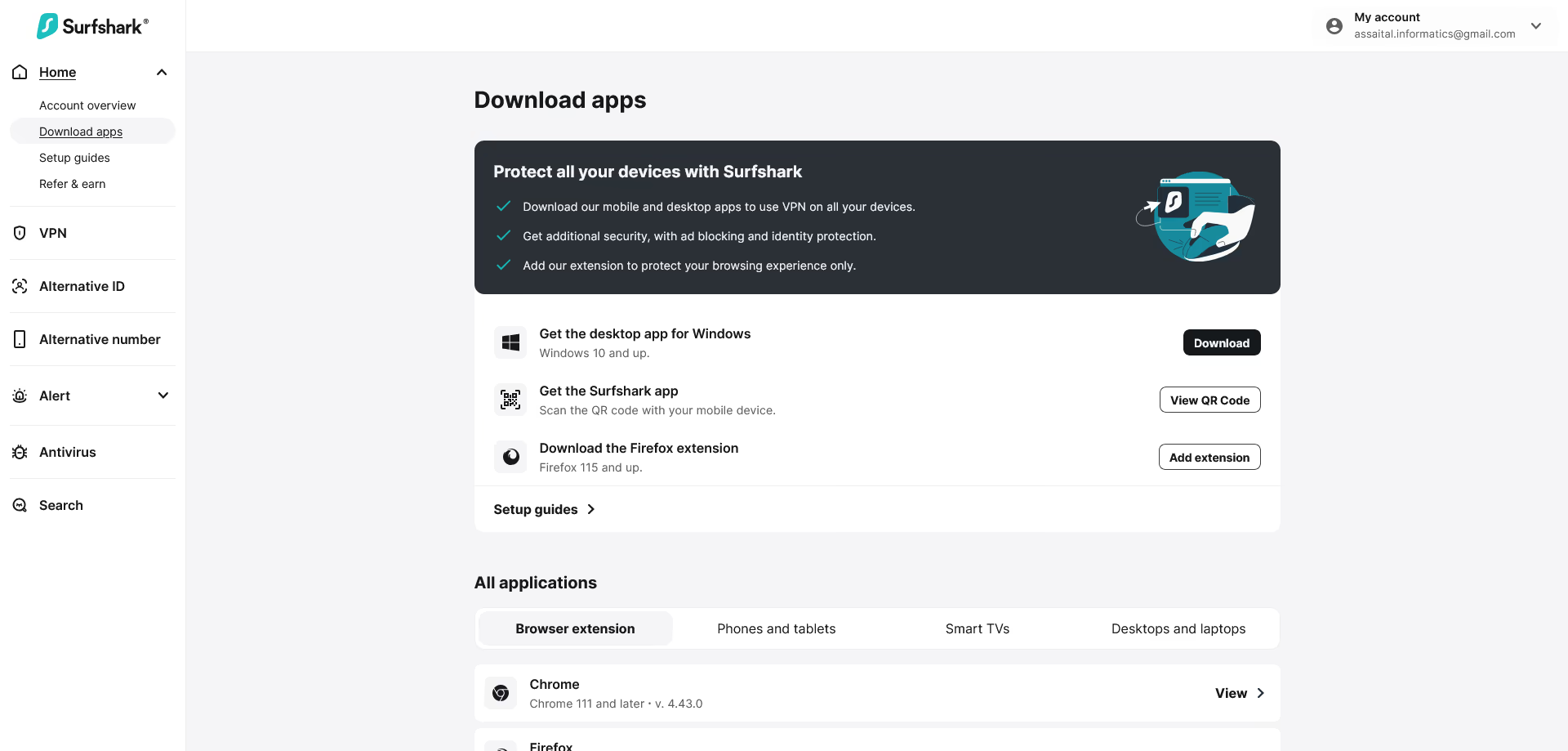
Surfshark VPN is a consumer VPN service designed for privacy, security, streaming, browsing, and general online protection.
Its biggest advantage is simple: unlimited simultaneous device connections. That means one subscription can cover your phone, laptop, tablet, work computer, smart TV, and the devices used by other people in your household.
Surfshark also offers more than just a VPN. Depending on the plan, you can get features such as CleanWeb for blocking ads and trackers, Alternative ID for creating an online alias, Surfshark Alert for breach monitoring, Surfshark Antivirus, Surfshark Search, and Incogni for personal data removal.
That makes Surfshark feel more like a privacy and security bundle than a basic VPN.
What is Proton VPN?
Proton VPN is a privacy focused VPN from Proton, the company behind Proton Mail, Proton Drive, Proton Calendar, and Proton Pass.
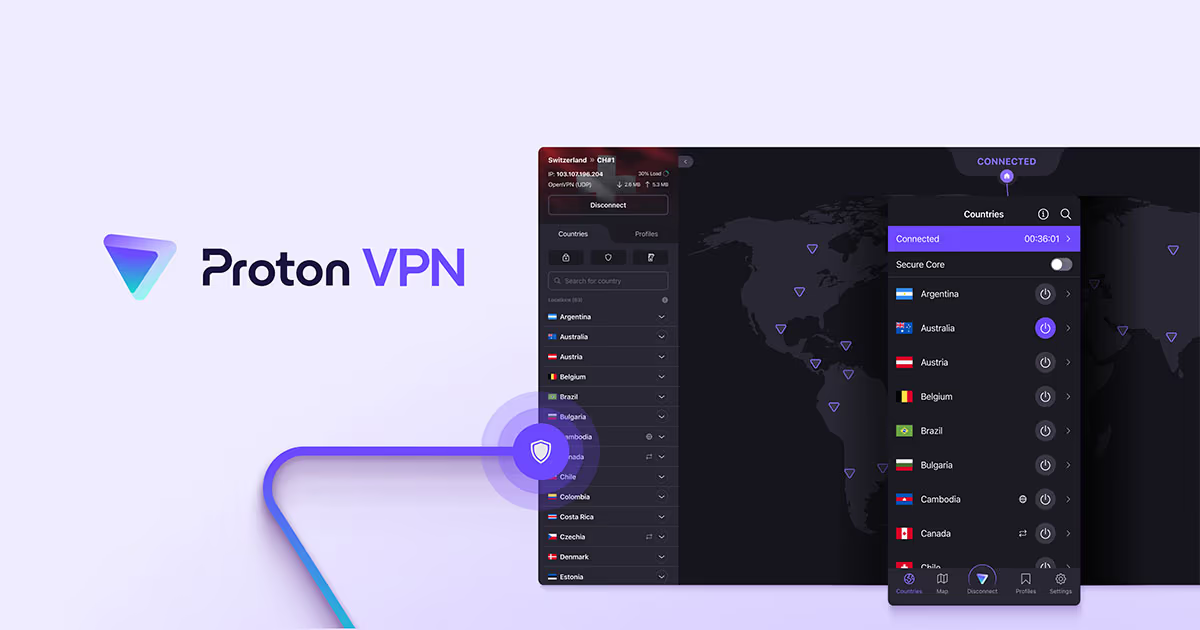
Its biggest strength is trust. Proton VPN has open source apps, a no logs policy verified by independent audits, strong encryption, Secure Core routing, NetShield ad and malware blocking, and a useful free plan with unlimited data.
The free plan is one of the main reasons Proton VPN stands out. Many free VPNs are limited, ad supported, slow, or questionable from a privacy perspective. Proton VPN Free is built as a serious entry point into the Proton ecosystem.
The paid VPN Plus plan unlocks the full server network, higher speeds, streaming support, P2P support, NetShield, Secure Core, and support for up to 10 devices.
Who each option is best for
Surfshark VPN is best for
Surfshark VPN is best for people who want strong VPN coverage without counting devices.
It makes sense for families, couples, students with several devices, remote workers, and anyone who wants to protect every device in the house under one subscription.
It is also a good fit for users who want a VPN that feels simple. The apps are easy to understand, the pricing is usually aggressive on longer plans, and the unlimited device policy gives it a clear practical advantage.
Surfshark is especially useful if you want extras beyond a VPN, such as antivirus, data breach monitoring, Alternative ID, or personal data removal through higher tier bundles.
Proton VPN is best for
Proton VPN is best for users who put privacy and transparency first.
It is a strong choice if you already use Proton Mail, Proton Drive, or Proton Pass. It also makes sense if you want open source apps, independent privacy audits, Swiss based privacy positioning, and a free VPN plan that does not feel like a trap.
Proton VPN is also a good option for people who want to test a VPN without paying immediately. The free plan gives you enough to understand the app and protect basic browsing, even though paid users get more server choice, faster access, and streaming support.
Who may not need either one
Not everyone needs a paid VPN.
A VPN is useful for public WiFi, travel, reducing exposure to network snooping, hiding your IP address from websites, and accessing your usual services when away from home.
But a VPN does not make you anonymous everywhere. It does not stop tracking inside apps where you are logged in. It does not replace a password manager, antivirus, browser privacy settings, or common sense.
If your only goal is basic home browsing on a trusted network, you may not need a paid VPN every day. If you travel, work remotely, use public WiFi, stream while abroad, or care about privacy, both Surfshark and Proton VPN become much more useful.
Key features comparison
Feature | Surfshark VPN | Proton VPN |
|---|---|---|
Unlimited data | Yes | Yes, including Free plan |
Simultaneous connections | Unlimited | Up to 10 on paid plans |
Free plan | No permanent full free plan | Yes |
Ad and tracker blocking | CleanWeb | NetShield on paid plans |
Multi hop routing | Dynamic MultiHop | Secure Core |
Kill switch | Yes | Yes |
Split tunneling | Yes, platform availability varies | Yes, platform availability varies |
Streaming support | Yes | Yes on paid plans |
P2P support | Yes | Yes on paid plans |
Open source apps | Not fully open source | Yes |
Extra security bundle | Antivirus, Alert, Search, Alternative ID, Incogni on selected plans | Proton Unlimited adds Mail, Drive, Pass, and Calendar |
Surfshark gives you more convenience features for the money, especially if you choose Surfshark One or One Plus.
Proton VPN gives you more transparency and privacy credibility, especially because its apps are open source and its free plan is genuinely useful.
Pricing and plans comparison
VPN pricing changes often. Prices may vary by country, currency, tax, coupon, plan length, and renewal terms.
The prices below reflect current promotional pricing available at the time of this review, but readers should always check the final checkout page before paying.
Plan type | Surfshark VPN | Proton VPN |
|---|---|---|
Free plan | No permanent full free VPN plan | Proton Free, 1 device, limited server choice, unlimited data |
Lowest long term VPN price | Surfshark Starter promotional pricing from about $1.99 per month on long plans | VPN Plus promotional pricing from about $2.99 per month on the 24 month plan |
Mid tier plan | Surfshark One adds security extras such as antivirus and breach monitoring | VPN x Pass Plus may add password manager features where available |
Highest consumer bundle | Surfshark One Plus adds broader privacy and identity tools such as Incogni where available | Proton Unlimited adds premium Proton Mail, Drive, Pass, Calendar, and VPN features |
Refund policy | 30 day money back guarantee | 30 day money back guarantee on paid plans |
Renewal caution | Long plans may renew at a higher annual rate after the first term | Discounted plans renew at the stated renewal price after the first term |
| Check Surfshark VPN Pricing | Check Proton VPN Pricing |
|---|
Which is cheaper?
Surfshark is usually cheaper if we only compare paid VPN pricing on long term deals.
The bigger difference is device coverage. Surfshark allows unlimited simultaneous connections. Proton VPN Plus allows up to 10 devices.
For one person, that may not matter. For a family or shared household, it matters a lot.
If you have 15 devices across several people, Surfshark is more flexible. You do not have to decide which devices stay protected.
If you only use two or three devices and care deeply about privacy transparency, Proton VPN may be worth the slightly higher paid price.
Which has the better free option?
Proton VPN wins clearly here.
Surfshark may offer trial options depending on platform and plan, plus a 30 day refund window, but Proton VPN has a real free plan. It is not just a short trial.
Proton VPN Free is useful for basic private browsing, public WiFi, and testing the service before upgrading. The main limits are server choice, one device at a time, and lack of some premium features.
Ease of use and user experience
Surfshark user experience
Surfshark is easier for most beginners.
The app feels modern, simple, and direct. You open it, choose a location, connect, and keep browsing. For most users, that is exactly what a VPN should feel like.
The unlimited device policy also improves the user experience. There is no need to log out of one device so another can connect. That makes Surfshark feel relaxed and practical.
Surfshark can also feel a little busy if you subscribe to a higher bundle. Antivirus, Alert, Search, Alternative ID, and Incogni are useful tools, but not every user needs all of them.
Our view is that Surfshark Starter is enough for many people who only want a VPN. Surfshark One is better if you actually need the extra security tools.
Proton VPN user experience
Proton VPN has improved a lot, but it still feels more privacy focused than beginner focused.
The app is clean, but some features may need explanation. Secure Core, NetShield, profiles, server labels, and advanced privacy options are excellent for users who care about control. For casual users, they may feel like more than they need.
That said, Proton VPN is not hard to use. The Quick Connect button keeps things simple. Beginners can ignore the advanced settings and still get good protection.
Proton VPN is especially comfortable if you already use other Proton services. The account system, design language, and privacy philosophy feel consistent across the ecosystem.
Performance and reliability
Both Surfshark VPN and Proton VPN are fast enough for normal daily use.
For browsing, streaming, video calls, and public WiFi protection, most users will not notice a major difference if they connect to a nearby server.
Surfshark performance
Surfshark is strong for everyday speed. It uses a large network of 4500 plus servers in 100 countries, with 10 Gbps server upgrades and RAM only infrastructure.
In practical terms, Surfshark is good for:
Streaming while traveling
Browsing on public WiFi
Online shopping
Remote work
Protecting many devices at once
Using a VPN on smart TVs and streaming sticks
Surfshark is also a good choice for households because several people can use the VPN at the same time without hitting a device limit.
The possible downside is that speed can still vary by server, distance, time of day, and streaming service. No VPN is perfect every time.
Proton VPN performance
Proton VPN has become one of the more serious performance focused privacy VPNs. Its paid plan gives access to 20,000 plus servers in 140 plus countries and includes VPN Accelerator technology.
Proton VPN is especially strong if you care about long distance connections, privacy routing, and server choice.
It is good for:
Privacy focused browsing
Streaming on paid plans
P2P file sharing on paid plans
Travel
Advanced privacy setups
Users who want a larger country list
The main performance limitation is with the free plan. Proton VPN Free is useful, but it does not give the same server choice or premium speed experience as VPN Plus.
Integrations, compatibility, and ecosystem
Surfshark compatibility
Surfshark works on major platforms, including Windows, macOS, Linux, Android, iOS, Android TV, Apple TV, Fire TV, Chrome, Firefox, and Edge.
You can also use manual setup or router setup for devices that do not support native VPN apps.
Surfshark’s ecosystem is built around practical security tools. The main extras include:
CleanWeb for ads, trackers, and malicious sites
Alternative ID for creating online aliases
Surfshark Alert for breach monitoring
Surfshark Antivirus on supported plans
Surfshark Search for private search
Incogni on higher plans for data removal
This is useful if you want one subscription that covers more than VPN protection.
Proton VPN compatibility
Proton VPN supports major platforms, including Windows, macOS, Linux, Android, Android TV, iOS, iPadOS, Chromebook, Chrome, and Firefox.
Proton’s bigger ecosystem includes Proton Mail, Proton Drive, Proton Pass, Proton Calendar, and other privacy tools. If you choose Proton Unlimited, the VPN becomes part of a broader private productivity suite.
This is where Proton feels different from Surfshark.
Surfshark is more of a consumer security bundle.
Proton is more of a private digital life ecosystem.
If you want encrypted email, cloud storage, password management, calendar, and VPN under one privacy focused brand, Proton Unlimited is more compelling than Proton VPN Plus alone.
Customer support and learning resources
Surfshark support
Surfshark offers a help center, setup guides, email support, and customer support resources. Its apps are beginner friendly, so many users may not need support often.
The setup guides are useful for routers, smart TVs, browser extensions, and manual configurations.
Surfshark is probably easier for users who do not want to read much before using the app. It is built for quick setup.
Proton VPN support
Proton VPN offers support resources, help articles, and live chat for paid users during most hours.
The learning resources are detailed, especially around privacy, security, and the Proton ecosystem. Proton also tends to explain why certain features exist, not just how to enable them.
That is good for privacy minded users, but casual users may find Surfshark’s approach faster.
Security, privacy, and trust factors
This is one of the most important parts of any Surfshark VPN vs Proton VPN comparison.
Surfshark privacy and security
Surfshark has an audited no logs policy, RAM only servers, strong encryption, a kill switch, private DNS, and additional tools such as CleanWeb, Dynamic MultiHop, rotating IP, and Alternative ID.
Its trust center also highlights third party audits, including no logs assurance reports and infrastructure assessments.
Surfshark is based in the Netherlands. Some privacy purists may prefer a non EU or Swiss jurisdiction, but Surfshark states that Dutch law does not require it to log user data.
The practical privacy takeaway is this:
Surfshark is safe and trustworthy enough for normal consumer privacy needs. It is a strong VPN for browsing, streaming, public WiFi, travel, and reducing online tracking.
Proton VPN privacy and security
Proton VPN has one of the strongest privacy stories in the VPN market.
Its apps are open source. Its no logs policy has been independently audited. It is based in Switzerland. It offers Secure Core routing for users who want traffic routed through hardened privacy friendly servers before exiting to the wider internet.
It also includes NetShield, strong encryption, full disk encryption on servers, and VPN Accelerator.
The practical privacy takeaway is this:
Proton VPN is better for users who want transparency, open source apps, and a company identity centered on privacy rights.
Which is more private?
Both are privacy focused VPNs.
But Proton VPN has the edge for users who care about transparency, open source code, Swiss jurisdiction, and the privacy reputation of the Proton ecosystem.
Surfshark has the edge for users who want privacy plus convenience, unlimited devices, and bundled protection tools at a lower promotional price.
Pros and cons of each option
VPN | Pros | Cons |
|---|---|---|
Surfshark VPN | Unlimited devices, low promotional pricing, easy apps, strong server coverage, useful security bundles, 30 day refund, good for families | No permanent full free plan, renewal prices can increase, some extras may be unnecessary, not fully open source |
Proton VPN | Excellent free plan, open source apps, audited no logs policy, strong privacy reputation, large paid server network, Secure Core, NetShield, 30 day refund | Paid plans usually cost more than Surfshark, 10 device limit on paid plans, free plan has limited server choice, interface can feel more technical |
Real use cases
Best VPN for a family
Choose Surfshark VPN.
A family can easily have more than 10 connected devices. Phones, laptops, tablets, TVs, streaming sticks, and work devices add up quickly.
Surfshark’s unlimited device policy is the clear advantage here.
Best VPN for a privacy focused individual
Choose Proton VPN.
If your priority is open source software, privacy audits, Swiss based positioning, and a company that builds privacy tools beyond VPNs, Proton VPN is the more natural choice.
Best VPN for students
It depends.
Choose Surfshark if you want low cost protection across many devices.
Choose Proton VPN if you want a free plan first, or if you already use Proton Mail and want to stay inside the Proton ecosystem.
Best VPN for travel
Both are good.
Surfshark is easier if you travel with many devices or share the subscription with family.
Proton VPN is better if you want more country coverage on the paid plan and stronger privacy controls such as Secure Core.
Best VPN for streaming
Both can work well on paid plans.
Surfshark is usually the simpler value choice for streaming on TVs and multiple household devices.
Proton VPN is strong for streaming on paid plans, but the free plan is not the best choice for streaming because paid plans are where streaming support is guaranteed.
Best VPN for public WiFi
Both are good.
For coffee shops, hotels, airports, and school networks, either VPN can encrypt your connection and hide your IP address from the local network.
Surfshark is simpler for most people.
Proton VPN is better if you want a free option before committing.
What makes each option different
What makes Surfshark different?
Surfshark’s identity is value and convenience.
The unlimited device policy is its strongest advantage. Many VPNs limit you to five, seven, or ten devices. Surfshark removes that problem.
Its higher tier plans also make sense for people who want more than a VPN. Antivirus, breach alerts, private search, Alternative ID, and Incogni can be useful if you want broader personal security.
Surfshark is not trying to be the most technical VPN. It is trying to be the VPN that covers everything without making the user think too much.
What makes Proton VPN different?
Proton VPN’s identity is privacy and transparency.
The free plan is unusually good. The apps are open source. The company is known for privacy products. Secure Core is valuable for users who want stronger protection against hostile networks or high risk environments.
Proton VPN also benefits from the Proton ecosystem. If you already use Proton Mail, Drive, Pass, or Calendar, Proton VPN feels like a natural extension.
Proton is not the cheapest paid VPN for everyone, but it is one of the easiest to trust.
Possible drawbacks
Surfshark drawbacks
The main Surfshark drawback is renewal pricing. Like many VPNs, the first term can be much cheaper than later renewals.
That does not make the service bad, but it means you should check the renewal terms before paying.
Another drawback is that Surfshark’s many extras may not matter to everyone. If you only want a VPN, Surfshark One Plus may be more than you need.
Also, privacy purists may prefer Proton VPN because Proton has open source apps and a stronger privacy first brand identity.
Proton VPN drawbacks
The main Proton VPN drawback is price compared with Surfshark.
Proton VPN Plus is good value for privacy focused users, but it is usually not the cheapest paid VPN if you only compare monthly promotional pricing.
The 10 device limit is fine for individuals, but less flexible for families.
The free plan is excellent, but it is not a full replacement for the paid plan. Server choice, streaming reliability, and advanced features are better on VPN Plus.
Best alternative options if relevant
Surfshark VPN and Proton VPN are both strong choices, but there are cases where another VPN may fit better.
NordVPN is worth considering if you want a premium all rounder with strong performance, advanced features, and polished apps.
Mullvad is worth considering if you want simple privacy, anonymous account numbers, and straightforward monthly pricing.
ExpressVPN is worth considering if you want a very simple premium VPN that works well across routers and streaming devices.
Private Internet Access may be worth considering if you want deep customization and a large server network at a competitive price.
Still, for most readers comparing Surfshark VPN vs Proton VPN, the decision is likely between value and privacy focus.
Which one offers better value?
Surfshark VPN offers better value for most paid users.
The reason is simple. Unlimited device connections are hard to beat. If you are covering a household, Surfshark can be much more practical than a VPN with a 10 device limit.
Surfshark also tends to have lower promotional pricing on long term plans. For users who want a fast, simple, affordable VPN, it is the stronger value pick.
Proton VPN offers better value in two specific cases.
First, if you want a free VPN with unlimited data, Proton VPN wins.
Second, if you already use Proton services, Proton Unlimited can be a smart bundle because it includes premium access to multiple Proton products, not only VPN.
Final verdict
Surfshark VPN vs Proton VPN is not a comparison with one universal winner.
Surfshark VPN is the better choice for most value focused users. It is cheaper on many long term deals, easier for families, and more flexible because it supports unlimited simultaneous devices. It is also simple to use and has useful extras if you choose a higher tier plan.
Proton VPN is the better choice for privacy focused users. It has open source apps, a strong no logs audit history, a serious free plan, Secure Core, NetShield, and the trust advantage of the wider Proton ecosystem.
Our honest verdict is this:
Choose Surfshark VPN if you want the best paid VPN value for many devices.
Choose Proton VPN if privacy transparency matters more than the lowest price.
Clear recommendation
For most households, streamers, students with several devices, and everyday VPN users, we recommend Surfshark VPN because it gives more device flexibility and strong features at a lower promotional price.
For journalists, privacy conscious users, Proton Mail users, open source supporters, and anyone who wants to test a VPN for free before paying, we recommend Proton VPN.
Both are worth considering. The better choice depends on what you care about more: unlimited value or privacy first transparency.
| Explore Surfshark VPN | Explore Proton VPN |
|---|