
NordVPN Review: Is It Worth It?
Disclosure: Some links in this article may be affiliate links. If you purchase through them, we may earn a commission at no extra cost to you. Our reviews remain independent and are based on research, product information, pricing, features, and practical value for users.
Choosing a VPN is not only about hiding your IP address. Most people want a VPN that is simple to use, fast enough for daily browsing, secure on public WiFi, reliable for streaming, and honest about privacy.
That is why this NordVPN review looks at the product from a practical point of view. We are not treating it like a magic privacy button. We are looking at what it does well, where it may feel expensive, what type of user it fits best, and what you should know before paying.
NordVPN is one of the most popular VPN services on the market. It has built its reputation around speed, privacy, a large server network, strong security features, and extra tools such as Threat Protection, Dark Web Monitor, Meshnet, password management on higher plans, and cloud storage on selected bundles.
Our overall view is simple. NordVPN is a strong premium VPN for most people who want a reliable mix of privacy, speed, ease of use, and extra security tools. It is not the cheapest VPN if you pay monthly, and not every feature is included in every plan, but it offers a polished experience that makes sense for users who want more than a basic VPN.
What is NordVPN?
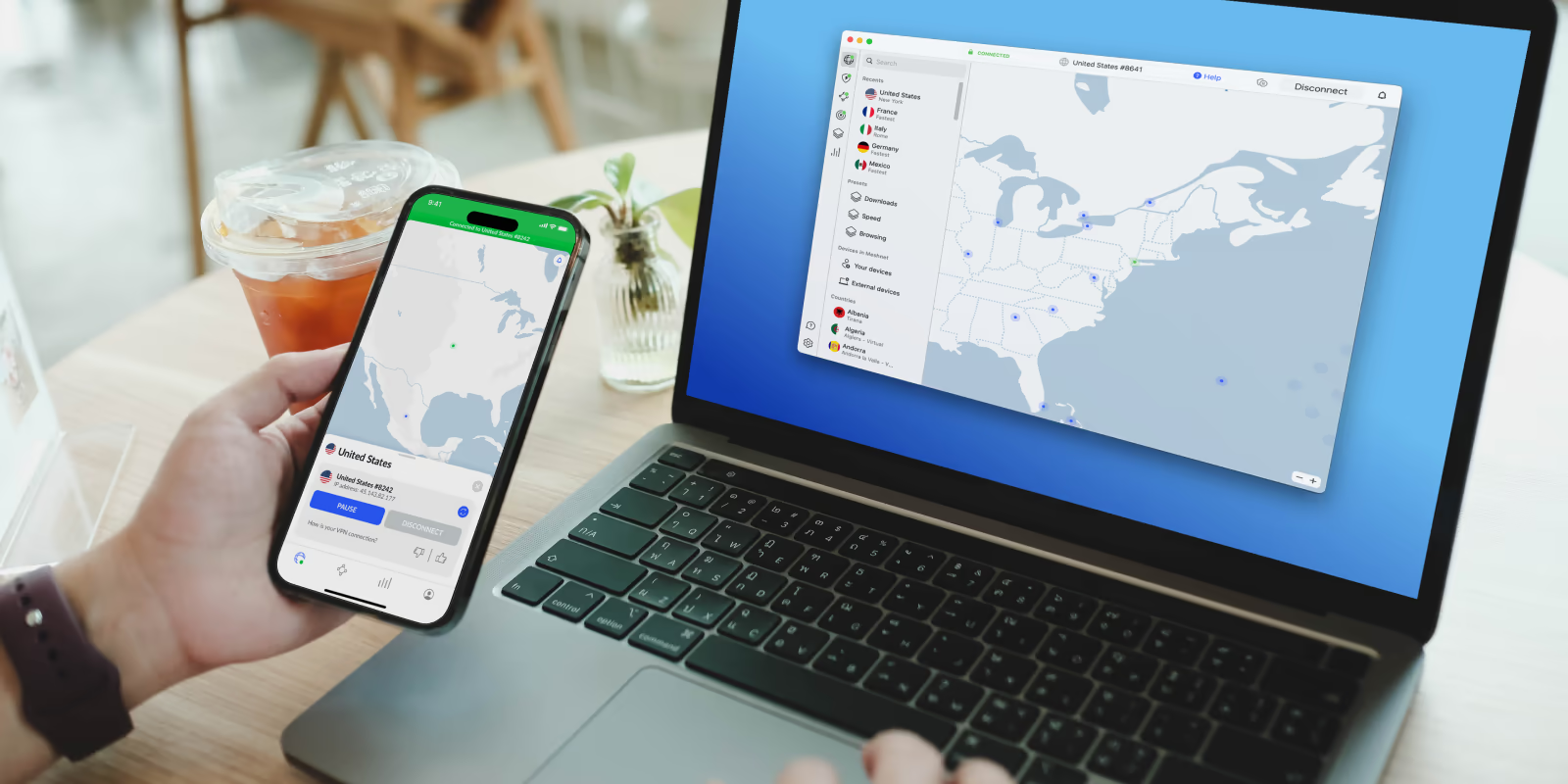
NordVPN is a virtual private network service that helps protect your internet connection by routing your traffic through encrypted VPN servers. In simple terms, it helps hide your real IP address, makes your browsing harder to track by third parties, and adds a layer of protection when you are using unsecured networks.
For example, when you connect to public WiFi in a hotel, airport, café, or coworking space, a VPN can help reduce the risk of exposing your browsing traffic on that network. It can also make it look like you are browsing from another location by connecting to a server in another country.
NordVPN is not just a VPN app anymore. It has become more of a digital security package. Depending on the plan, it can include malware and phishing protection, ad and tracker blocking, dark web monitoring, password management, encrypted cloud storage, and personal data removal tools.
That broader approach is useful for people who do not want to combine too many separate security apps. At the same time, it means you should pay close attention to the plan you choose, because the entry level plan is mainly focused on VPN protection, while higher plans add more privacy and security tools.
Who is NordVPN best for?
NordVPN is best for people who want a premium VPN that feels simple but still has advanced features when needed.
It is a good fit for:
People who use public WiFi often
Remote workers who need safer browsing outside home
Travelers who want more private internet access abroad
Streamers who want a VPN with a large server network
Families or users with several devices
Privacy conscious users who want a no logs VPN
People who want extra tools like dark web monitoring and threat protection
Beginners who want an app that is easy to install and use
NordVPN is also a good option for users who want a VPN across different devices. It supports major platforms such as Windows, macOS, Linux, Android, iOS, tablets, and smart TVs. This makes it practical if you want one account for your laptop, phone, tablet, and streaming device.
Who may not need NordVPN?
NordVPN may not be necessary for everyone.
You may not need it if you only browse from a secure home network, do not use public WiFi, do not care about changing your virtual location, and already use separate tools for malware protection, password management, and privacy monitoring.
It may also feel too expensive if you only need a VPN for one short trip and do not want a long subscription. NordVPN does offer monthly plans, but like many VPN services, the monthly price is much higher than the long term promotional price.
If your only goal is basic IP masking once in a while, a simpler or cheaper VPN may be enough. But if you want a more complete privacy and security experience, NordVPN makes more sense.
Key NordVPN features
NordVPN has a long feature list, but the most important features are the ones that affect daily use. Here are the main tools worth knowing about.
Secure VPN connection
The core feature of NordVPN is encrypted browsing. When you connect to a VPN server, your internet traffic is routed through an encrypted tunnel. This helps protect your activity from being easily viewed on the same network.
This is especially useful on public WiFi. For example, if you are working from a café or checking your accounts while traveling, NordVPN can add a useful layer of protection.
A VPN does not make you completely anonymous, and it does not replace safe browsing habits. But it does reduce exposure in many everyday situations.
Large server network
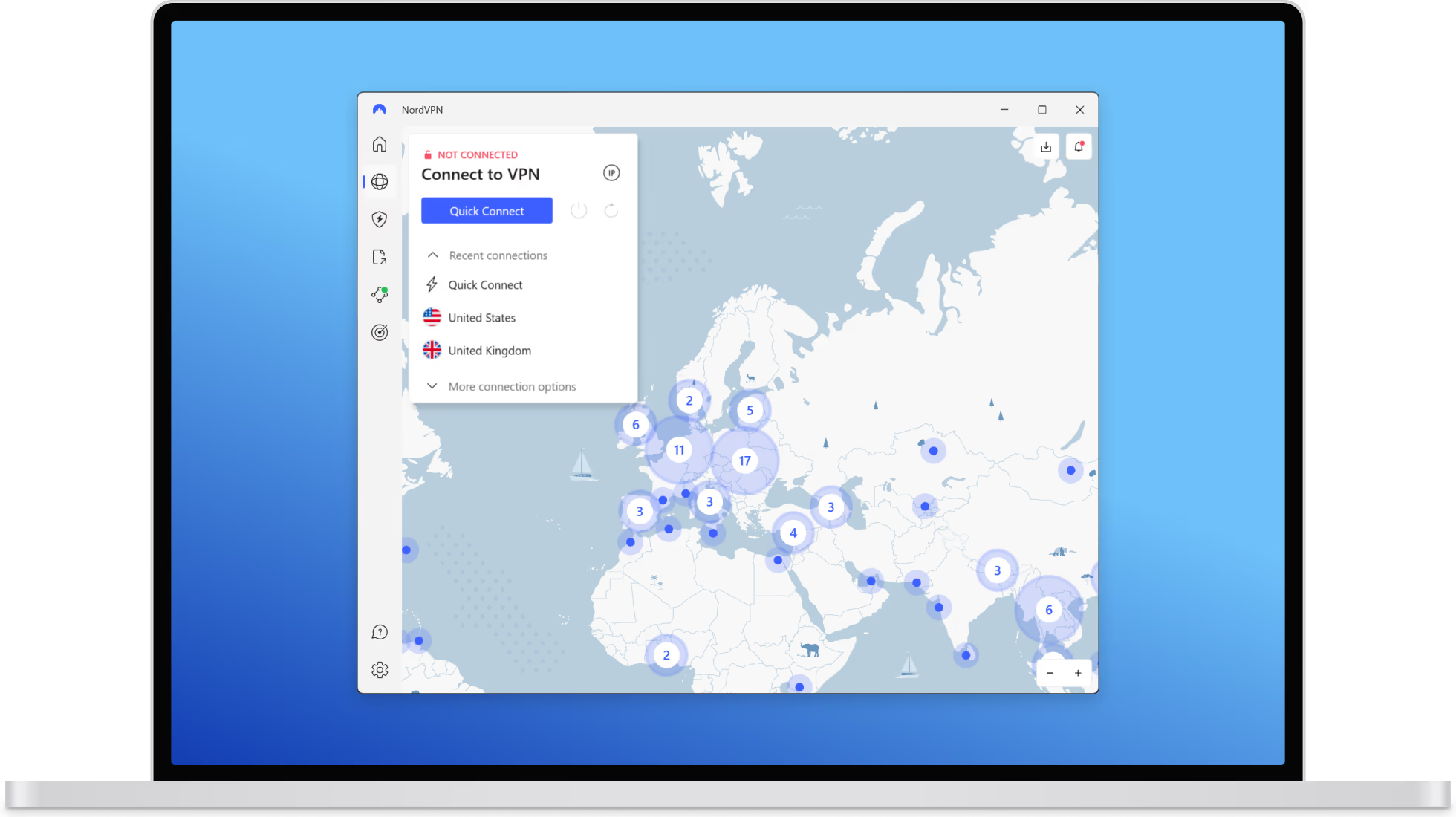
NordVPN offers a large server network across many countries. At the time of writing, the official server page listed more than 9,400 servers in 149 countries.
This matters because more server locations give you more flexibility. You can usually choose a nearby server for better speed, or select a different country when you need a different virtual location.
A large server network is also helpful when one server feels slow or crowded. You can switch to another location instead of being stuck with limited options.
10 devices at once
NordVPN allows 10 devices to be secured at once with one account. For most users, that is enough for a laptop, phone, tablet, and a few extra household devices.
This is useful if you want to protect both personal and work devices, or if you are sharing the account within your household according to the service terms.
There is one practical detail to remember. If several devices connect to the same server, protocol rules may apply, so most users will have the easiest experience by using automatic connection settings.
Threat Protection tools
NordVPN includes tools designed to block scams, phishing attempts, malicious domains, ads, and trackers, depending on the plan and app setup.
This does not mean you can ignore normal security habits. You still need to be careful with suspicious emails, fake websites, unknown downloads, and unsafe browser extensions.
But Threat Protection is useful because it adds another layer between you and common online risks. For everyday users, that can make browsing feel cleaner and safer.
Kill Switch
Kill Switch is one of the most important VPN safety features. If your VPN connection drops unexpectedly, Kill Switch helps prevent your device from sending traffic without VPN protection.
This matters because VPN drops can happen. Your WiFi can change networks, your device can sleep and reconnect, or a server can temporarily fail. Without a Kill Switch, your real IP address may be exposed during that gap.
NordVPN offers different Kill Switch behavior depending on the platform. On some devices, it can block all internet access if the VPN disconnects. On others, it can close specific apps.
Split tunneling
Split tunneling lets you choose which apps or traffic should bypass the VPN.
This is useful in real life. For example, you may want your browser to use the VPN, but allow your banking app, local printer, or work software to connect normally. Some apps do not behave well through VPN connections, so split tunneling gives you more control.
This feature is especially helpful for users who want privacy without breaking local services.
Meshnet
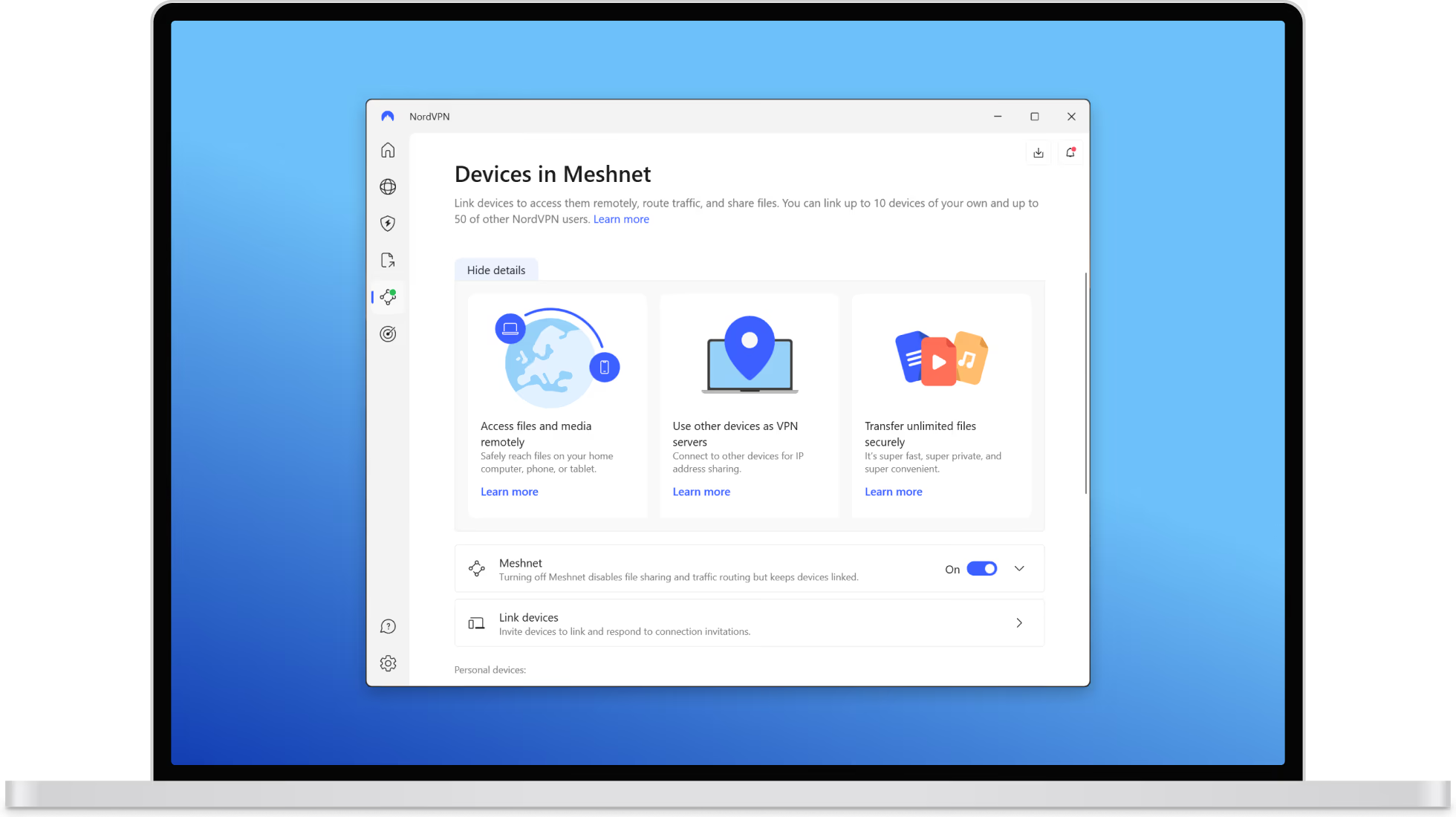
Meshnet lets you create private encrypted connections between devices. It can be useful for secure file sharing, remote access, or connecting devices as if they were on a private network.
Most casual users may not use Meshnet every day. But for power users, remote workers, gamers, and people who move files between devices, it can be a valuable extra.
Dark Web Monitor
Dark Web Monitor checks whether your email address or other supported personal details appear in known data leaks. If something is detected, you can receive alerts and take action, such as changing passwords or securing accounts.
This feature is not a complete identity protection service by itself, but it is useful for early warning. Since data breaches are common, monitoring exposed email addresses can help you respond faster.
Dedicated IP option
NordVPN offers dedicated IP as an optional paid feature. A dedicated IP gives you an IP address used only by you instead of sharing one with many other VPN users.
This can help reduce CAPTCHA prompts, make work network access smoother, and avoid some issues caused by shared VPN IP addresses.
It is not necessary for most casual users. But it can be helpful if you need stable access to corporate tools, admin panels, or services that dislike frequently changing IP addresses.
Obfuscated servers
Obfuscated servers are designed to make VPN traffic look less obvious. This can be helpful on networks that restrict or block VPN usage.
There are limitations. NordVPN’s obfuscated servers work with specific protocols, so you may need to change settings before using them.
This is not something every user will need, but it is good to have if you travel or use restrictive networks.
Post quantum encryption
NordVPN has added post quantum encryption support on selected platforms and with certain connection settings. This feature is designed to protect VPN connections against potential future quantum computer related risks.
For most everyday users, this is not the feature that will decide whether to buy NordVPN today. But it does show that NordVPN is investing in future focused security.
There are compatibility limits. For example, post quantum encryption works with NordLynx and may not work with dedicated IP, other protocols, obfuscated servers, or Meshnet.
NordVPN pricing and plans
NordVPN pricing changes depending on your region, currency, subscription length, taxes, and promotions. The prices below were the official prices shown at the time of writing, but you should always check the checkout page before buying.
NordVPN currently presents three main plan levels in the pricing page we reviewed: Basic, Complete, and Ultra.
Plan | Best for | Typical included value |
|---|---|---|
Basic | Users who mainly want the VPN | Secure VPN, high speed connection, scam and phishing protection, and 10 device connections |
Complete | Users who want VPN plus extra security tools | VPN features plus monitoring tools, malware and browsing protection, ad and tracker blocking, password manager, and cloud storage |
Complete Max | Users who want the broadest privacy package | Complete plan tools plus extra privacy services such as personal data removal through Incogni, where available |
Pricing shown at the time of writing
Subscription length | Basic | Complete | Ultra |
|---|---|---|---|
One month | €14.99 per month | €19.99 per month | €22.89 per month |
One year | €5.49 per month | €6.49 per month | €8.59 per month |
Two year offer | €3.49 per month | €4.49 per month | €6.59 per month |
These prices were shown with promotional savings and may renew at higher standard yearly rates. VAT may also apply depending on your location.
This is important. NordVPN can look very affordable when you compare the long term promotional price, but the monthly plan is much more expensive. If you plan to use a VPN for more than a few months, the longer plan usually gives better value. If you only need a VPN for a short trip, paying monthly may be simpler, even if it costs more.
NordVPN also offers a 30 day money back guarantee for new subscriptions. This gives you time to test the service and decide if it fits your needs. Be careful with renewals and app store purchases, because refund rules may differ depending on how you bought the subscription.
Check NordVPN PricingPricing note: Prices and promotions can change. Always check the final checkout page before subscribing.
Pros and cons
Pros | Cons |
|---|---|
|
|
Real use cases
Public WiFi protection
This is one of the clearest reasons to use NordVPN. Public WiFi networks are convenient, but they are not always safe. If you often work from coffee shops, hotels, airports, libraries, or coworking spaces, a VPN can help protect your connection.
For example, a freelancer checking client emails from a hotel WiFi network can connect to NordVPN before opening email, cloud storage, or admin dashboards. This adds a useful security layer.
Travel and location flexibility
Travelers often use VPNs to browse more privately and connect through servers in different countries. NordVPN’s large server network makes it useful for this.
If you travel often, you can connect to a nearby server for speed or choose a country that fits your browsing needs. It can also help when a website behaves differently outside your home region.
You should still follow the terms of any service you use. A VPN is a privacy tool, not a permission slip to break rules.
Streaming
NordVPN is commonly used by people who want a secure VPN that works well for streaming. The large server network can help with speed and flexibility.
In our view, NordVPN is a good choice for streaming because it is easy to switch servers, apps are available on major platforms, and the service is built for high speed connections.
However, streaming access can change over time. No VPN can honestly guarantee permanent access to every platform or library. If streaming is your main reason for buying, test it during the refund period.
Remote work
Remote workers can benefit from NordVPN when working outside a trusted network. For example, someone working from a café can use the VPN before logging into company tools, cloud storage, project management apps, or email.
The dedicated IP option can also help users who need a stable IP for work systems. If your company has IP allowlisting, a dedicated IP may be easier than using shared VPN servers that change often.
Online shopping and account security
NordVPN can help protect your connection when shopping online or logging into accounts, especially on public networks.
It will not stop every scam. It cannot protect you if you willingly enter your password into a fake website. But phishing and malicious domain blocking can reduce some risks, and Dark Web Monitor can alert you if your email appears in known leaks.
Gaming
NordVPN may help some gamers by protecting their IP address, reducing exposure to certain attacks, or giving access to different server routes. Meshnet can also be useful for private connections between devices.
That said, a VPN can sometimes increase ping depending on your location and server choice. Gamers should connect to the nearest fast server and test performance before relying on it.
User experience
NordVPN is one of the easier VPN apps to use. The interface is clean, and beginners can usually connect with one click. The app can automatically choose a suitable server, which is helpful if you do not want to think about protocols or locations.
The desktop apps feel more complete because they provide more settings and visibility. Mobile apps are also simple enough for everyday use. The browser extensions can be useful, but users should understand that a browser extension usually protects browser traffic, not the entire device in the same way as the full VPN app.
Setup is straightforward. You choose a plan, create an account, download the app, log in, and connect to a server.
For most people, the best setup is simple:
Install NordVPN on your main devices
Turn on automatic connection for public WiFi
Keep Kill Switch enabled where available
Use split tunneling only when an app needs to bypass the VPN
Test your preferred streaming and work tools during the refund period
The overall experience feels polished. NordVPN does a good job of making advanced tools available without forcing beginners to deal with them.
What makes NordVPN different?
NordVPN stands out because it combines a premium VPN with a wider security package.
Many VPNs focus only on changing your IP address and encrypting traffic. NordVPN goes further by adding threat protection, dark web monitoring, Meshnet, password management in selected plans, encrypted storage in selected plans, and personal data removal in higher bundles.
Another difference is trust positioning. NordVPN has had its no logs claims independently assessed multiple times, including a sixth assurance engagement published in 2026. That does not mean users should blindly trust any company, but independent verification is better than simple marketing promises.
The server network is also a major advantage. More locations give users more choice, which matters for speed, travel, streaming, and general reliability.
Finally, NordVPN has a good balance between simplicity and control. Beginners can press one button and connect. Advanced users can adjust protocols, use specialty servers, set up split tunneling, use Meshnet, or add a dedicated IP.
Possible drawbacks
NordVPN is strong, but it is not perfect.
The first drawback is pricing clarity. Like many VPN services, NordVPN uses promotional pricing for long term plans. The first term can be much cheaper than renewal. This is not necessarily bad, but users should read the renewal price before checkout.
The second drawback is that the monthly plan is expensive. If you do not want a long subscription, NordVPN may feel costly.
The third drawback is feature availability. Some tools are tied to higher plans. If you only buy Basic, you should not expect the full security bundle.
The fourth drawback is platform differences. Not every feature works the same way on every device. Kill Switch behavior, split tunneling, post quantum encryption, and obfuscated servers can vary depending on your platform and protocol.
The fifth drawback is support. NordVPN offers 24 hour support through live chat and email, but it does not offer phone support. Many users will be fine with live chat, but some people prefer phone help.
NordVPN compared with alternatives
NordVPN is not the only strong VPN. The best choice depends on your priorities.
VPN | Best for | How it compares with NordVPN |
|---|---|---|
ExpressVPN | Users who want a very simple premium VPN | Often praised for ease of use, but usually positioned as a higher priced option |
Users who want value and many device connections | Often attractive for budget focused users, while NordVPN feels more mature in security extras | |
Privacy focused users who value transparency | Strong privacy reputation, while NordVPN may feel more polished for mainstream users | |
CyberGhost | Beginners who want simple streaming focused servers | Usually easy to use, while NordVPN has broader advanced security features |
NordVPN is best if you want a balanced premium VPN with strong apps, good speed, privacy features, and extra security tools.
Surfshark may be more appealing if your main goal is budget value. ExpressVPN may be better if you want the simplest premium experience and do not mind paying more. Proton VPN may appeal more if you care deeply about open privacy culture and ecosystem transparency.
For most everyday users, NordVPN sits in a strong middle position: powerful, easy to use, and feature rich without feeling too complicated.
Is NordVPN safe?
NordVPN is generally a safe and trustworthy VPN choice based on its feature set, privacy position, and independent no logs verification.
It uses encrypted VPN connections, offers a Kill Switch, provides DNS based protection against some malicious domains, and supports modern VPN protocols. Its no logs claims have also been independently assessed multiple times.
Still, it is important to understand what a VPN can and cannot do.
NordVPN can help protect your connection, hide your IP address from websites, reduce tracking exposure, and improve safety on public networks.
NordVPN cannot make unsafe websites safe, stop every phishing attack, protect you from entering passwords into fake pages, or make you completely anonymous online.
A VPN should be one part of your security setup, not the whole setup.
Is NordVPN good for beginners?
Yes, NordVPN is good for beginners. The app is simple enough that most users can install it and connect without reading a long tutorial.
The automatic server option is helpful because beginners do not need to choose a country or protocol manually. The interface is clear, and most important settings are easy to find.
At the same time, NordVPN gives more experienced users advanced options. That makes it a good product to grow into. You can start with basic VPN protection, then later explore split tunneling, Meshnet, specialty servers, dedicated IP, or security tools.
Which NordVPN plan should you choose?
For most users, Basic is enough if you only want the VPN.
Choose Basic if your main needs are:
Secure browsing
Public WiFi protection
IP address privacy
Travel browsing
General VPN use
Choose Complete if you want a stronger security bundle. This is likely the best choice for users who want VPN protection plus password management, cloud storage, ad and tracker blocking, and monitoring tools.
Choose Ultra if you want the most complete package and care about personal data removal tools. It is the most expensive plan, so it mainly makes sense if you will actually use the extra privacy services.
Our practical recommendation is this: do not buy the highest plan just because it looks more complete. Buy the plan that matches what you will actually use.
Final verdict
NordVPN is one of the best VPN services for people who want a reliable, easy to use, and feature rich VPN. It offers strong privacy tools, a large server network, good device support, useful security extras, and a polished app experience.
It is especially good for public WiFi protection, travel, streaming, remote work, and users who want more than a basic VPN. The 10 device limit is generous enough for most individuals and small households, and the extra tools make NordVPN feel more like a full digital security suite than a simple VPN app.
The biggest things to watch are pricing and plan selection. Monthly plans are expensive, promotional prices may renew at higher rates, and some features are only included in higher tiers. Before buying, check the final checkout price, renewal terms, taxes, and included features.
Clear recommendation
We recommend NordVPN for most users who want a premium VPN that is simple enough for beginners but powerful enough for serious privacy and security needs.
Choose NordVPN if you want a fast, polished, secure VPN with strong features and broad device support.
Skip it if you only need a very cheap VPN for occasional use, or if you do not plan to use any of the privacy and security extras.
Overall, NordVPN is worth considering if you want a trustworthy VPN that balances privacy, speed, usability, and practical security tools in one package.
Explore NordVPN