
AI Video Generator: Simple Guide for Creators
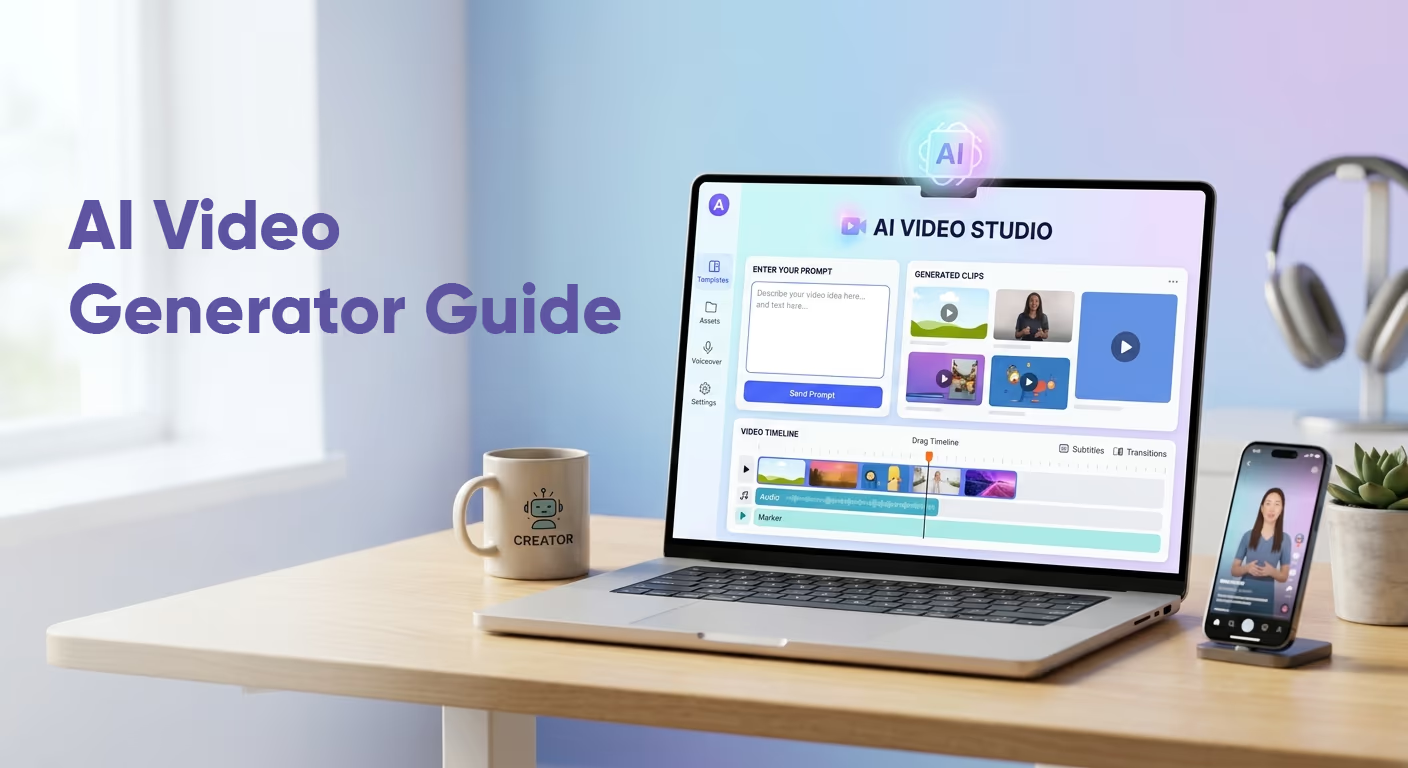
AI Video Generator: Simple Guide for Creators
Video is one of the most powerful ways to share ideas online. People use it for social media, ads, product demos, education, entertainment, and business communication.
But making videos can take time.
You may need a camera, lighting, actors, editing software, music, voiceovers, and design skills. For many small businesses and creators, that can feel like too much.
This is where an AI video generator becomes useful.
An AI video generator helps users create videos with artificial intelligence. Instead of filming every scene yourself, you can use text, images, scripts, or templates to create video content faster.
In this guide, we will explain what an AI video generator is, how it works, what it can create, where it is useful, and what limits you should know before using one.
We will keep everything simple and practical.
What Is an AI Video Generator?
An AI video generator is a tool that uses artificial intelligence to create or edit videos.
In simple words, you give the tool an input, and it creates a video or helps build one.
That input can be:
A text prompt
A script
An image
A product photo
A blog post
A presentation
A voice recording
A set of clips
For example, you may type:
“Create a short video showing a modern coffee shop opening in the morning.”
The tool can then generate video scenes, motion, visuals, text, and sometimes audio.
Some AI video tools create full videos from text. Others help with editing, subtitles, avatars, voiceovers, background music, or visual effects.
This is why the term AI video generator can mean different things. It may refer to a text-to-video tool, an avatar video maker, an AI editor, or a full media production platform.
The main idea is the same: AI helps reduce the time and effort needed to create video content.
Why AI Video Generators Are Growing Fast
AI video is growing because video content is everywhere.
Brands need videos for ads. Creators need videos for TikTok, Instagram Reels, and YouTube Shorts. Teachers need explainer clips. Businesses need training videos. Bloggers need visual content to support their articles.
At the same time, AI video technology is improving quickly.
The AI video generator market was estimated at $788.5 million in 2025 and is projected to reach $3.44 billion by 2033, according to Grand View Research.
That growth makes sense.
AI video tools can help people create content without a full production team. They are not perfect, but they are becoming more useful each year.
Major AI companies are also investing in video generation. Google DeepMind now lists Veo 3.1 as its latest video generation model, with video and audio capabilities. OpenAI introduced Sora 2 as a video and audio generation model with synchronized dialogue and sound effects. Runway’s Gen-4 focuses on keeping characters, locations, and styles consistent across scenes.
This tells us one thing clearly: AI video is no longer a small trend. It is becoming a major part of AI media production.
How Does an AI Video Generator Work?
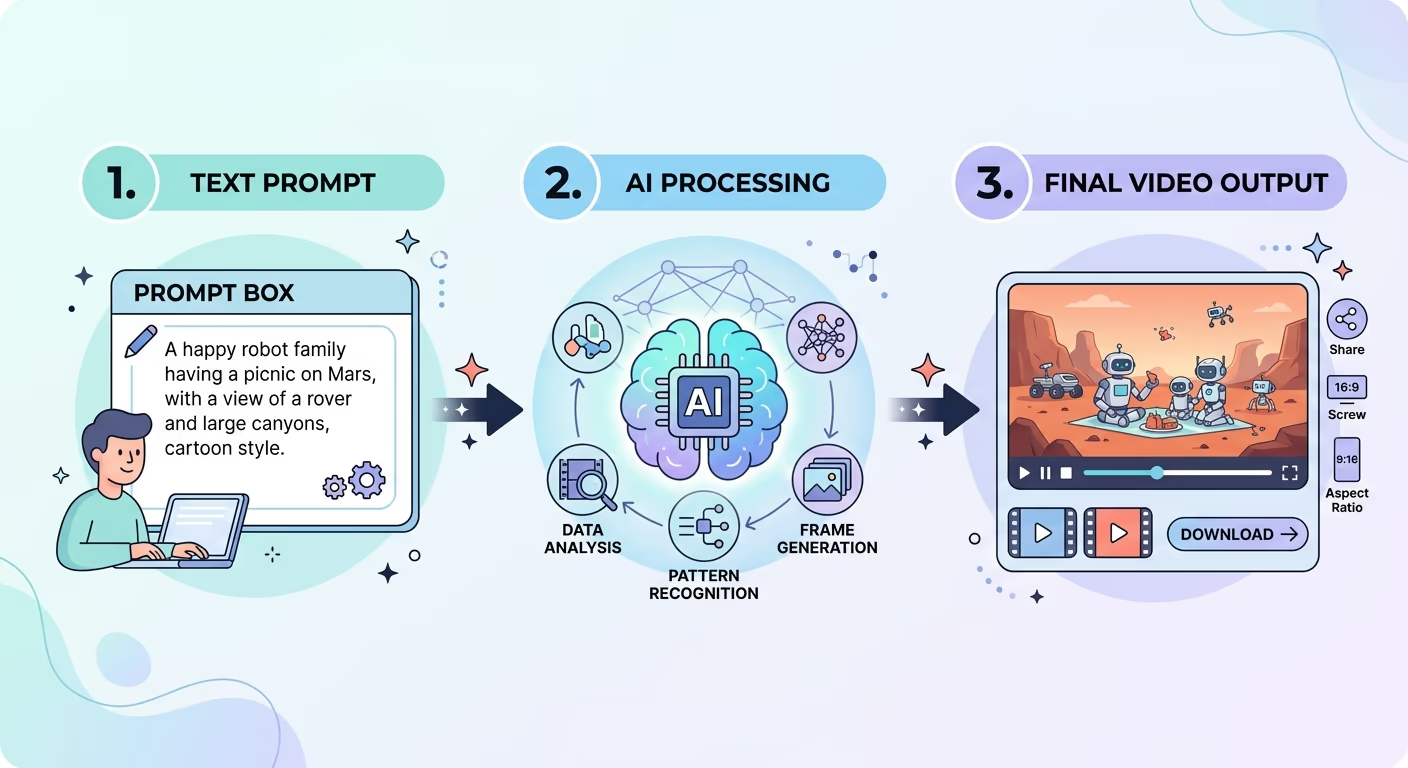
An AI video generator works by using trained machine learning models.
These models learn from large amounts of video, image, text, and audio data. They learn patterns such as movement, objects, lighting, camera angles, speech, and scene structure.
When you enter a prompt, the tool tries to understand what you want.
Then it creates video frames that match the instruction.
For example, if you ask for “a dog running on a beach at sunset,” the AI tries to create a scene with a dog, beach, movement, warm light, and sunset colors.
This process may sound simple, but it is very complex behind the scenes.
The tool must understand language, generate visual frames, keep motion smooth, and make the scene look connected.
Some tools also add sound effects, music, voice, or dialogue.
This is why modern text-to-video AI is more advanced than older video templates. It does not only arranges clips. It can create new scenes based on your words.
Still, the quality depends on the tool, the prompt, and the type of video you want.
Common Types of AI Video Generators
Not all AI video tools do the same job.
Here are the most common types.
1. Text-to-Video AI Tools
A text-to-video AI tool creates video from written prompts.
You describe a scene, and the tool generates a short video.
This type is popular for creative clips, social content, concept videos, and visual ideas.
For example:
“Create a futuristic city at night with flying cars and neon lights.”
This type of AI video generator is exciting, but it can still make mistakes. Hands, faces, signs, movement, and details may not always look perfect.
2. Image-to-Video Tools
Image-to-video tools turn still images into moving clips.
You upload a photo or design, and the AI adds motion.
This is useful for product photos, social media posts, artwork, thumbnails, and simple ads.
For example, a clothing brand can upload a product image and create a short moving product video.
3. AI Avatar Video Tools
AI avatar tools create videos with digital presenters.
You type a script, choose an avatar, and the tool makes the avatar speak.
These are common for training, onboarding, product explainers, and educational content.
They save time because you do not need to record yourself on camera.
4. AI Video Editing Tools
Some AI video tools do not create videos from scratch. Instead, they help edit existing videos.
They can remove pauses, add captions, clean audio, cut clips, translate speech, or create short clips from long videos.
These tools are useful for podcasters, YouTubers, course creators, and marketers.
5. AI Social Video Tools
Some platforms are built for social media.
They help users create short videos, add captions, resize content, generate hooks, and export for TikTok, Instagram, YouTube Shorts, or LinkedIn.
These tools are practical for people who post often.
What Can You Create With AI Video Tools?
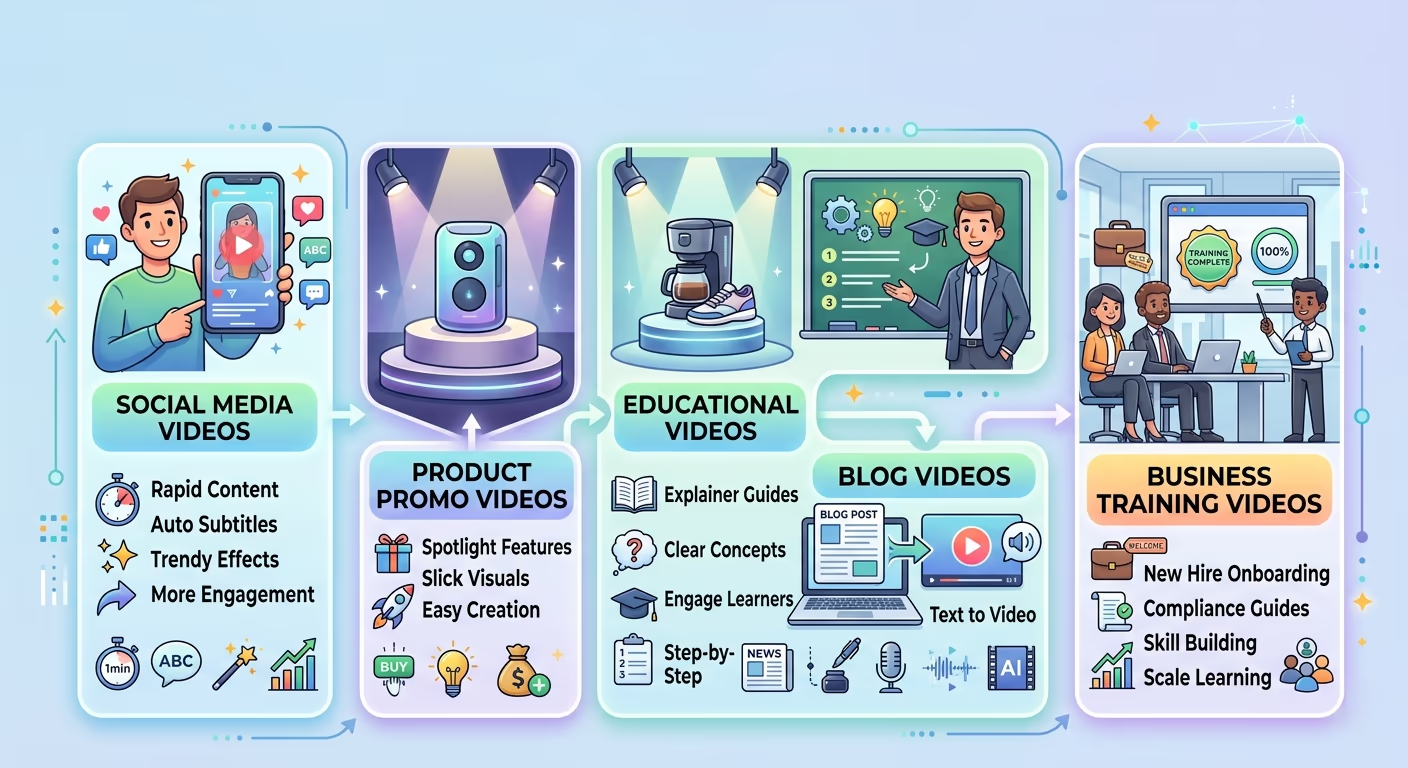
AI video tools can be used for many types of content.
You do not need to make a Hollywood-style video to get value from them. In most cases, the best use is simple and clear content.
Here are common examples.
Social Media Videos
Creators and brands can use an AI video generator to make short clips for Instagram Reels, TikTok, YouTube Shorts, and Facebook.
These can include tips, product highlights, quotes, announcements, or visual stories.
Product Promo Videos
Small businesses can create product videos without hiring a video team.
For example, a shop can turn product images into short promotional clips.
A software company can create a simple feature explainer.
Educational Videos
Teachers, coaches, and online course creators can use AI video tools to explain ideas visually.
This works well for simple lessons, definitions, summaries, and training materials.
Blog and Website Videos
Bloggers can use AI videos to support written content.
For example, an article about fitness could include a short AI-made explainer clip. A software review site could use a video summary to make the page more engaging.
Ads and Marketing Campaigns
Marketing teams can use AI video tools to make ad concepts faster.
They can create different versions of a video for different audiences.
This can be useful for testing ideas before spending more money on full production.
Internal Business Videos
Companies can create onboarding videos, policy explainers, training clips, and team updates.
This is one of the most practical uses of AI media production.
Benefits of Using an AI Video Generator
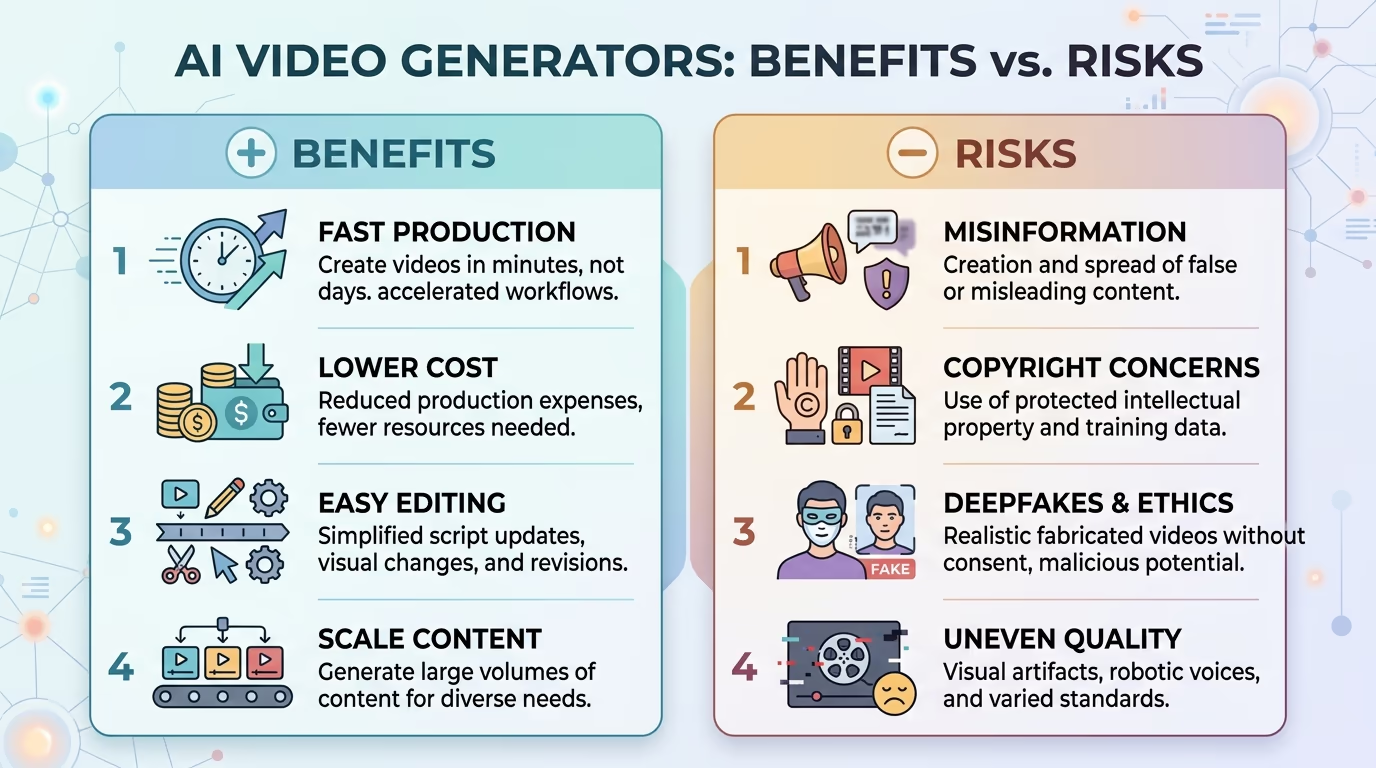
The biggest benefit of an AI video generator is speed.
Traditional video production can take days or weeks. With AI, you can create a first version much faster.
This does not mean the first version will be perfect. But it gives you a starting point.
It Saves Time
AI can help with scripting, visuals, subtitles, voice, editing, and formatting.
This is useful for busy creators and small teams.
It Reduces Cost
Hiring editors, actors, designers, and voiceover artists can be expensive.
AI video tools can reduce the need for a large team, especially for simple content.
It Helps Non-Experts Create Videos
Not everyone knows video editing.
AI tools make video creation easier for beginners. You can create content even if you do not understand timelines, keyframes, or color grading.
It Supports More Content Output
If you need to post often, AI can help you create more content.
A business can make product clips, explainer videos, and social posts more regularly.
It Makes Testing Easier
Marketers can create several versions of one idea.
They can test different hooks, styles, and messages before choosing the best one.
This is very helpful for advertising and social media.
Limitations of AI Video Generators
AI video tools are powerful, but they are not magic.
They still have limits.
Quality Can Be Uneven
Some AI videos look amazing. Others look strange.
Motion may feel unnatural. Faces may change. Objects may move in odd ways. Text inside videos may appear wrong.
This is why users should review every output carefully.
Long Videos Are Harder
AI video tools are often better for short clips.
Long videos need structure, pacing, story, editing, and consistency. AI can help, but human planning is still important.
Prompts Matter
A weak prompt usually gives a weak result.
For example, “make a video about business” is too broad.
A better prompt would be:
“Create a 10-second modern video showing a small business owner packing online orders in a bright home office.”
Clear prompts create better results.
It May Not Match Your Brand
AI-generated videos can look generic if you do not customize them.
Brands still need their own colors, voice, style, and message.
Some Topics Need Care
Healthcare, finance, legal advice, politics, and sensitive news topics need extra caution.
AI videos can make mistakes, so facts must be checked.
Risks and Ethical Issues
AI video creation also comes with risks.
One major concern is misinformation. AI can create realistic scenes that never happened. This can be dangerous if used to mislead people.
Another concern is deepfakes. AI can imitate real people, voices, or faces. This should only be done with clear permission.
There are also copyright questions. Some AI outputs may look similar to existing styles, brands, or characters.
For safe use, we should follow simple rules:
Do not copy real people without consent.
Do not create fake news or misleading videos.
Do not use copyrighted characters or logos without rights.
Check facts before publishing.
Label AI-generated content when needed.
Use AI as a helper, not as an excuse to deceive people.
AI video tools are useful, but they should be used responsibly.
AI Video Generator vs Traditional Video Editing
Traditional video editing gives more control.
You can choose exact clips, camera angles, music, transitions, timing, color, and sound. This is still better for professional films, documentaries, high-end ads, and detailed brand videos.
An AI video generator is better for speed.
It helps create drafts, short clips, visual ideas, social content, and simple explainers.
So the best choice depends on the project.
Use traditional editing when quality and control matter most.
Use AI video tools when speed, testing, and simple content matter more.
In many cases, the best workflow is both.
You can use AI to create ideas or clips, then edit them manually for a better final result.
Who Should Use AI Video Tools?
AI video tools are useful for many people.
Creators can use them to make social clips and story ideas.
Small businesses can use them for product videos and ads.
Teachers can use them for lesson explainers.
Bloggers can use them to add video content to articles.
Marketers can use them to test ad ideas.
Agencies can use them to create mockups for clients.
Course creators can use them for training and learning materials.
The best users are people who need regular video content but do not always have the time, money, or skills for full production.
That is where AI video generation gives the most value.
How to Choose the Right AI Video Generator
You do not need to test every tool to understand what matters.
Before choosing an AI video generator, look at these points.
Ease of Use
The tool should be simple enough for your skill level.
If it feels too complex, you may not use it often.
Video Quality
Check if the videos look smooth and clear.
Look at examples before paying.
Editing Control
A good tool should let you edit text, scenes, colors, timing, and audio.
More control means better final results.
Supported Formats
If you create social videos, make sure the tool supports vertical video.
If you create YouTube content, check for wide-screen export.
Audio Features
Some tools include voiceovers, music, and sound effects.
Others focus only on visuals.
Pricing
Compare free plans, paid plans, export limits, watermarks, and usage credits.
The cheapest tool is not always the best. The best tool is the one that fits your work.
Commercial Use
If you are using videos for business, check the license.
Make sure you are allowed to publish or sell content made with the tool.
This step is easy to forget, but it matters.
Tips for Better AI Video Results
Good results often come from good instructions.
Here are simple tips.
Be specific.
Instead of “make a video about travel,” say:
“Create a 12-second vertical video of a woman walking through a sunny European street with warm colors and soft camera movement.”
Mention the style.
Use words like modern, cinematic, minimal, bright, realistic, playful, or professional.
Describe the subject.
Say who or what should appear in the video.
Add the setting.
Mention the location, time of day, mood, and background.
Keep clips short.
AI tools usually perform better with short scenes.
Edit the final result.
Do not publish the first output without review. Add your brand, captions, music, and human touch.
This makes the final video feel more polished and less random.
The Future of AI Media Production
AI video will keep improving.
We can expect better motion, clearer faces, stronger audio, longer clips, more realistic scenes, and easier editing.
We may also see more tools that combine video, image, voice, design, and publishing in one place.
This is where AI media production is going.
Instead of using one tool for writing, another for images, another for voice, and another for editing, creators may use connected platforms that handle more of the workflow.
But human creativity will still matter.
AI can help create content, but people still need to choose the message, audience, story, and purpose.
A good video is not only about moving images. It is about communication.
That part still needs human thinking.
Final Thoughts
An AI video generator is a powerful tool for modern content creation.
It helps people create videos faster, with less technical work. It can support social media, marketing, education, blogging, business training, and creative projects.
But it also has limits.
AI video tools can make mistakes. They may produce odd motion, generic visuals, or inaccurate details. They also raise ethical issues around misinformation, deepfakes, and copyright.
So the best approach is balance.
Use AI video tools to save time, test ideas, and create drafts. Then add human review, brand style, and clear messaging.
For creators, bloggers, small businesses, and marketers, AI video generation is worth understanding now.
It is not just a future trend. It is already part of the way digital media is being created.
And as the technology improves, the people who understand it early will have a strong advantage.